 Checklist for Jira
 Backlog Prioritization for Jira
 Risk Register for Jira
 Response Templates for Jira
 AI Agents for Jira
 GPT for Jira
 Advanced Queues for Jira
 Advanced Test Management for Jira
A risk matrix of your own
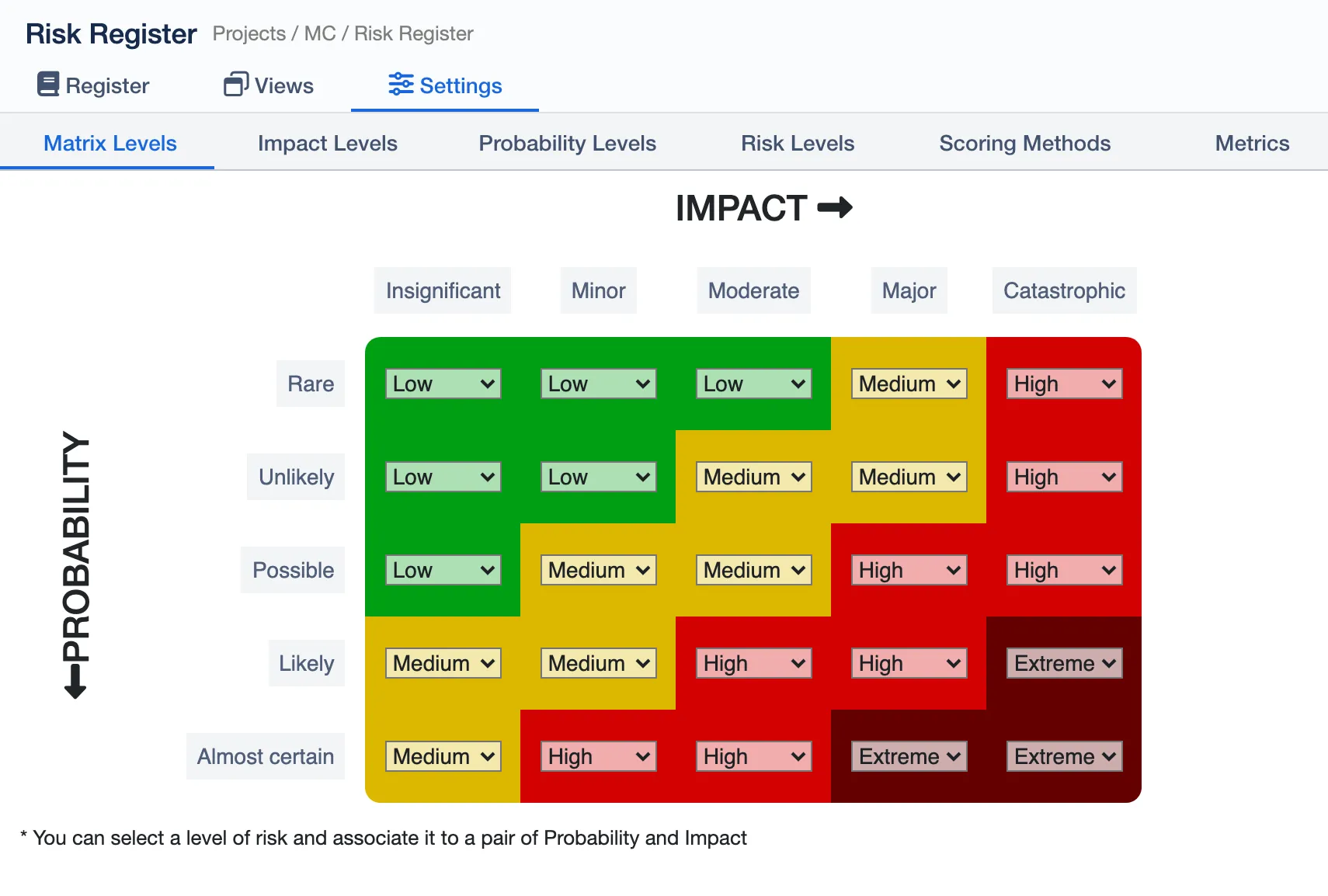
Name your own probability, impact and risk levels, say what each one means, and choose the level every pair gives. Every rating in the space follows the same scale.

Keep every risk in Jira. Rate each one on a risk matrix of your own, follow it from initial to residual risk, and give leadership heat maps they can read at a glance.
4.4/5 from 15 reviews · 490+ installsPartner supportedRuns on Atlassian
Atlas Orbital, a fictional rocket company, takes Flight 8’s risks to its board. Eight short chapters, one agenda item each.
Chapters
Name your own probability, impact and risk levels, say what each one means, and choose the level every pair gives. Every rating in the space follows the same scale.
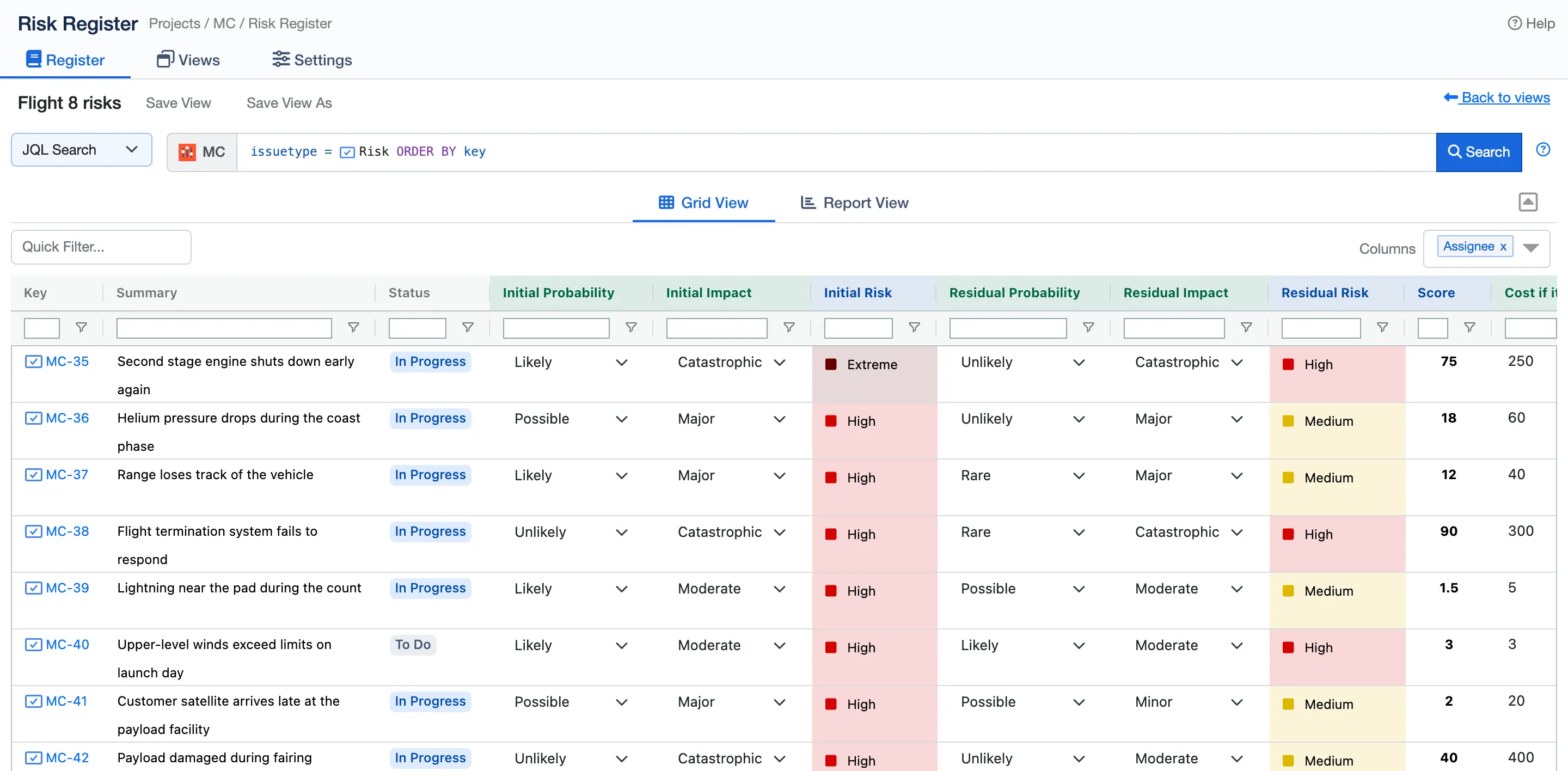
Each risk is a Jira work item, rated before and after treatment. Find them with a quick search, JQL or a saved filter, rate them right in the grid, and add any Jira field as a column.
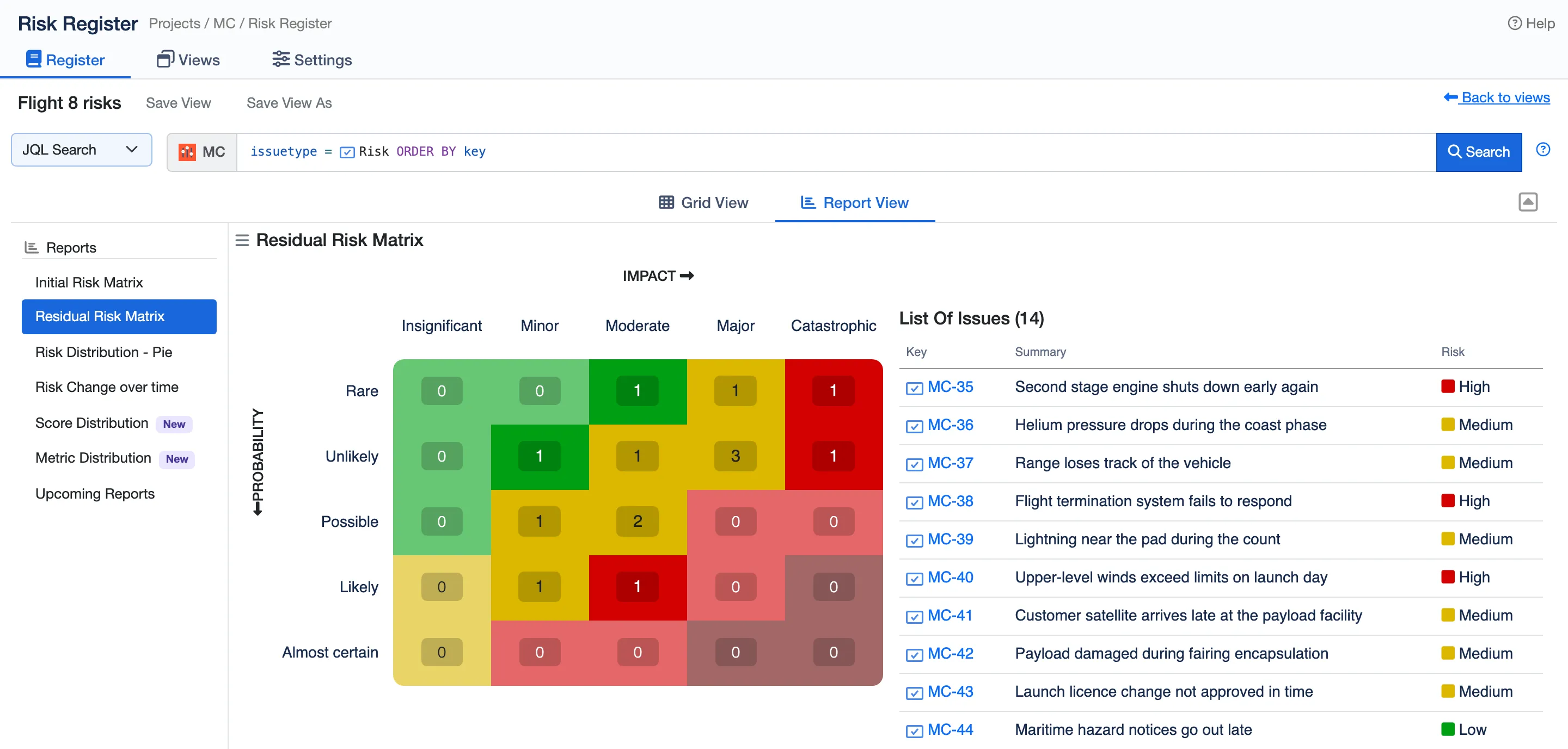
Heat maps of initial and residual risk show what treatment changed. Before-and-after charts, risk change over time and a breakdown by any metric fill in the rest.
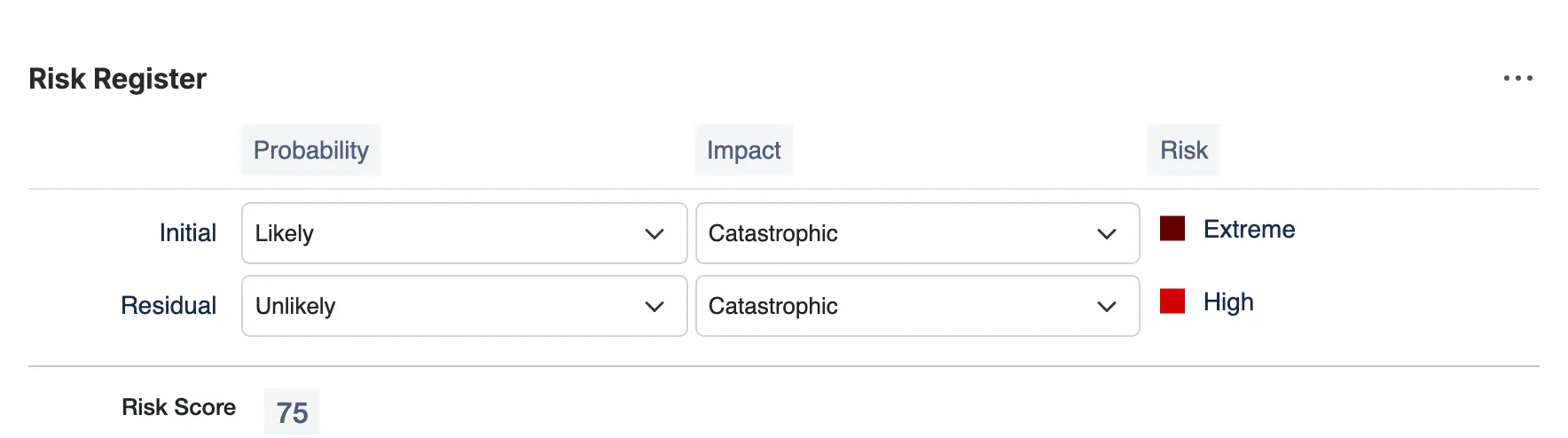
Each risk’s panel in its work item: initial and residual ratings, the level they give, and the score.
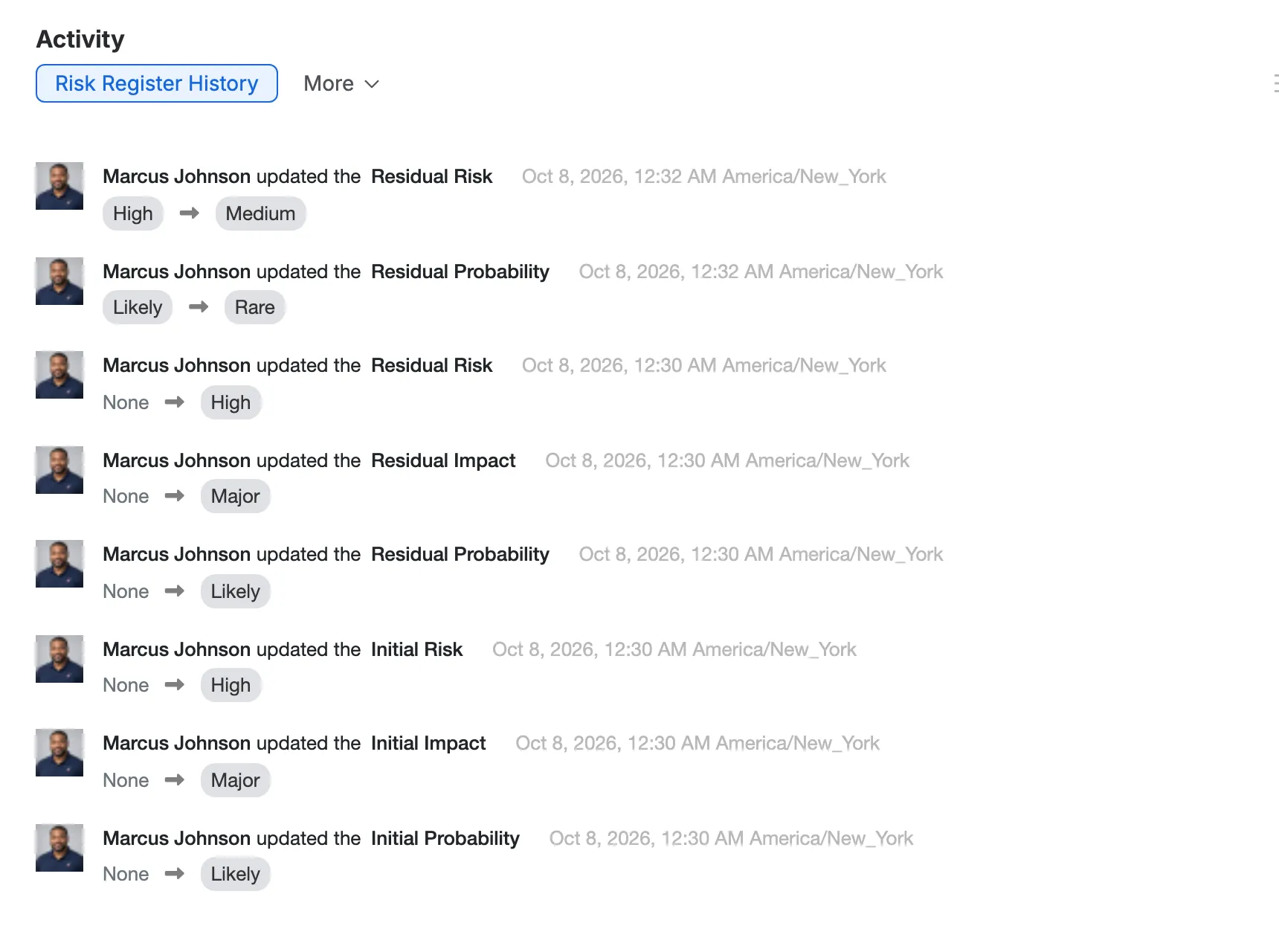
Risk Register History: every change to a risk’s ratings, who made it and when.
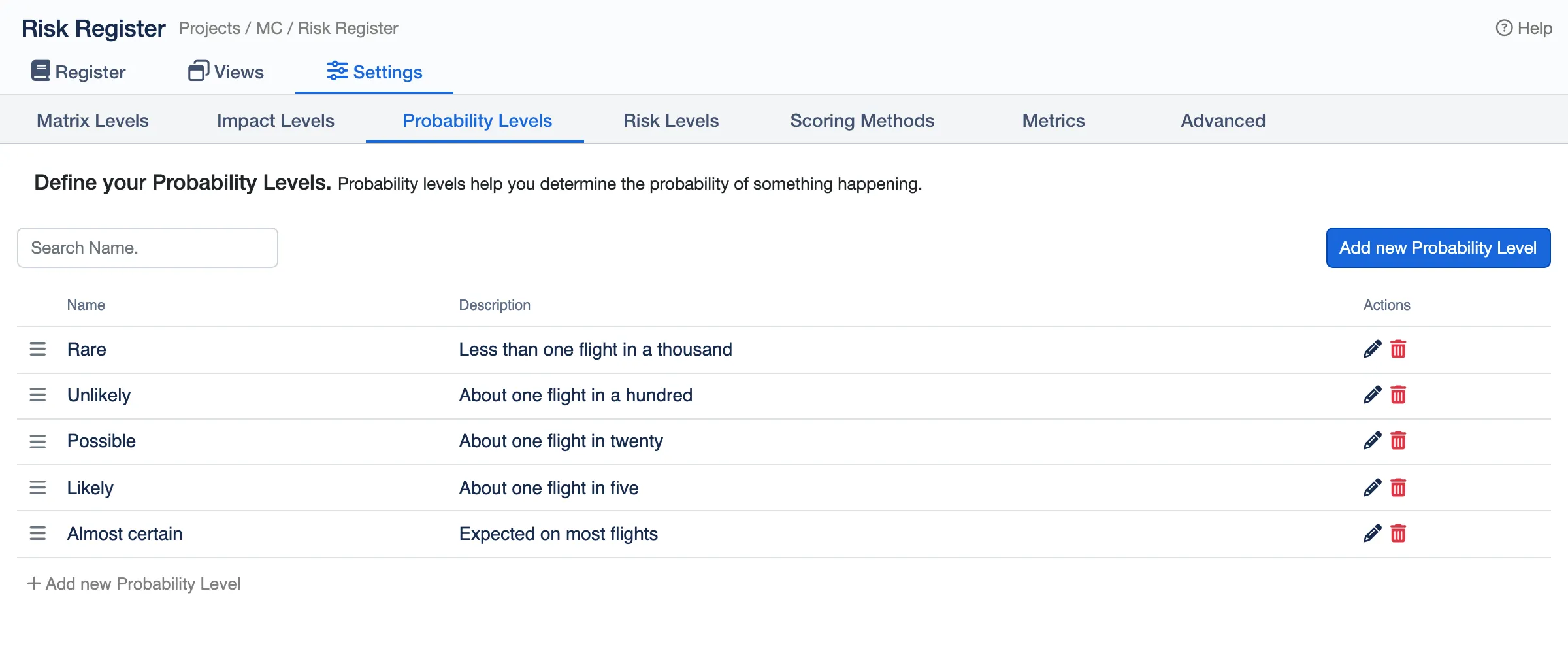
Probability and impact levels of your own, each with a plain definition.
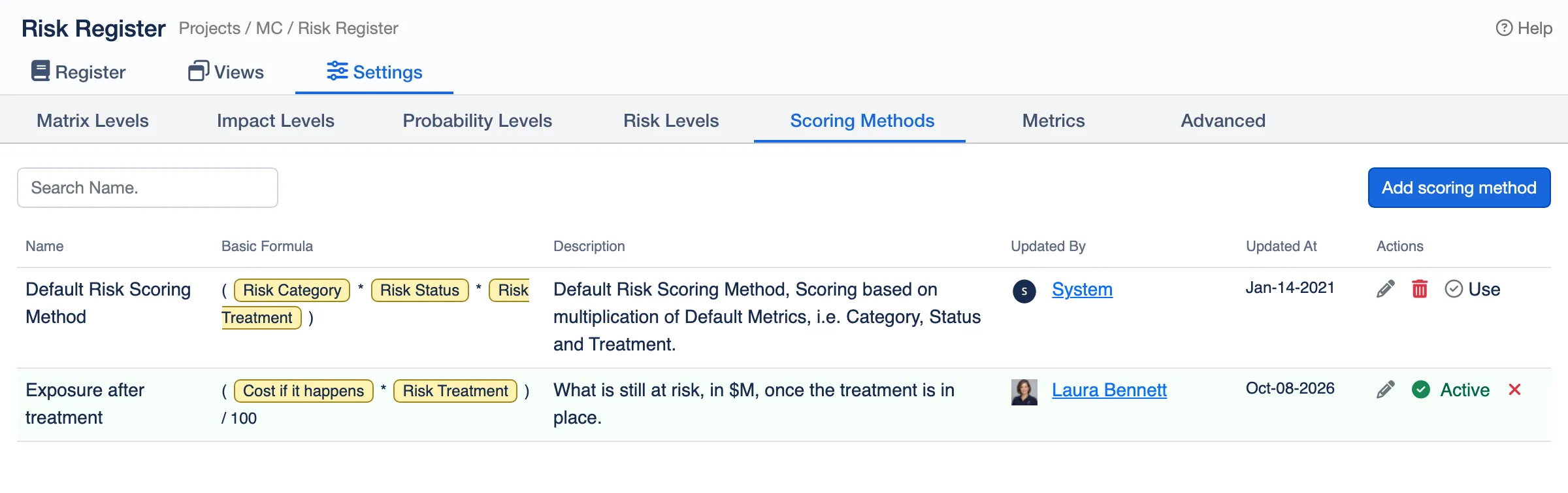
Scoring methods: combine metrics such as category and treatment in a formula of your own.
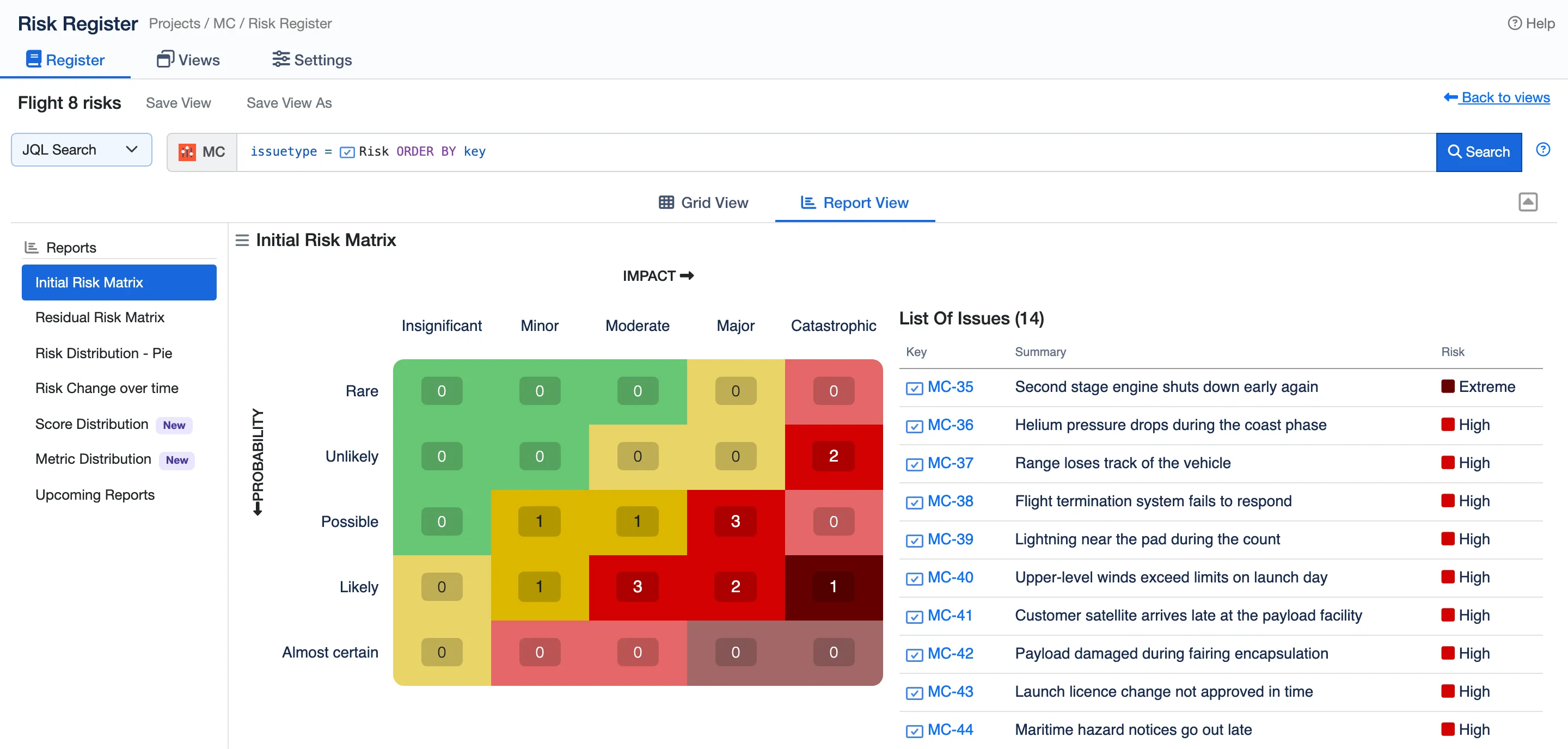
The initial risk matrix: where every risk started, and the risks in each square.
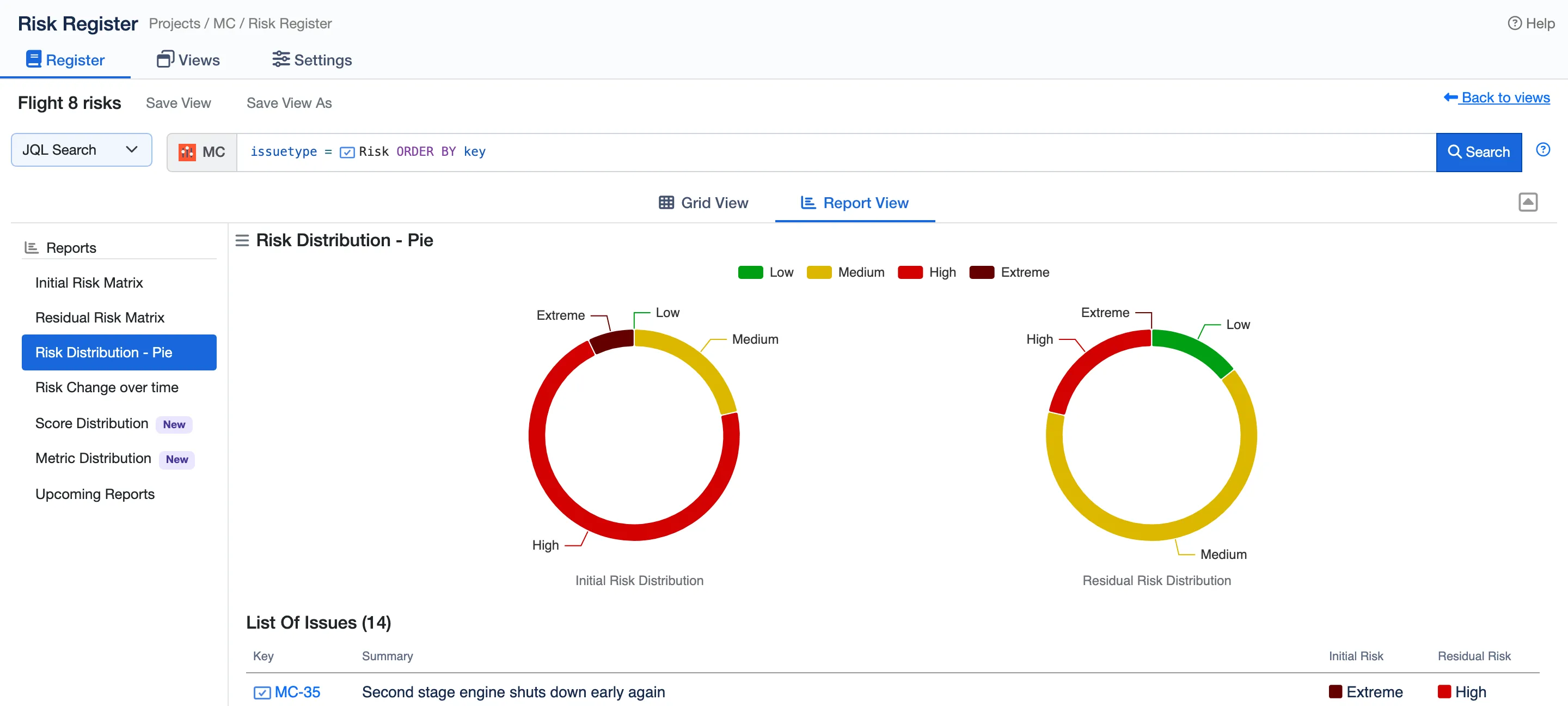
Initial and residual risk, side by side.
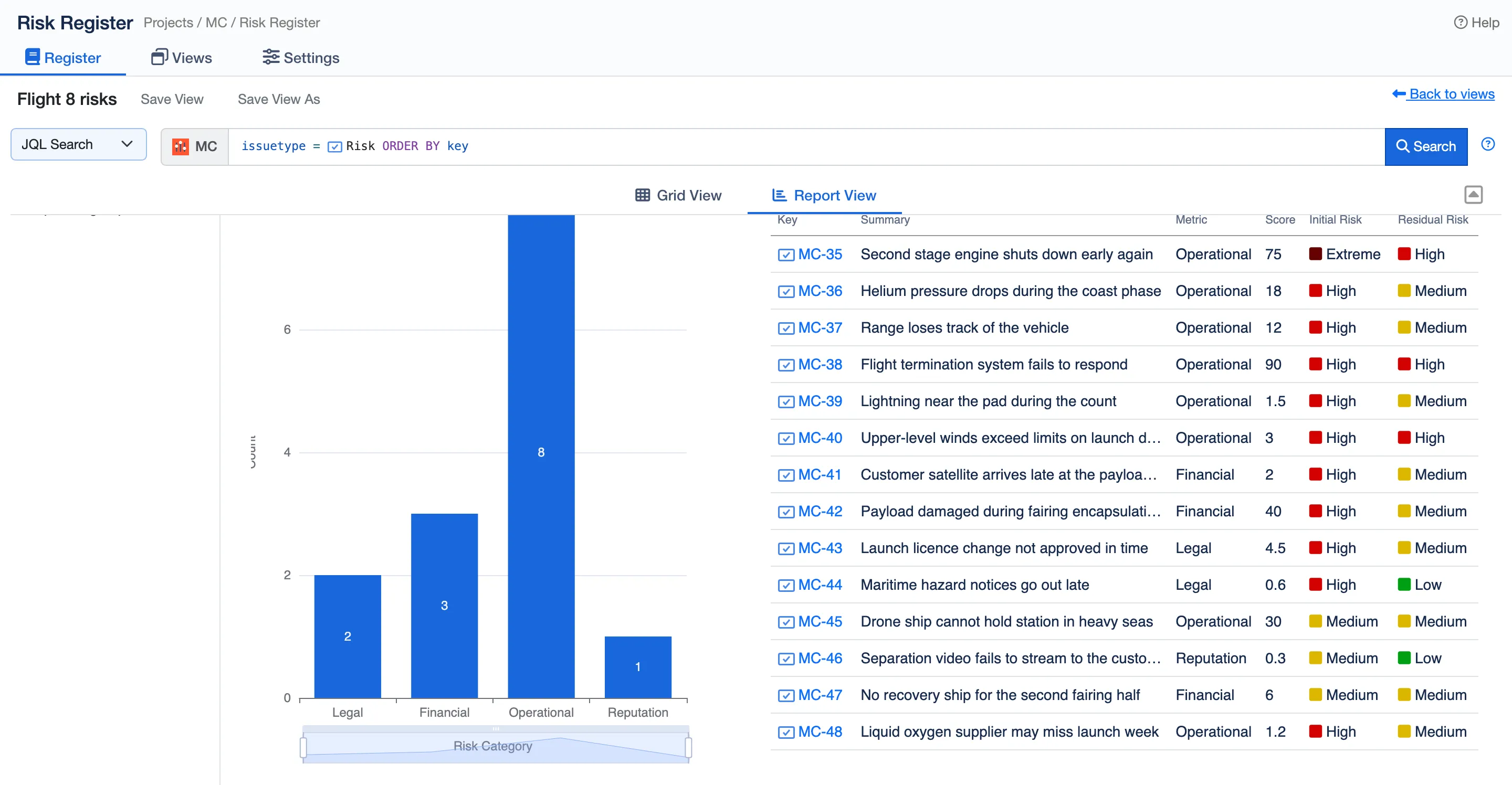
The register broken down by any metric, here by risk category.
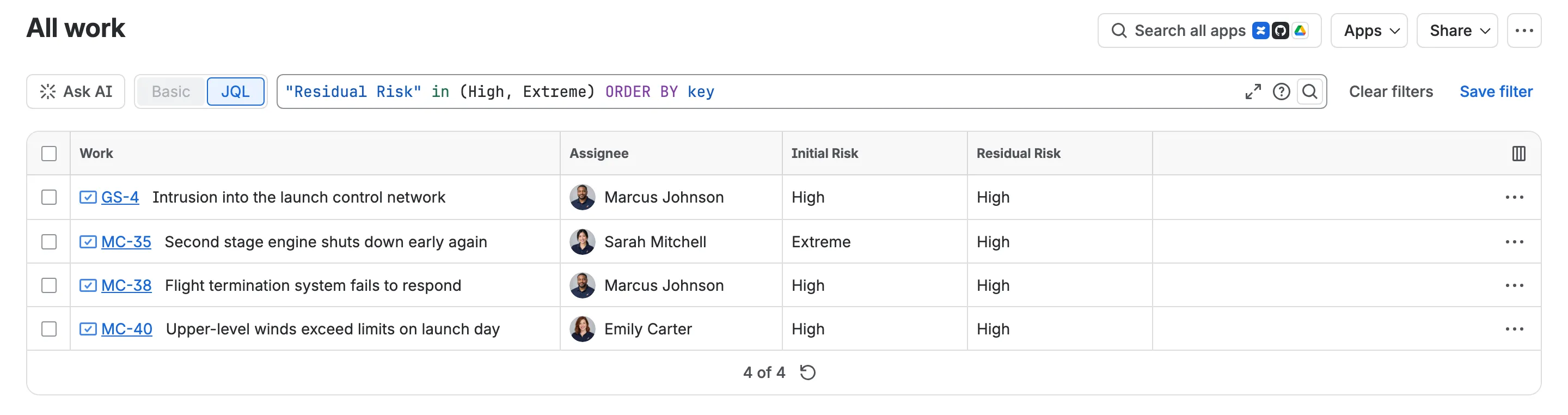
The ratings are Jira fields, so one search finds the high risks across every space.
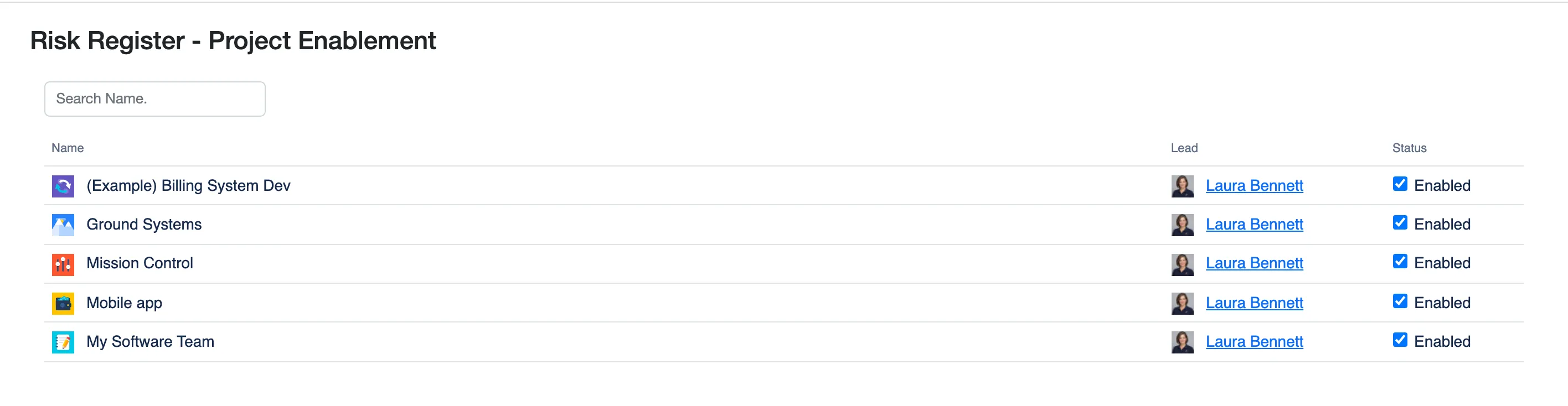
Turn the register on for each space from one admin page.
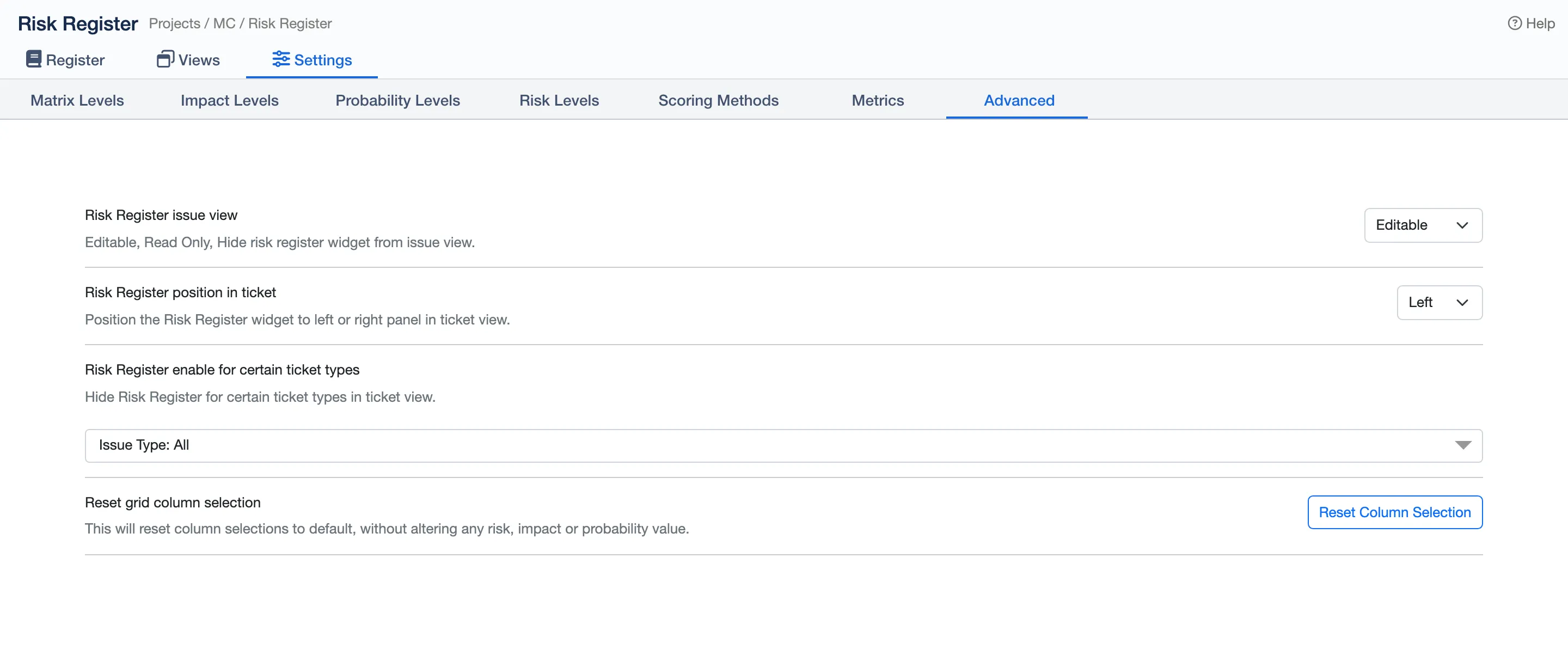
Make the panel in work items editable, view only or hidden, and choose where it sits.
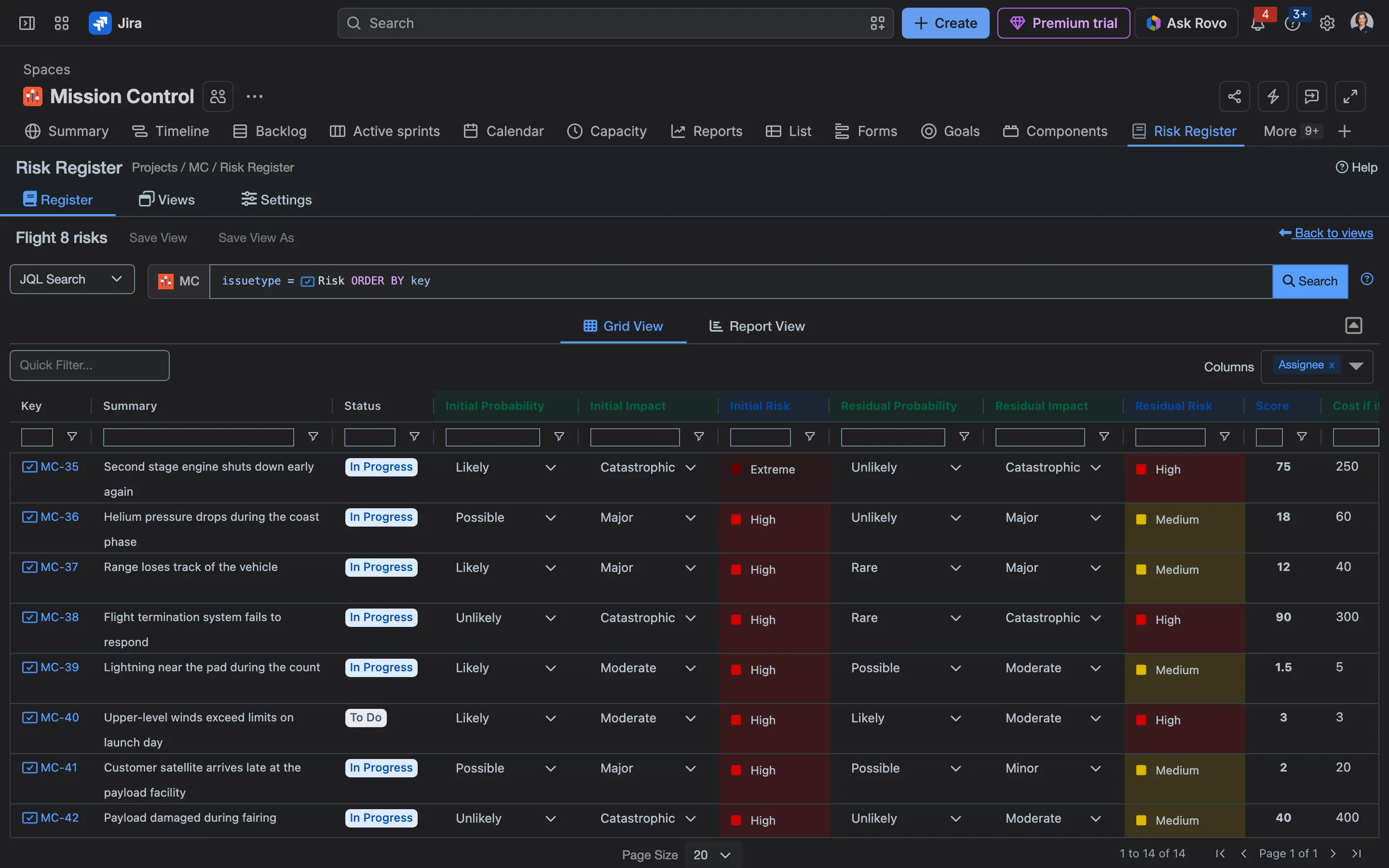
The register in Jira’s dark mode.
 Jacinta Holbrow
I was attempting to make some config changes to the app, which proved difficult with the rollout of Jira's new UI. Support from Payal was second to none, he logged on at 10pm US time to accommodate my different timezone and clearly took me through the steps required to achieve my desired result. Very happy with the service.
 Joanna Pietruszka
Great app and very recommended!!! I find very useful the new feature to restrict Risk register panel for certain issue types. Thank you for this funcionality. Support team is also very good and fast! I have requested some adjustments in the app and they resolved it very quickly!!
 Fernando Mateo Méndez de Morais
Nice plugin! we found it very useful! We only miss one functionality that is to be able to select for which Issue Type we want the plugin be working for.
 Richard Johnson
100% free addon? check Gives me a risk register? check Allows me to customize the probability & impact states? check Gives simple dashboard charts? check Liking it so far!
No. Any work item can be rated, so a risk can sit beside the work that treats it. Many teams add a Risk work type and save a view of it as the register’s default.
Yes. Name up to 15 probability, impact and risk levels, describe each one, give each risk level its colour, and choose the level every pair of probability and impact gives.
Yes. Every risk is rated twice: before treatment and after it. The initial and residual heat maps and charts show what the treatment changed.
Yes. In company-managed spaces, initial and residual probability, impact and risk are Jira fields, so filters and JQL such as "Residual Risk" in (High, Extreme) find them across spaces.
Yes. Each work item’s Risk Register History lists every change to its ratings, who made it and when, with the old and new values.
Risk Register runs on Atlassian Forge with no outside servers, so ratings and settings stay in your Jira site.
Start a free trial from the Atlassian Marketplace, or read the docs to see how it works.