 Checklist for Jira
 Backlog Prioritization for Jira
 Risk Register for Jira
 Response Templates for Jira
 AI Agents for Jira
 GPT for Jira
 Advanced Queues for Jira
 Advanced Test Management for Jira
Test cases that live in Jira
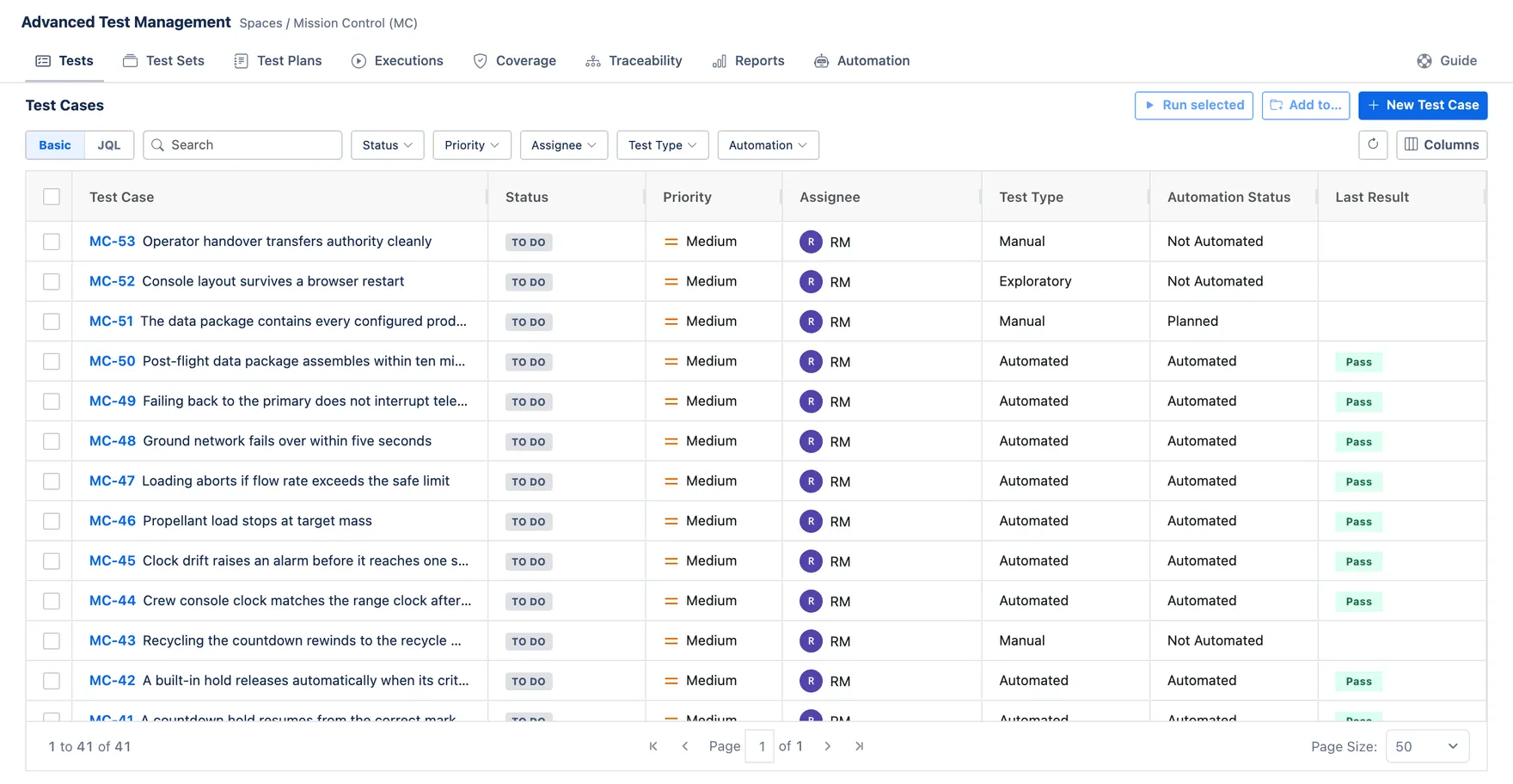
Every test case is a Jira work item, with numbered steps, test data and the result you expect. Filter them by status, priority or automation, then tick a few to run or add to a set.

Write, organize and run your tests in Jira, right next to the work items they verify. Link every test case to its requirement, record every run, and see what’s covered and what’s failing at a glance.
Coming soon to the Atlassian Marketplace
Every test case is a Jira work item, with numbered steps, test data and the result you expect. Filter them by status, priority or automation, then tick a few to run or add to a set.
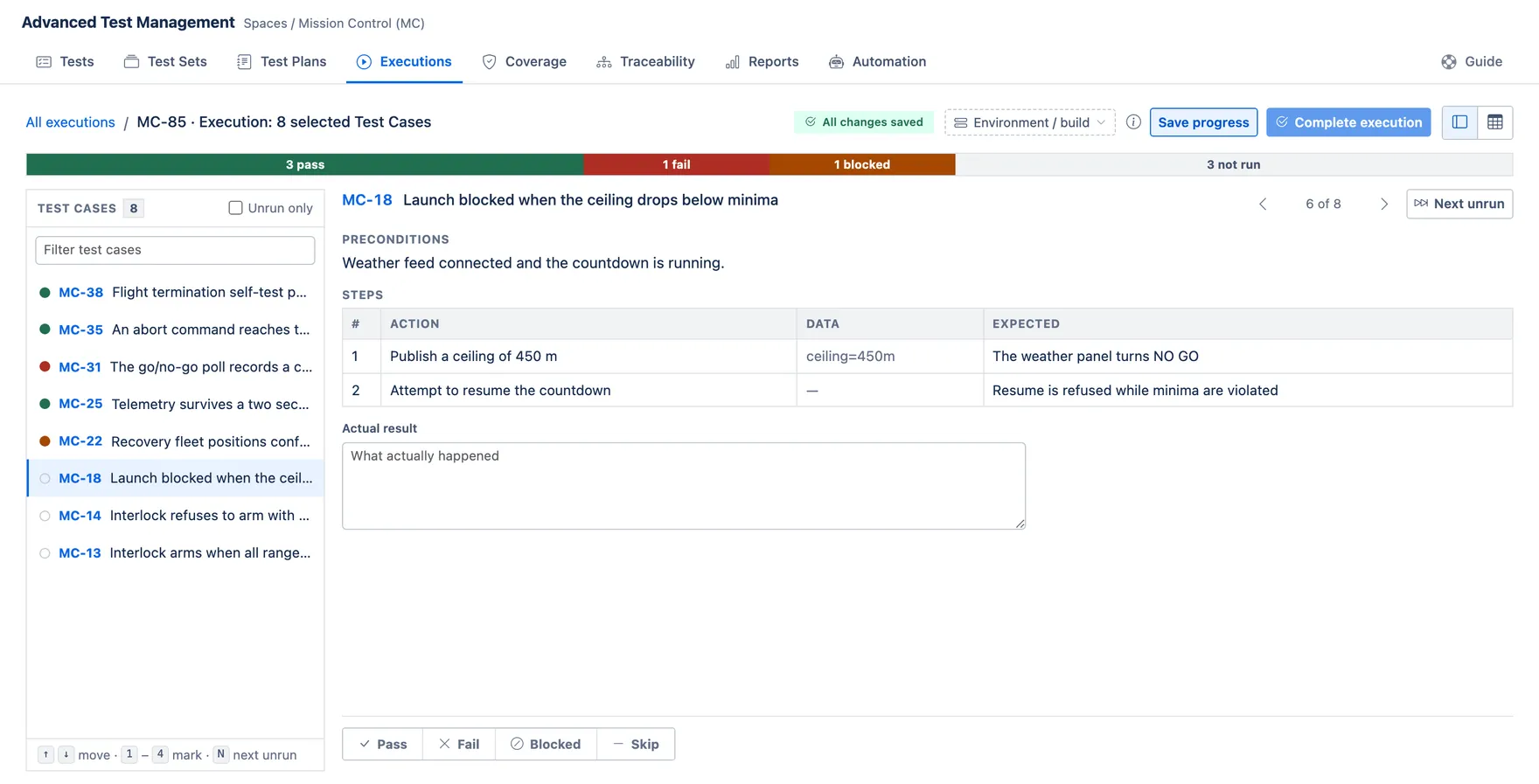
Start an execution from a handful of cases, a test set or a test plan, and mark each case pass, fail, blocked or skip, straight from the keyboard. Every mark saves on its own, so a run can wait until tomorrow.
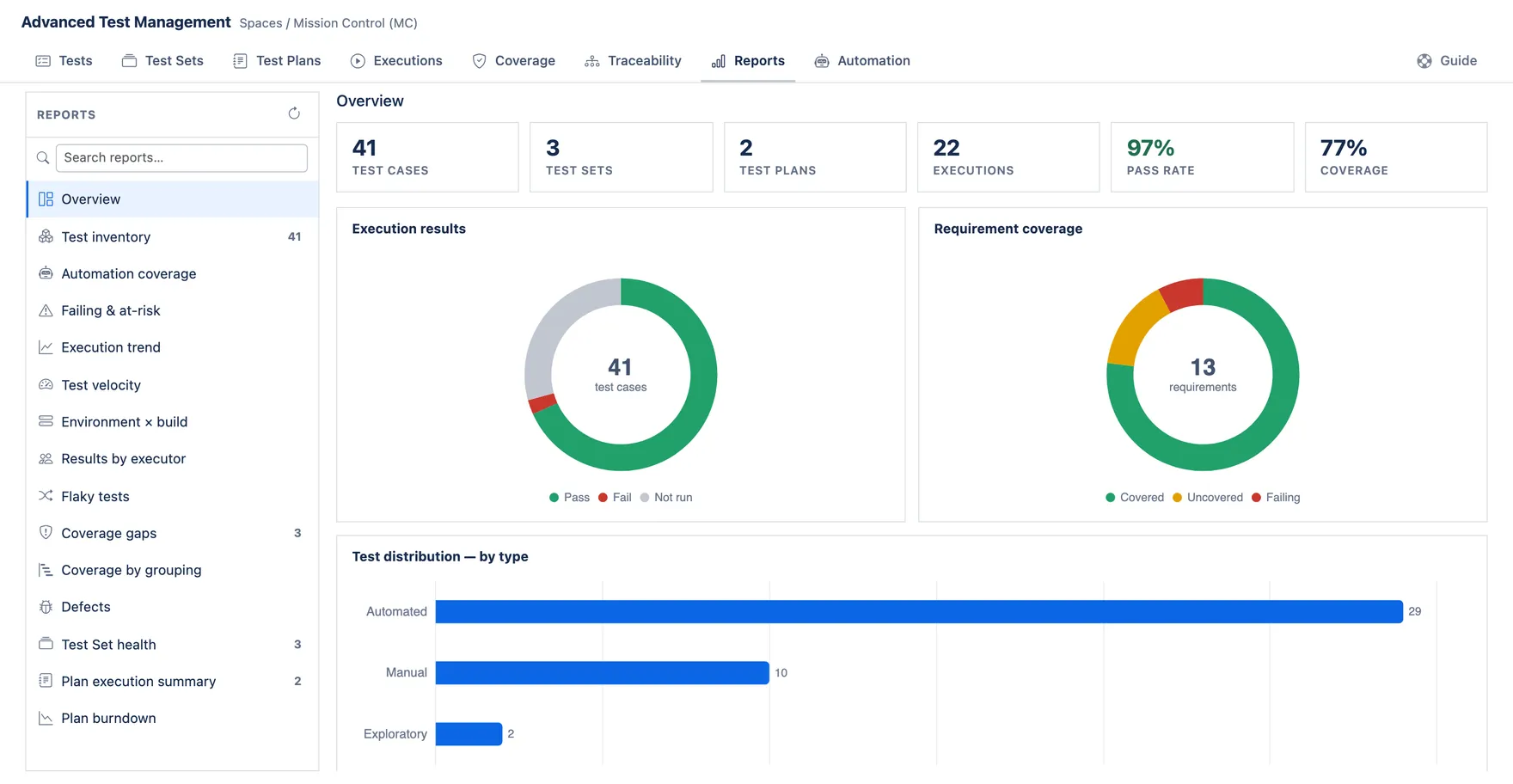
Coverage and traceability tie every requirement to its tests and their latest results. Reports from execution trend to flaky tests show the rest, and a gadget puts them on any Jira dashboard.
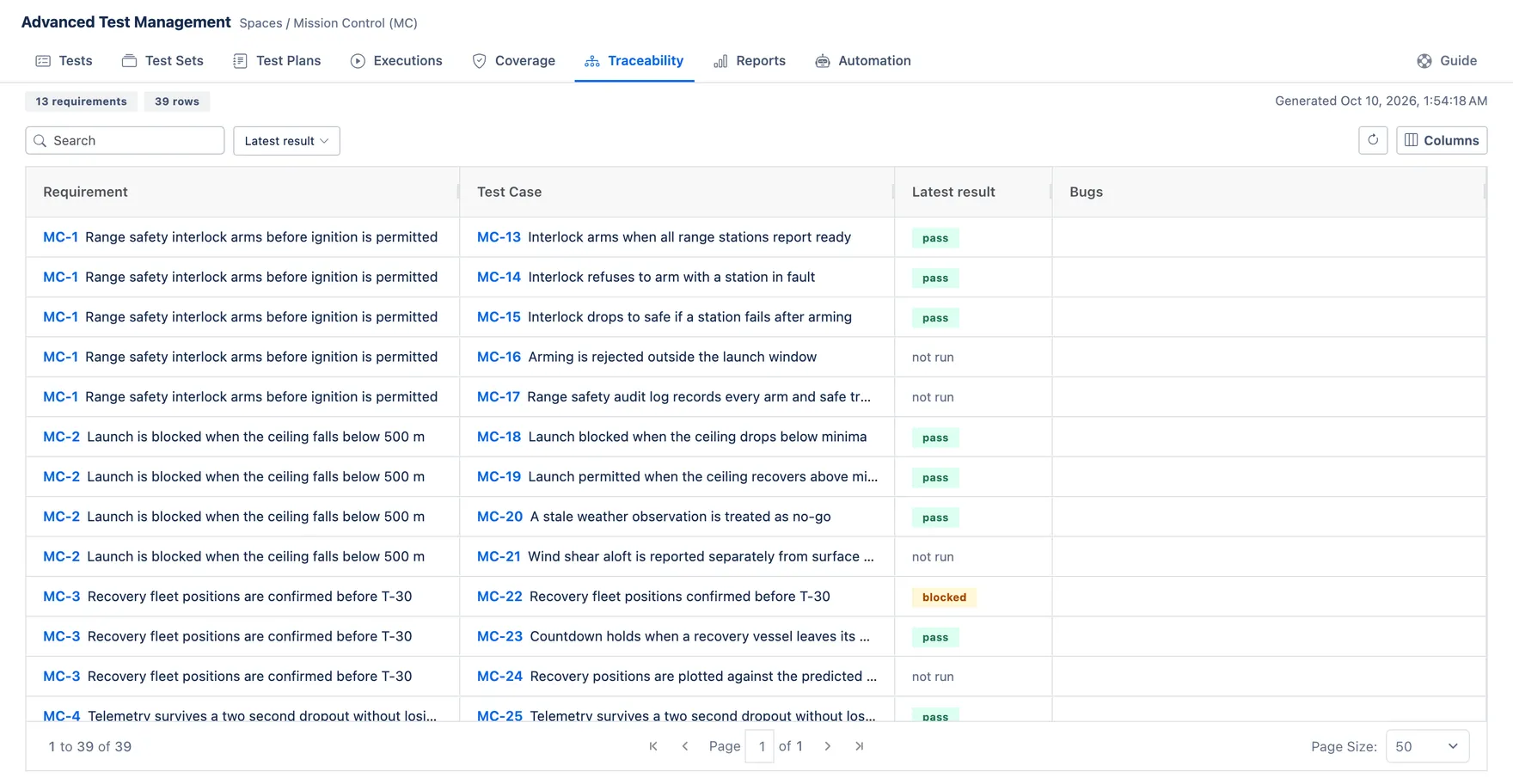
Traceability: every requirement, the test cases that cover it and their latest results.
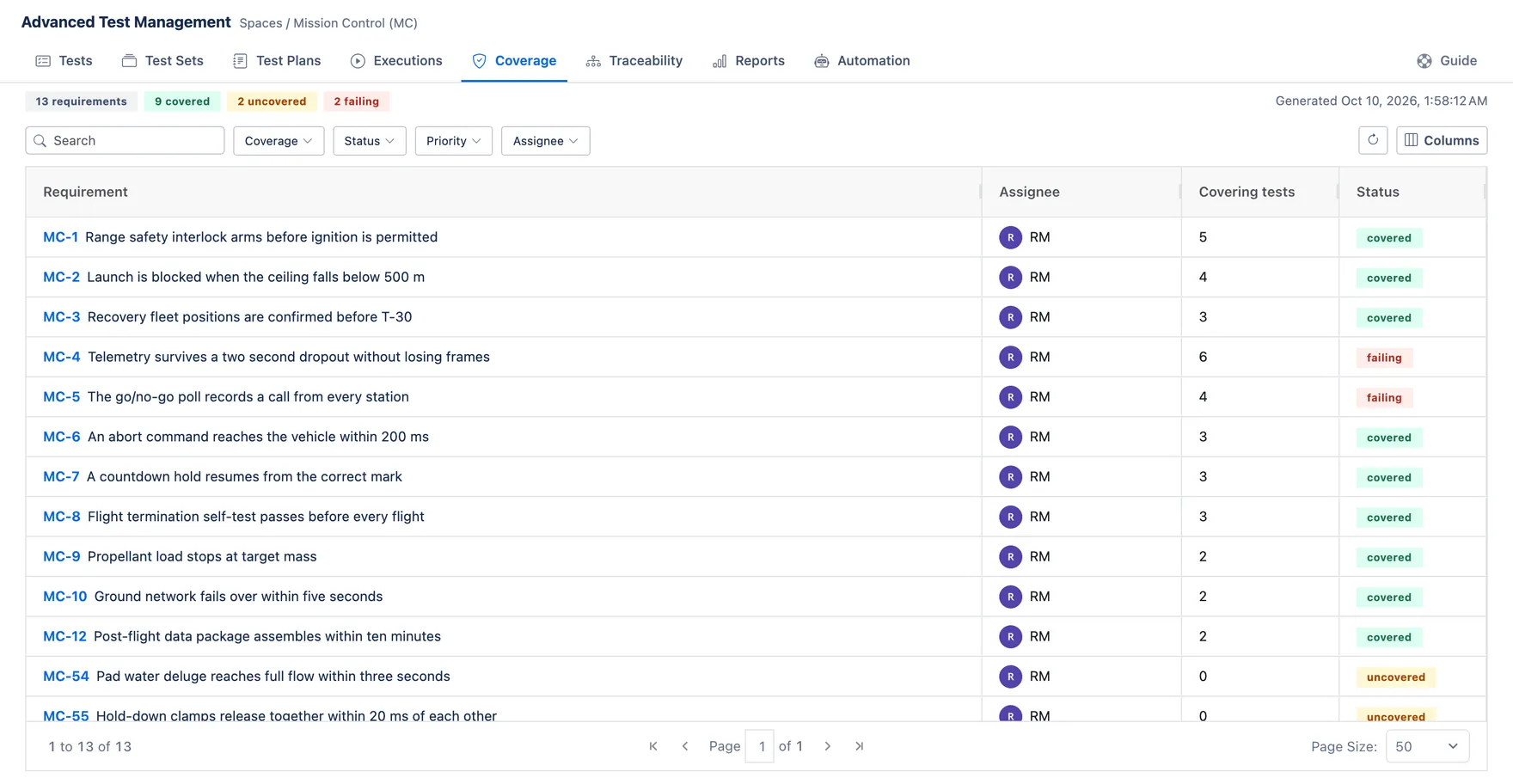
Coverage: which requirements are covered, which aren’t, and which are failing.
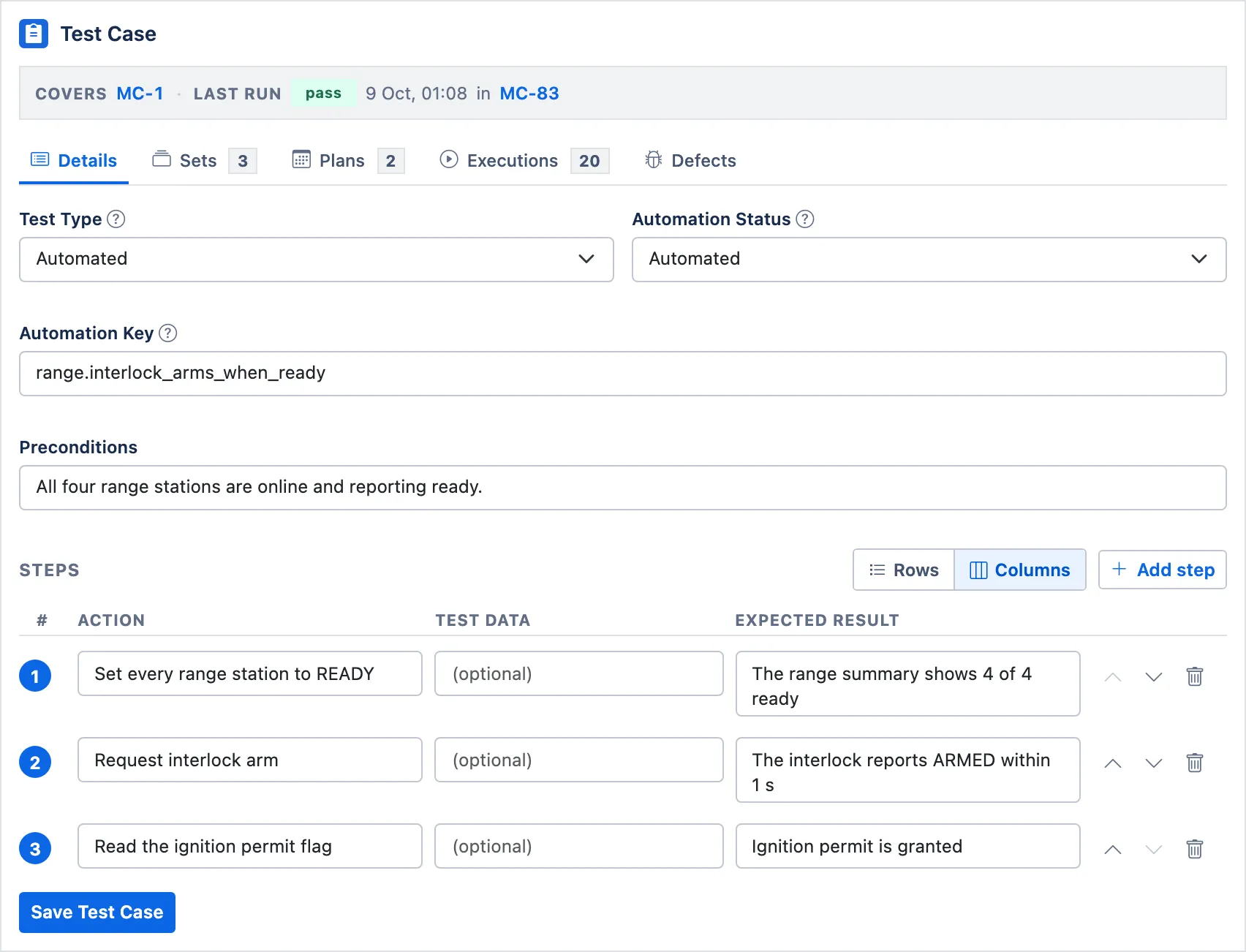
Each test case’s steps, automation key and last run, in a panel on its work item.
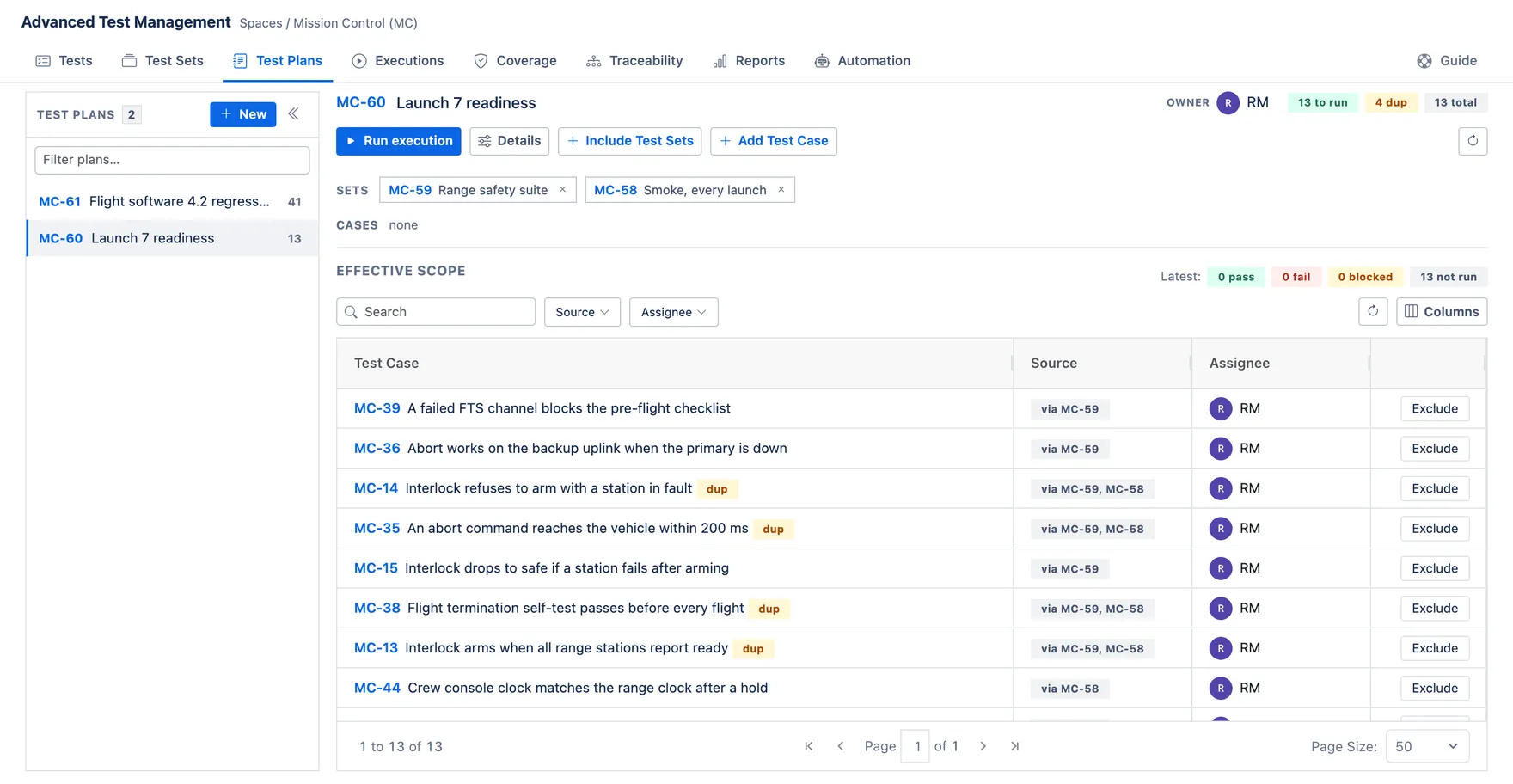
A test plan built from test sets, with the duplicates between them flagged.
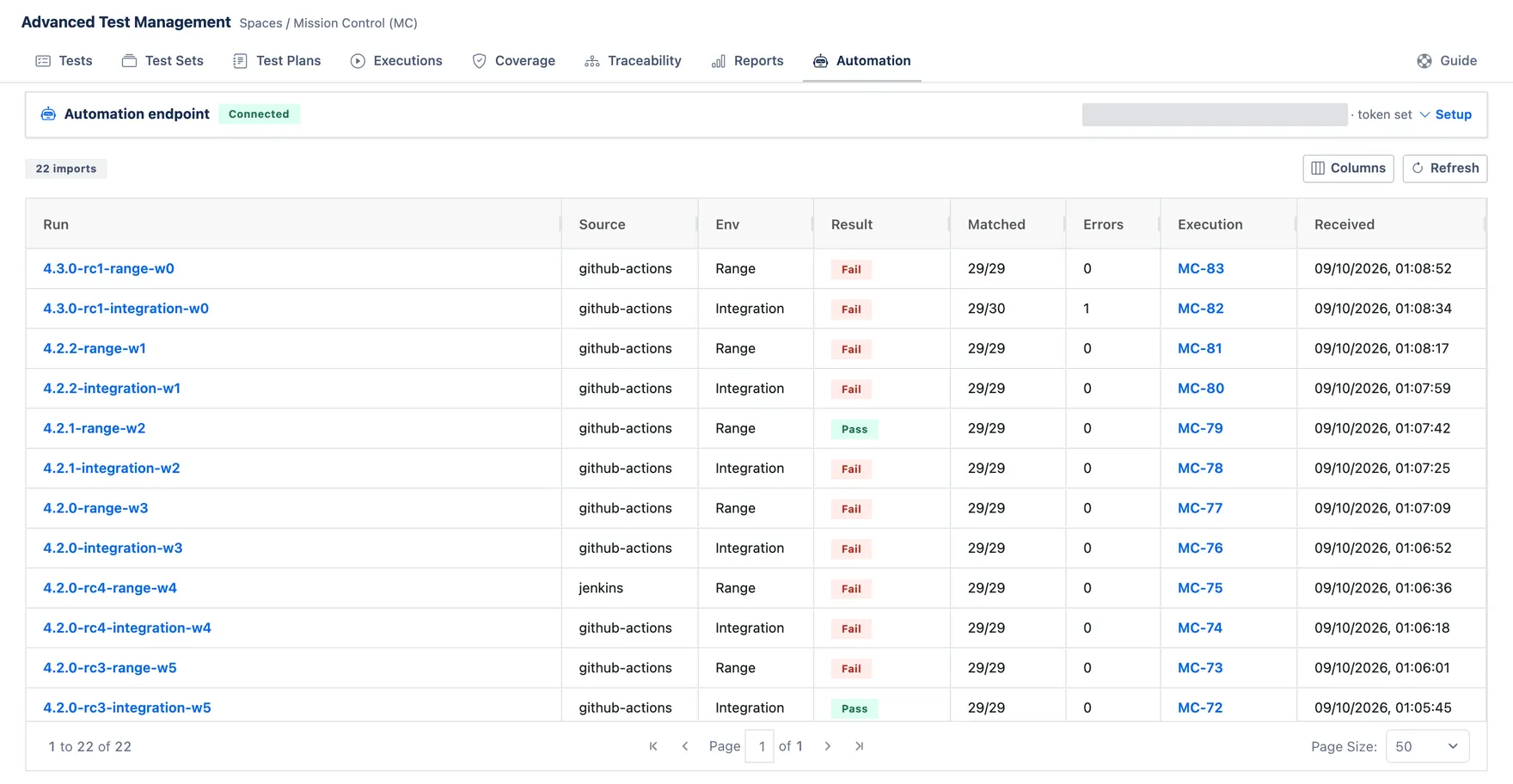
Your CI posts its results, and each run becomes an execution.
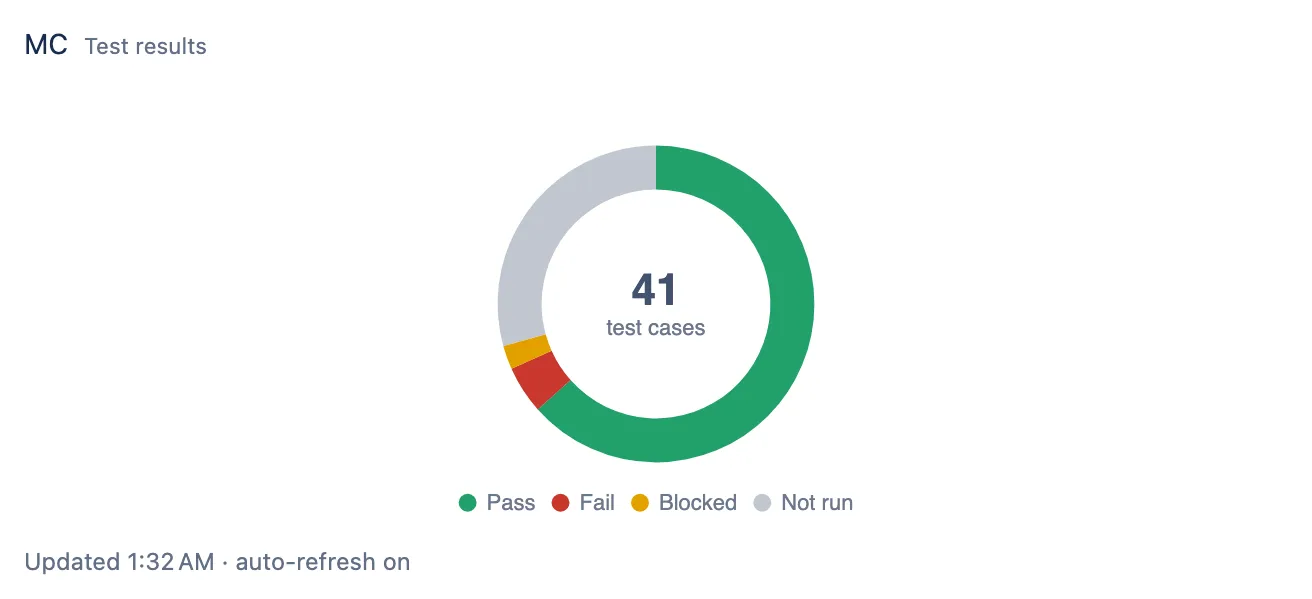
Test results on a Jira dashboard, from the app’s own gadget.
It’s on its way to the Atlassian Marketplace. Until then, read the docs to see how it works.