 Checklist for Jira
 Backlog Prioritization for Jira
 Risk Register for Jira
 Response Templates for Jira
 AI Agents for Jira
 GPT for Jira
 Advanced Queues for Jira
 Advanced Test Management for Jira
Templates for every desk
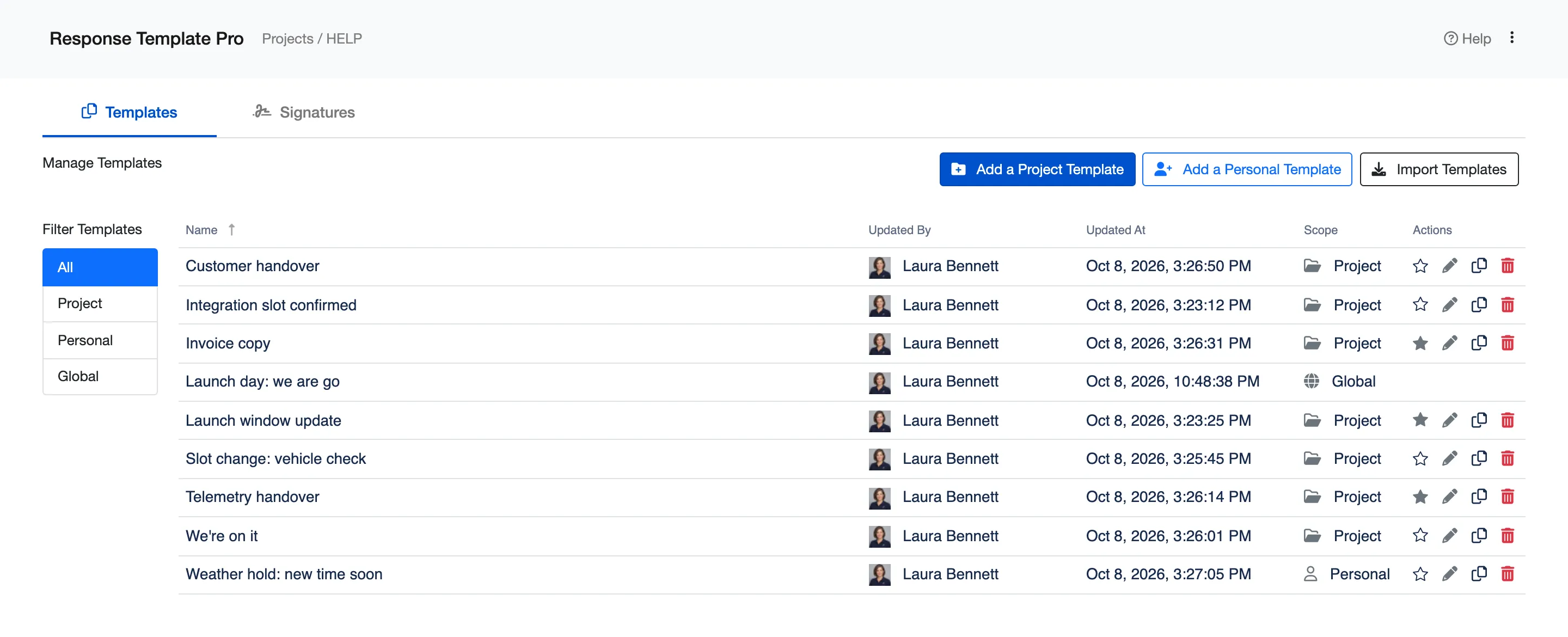
Write a reply once and use it again. Keep templates for the whole site, for each space, or just for yourself, and star the ones your team reaches for most.

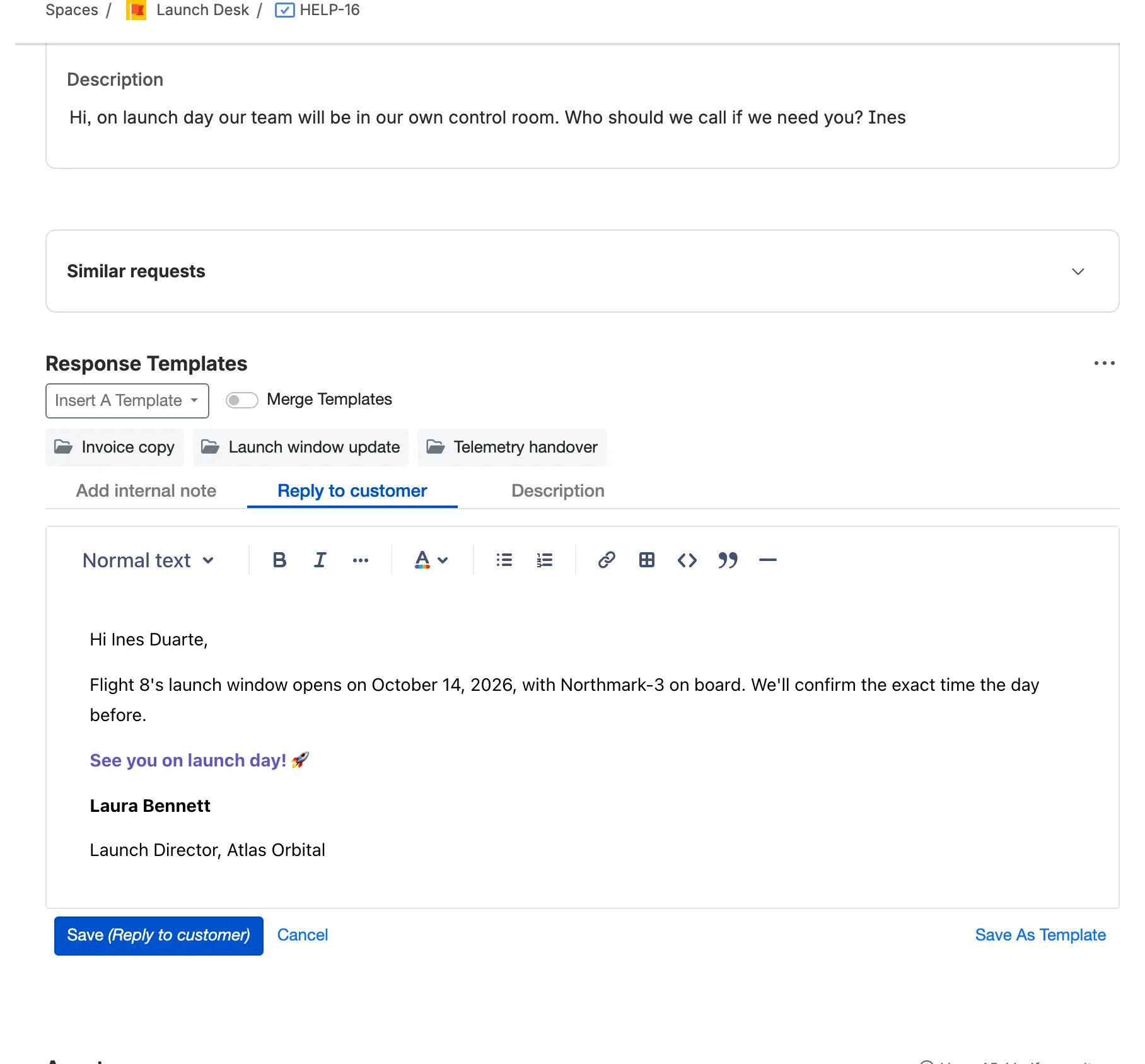
Answer every request in seconds. Pick a template inside the work item, and it fills in the customer’s name, their details and your signature, ready to send as a reply, an internal note or a comment.
5.0/5 from 5 reviews · 560+ installsPartner supportedRuns on Atlassian
Launch week on the Launch Desk of Atlas Orbital, a fictional rocket company. Eight short chapters, one customer request each.
Chapters
Write a reply once and use it again. Keep templates for the whole site, for each space, or just for yourself, and star the ones your team reaches for most.
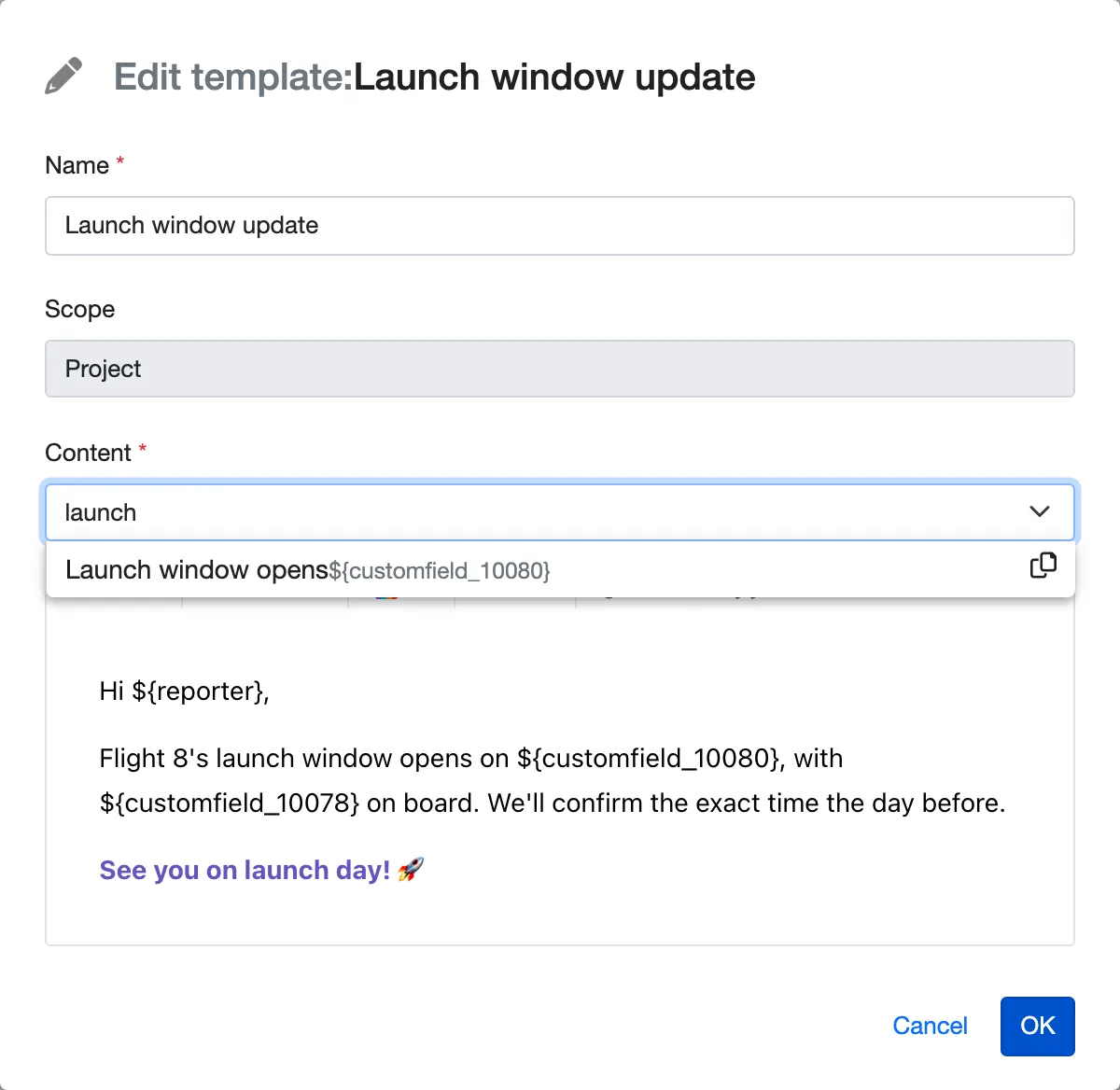
Drop any Jira field into a template, from the customer’s name to a date field of your own, and format it in Jira’s own editor, with bold, colour, links and tables. Every reply fills itself in.
Pick a template in the work item, or a favourite in one click, add a personal touch and send it: a reply to the customer, an internal note, or a comment in software spaces.
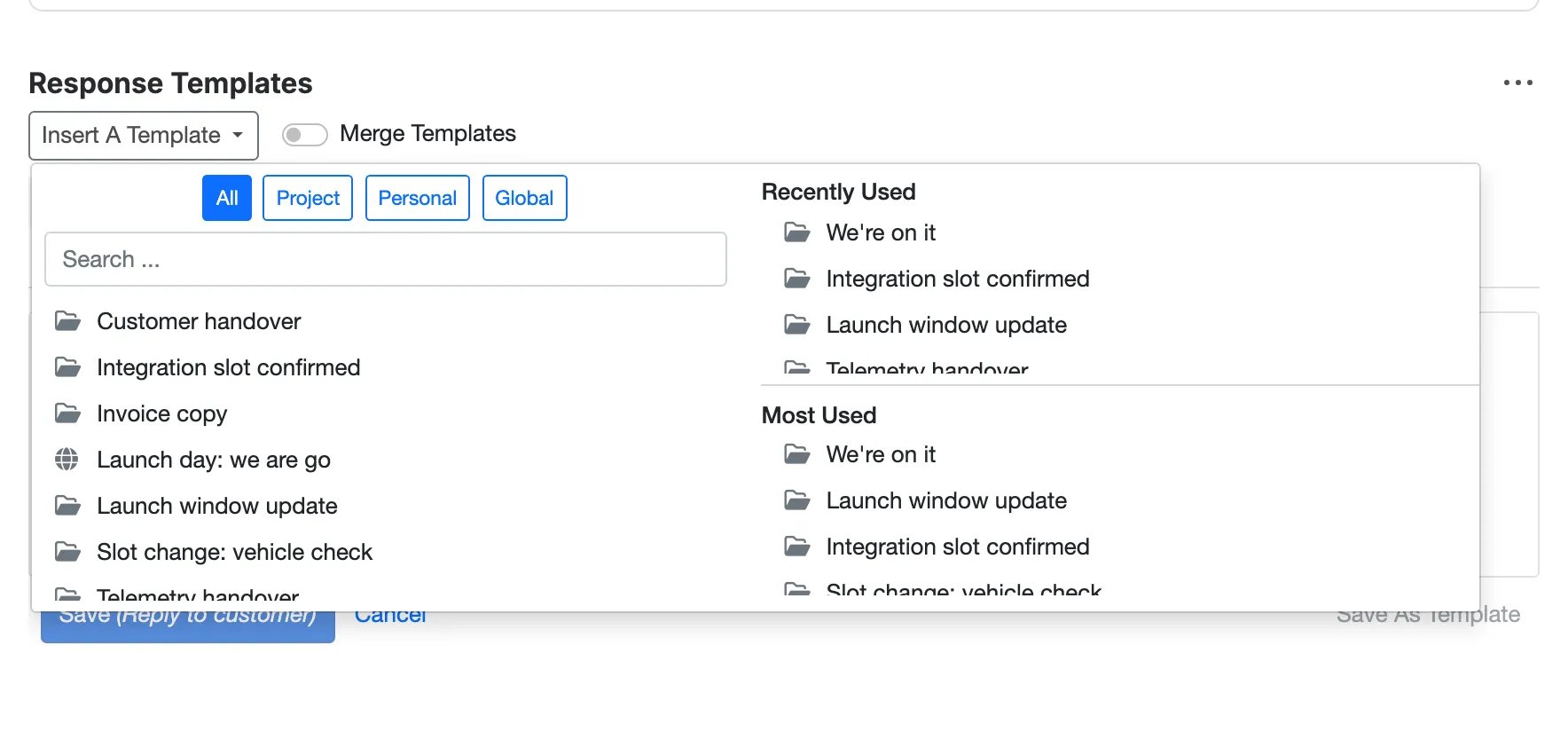
Search every template, filter by scope, and pick from your recently and most used.
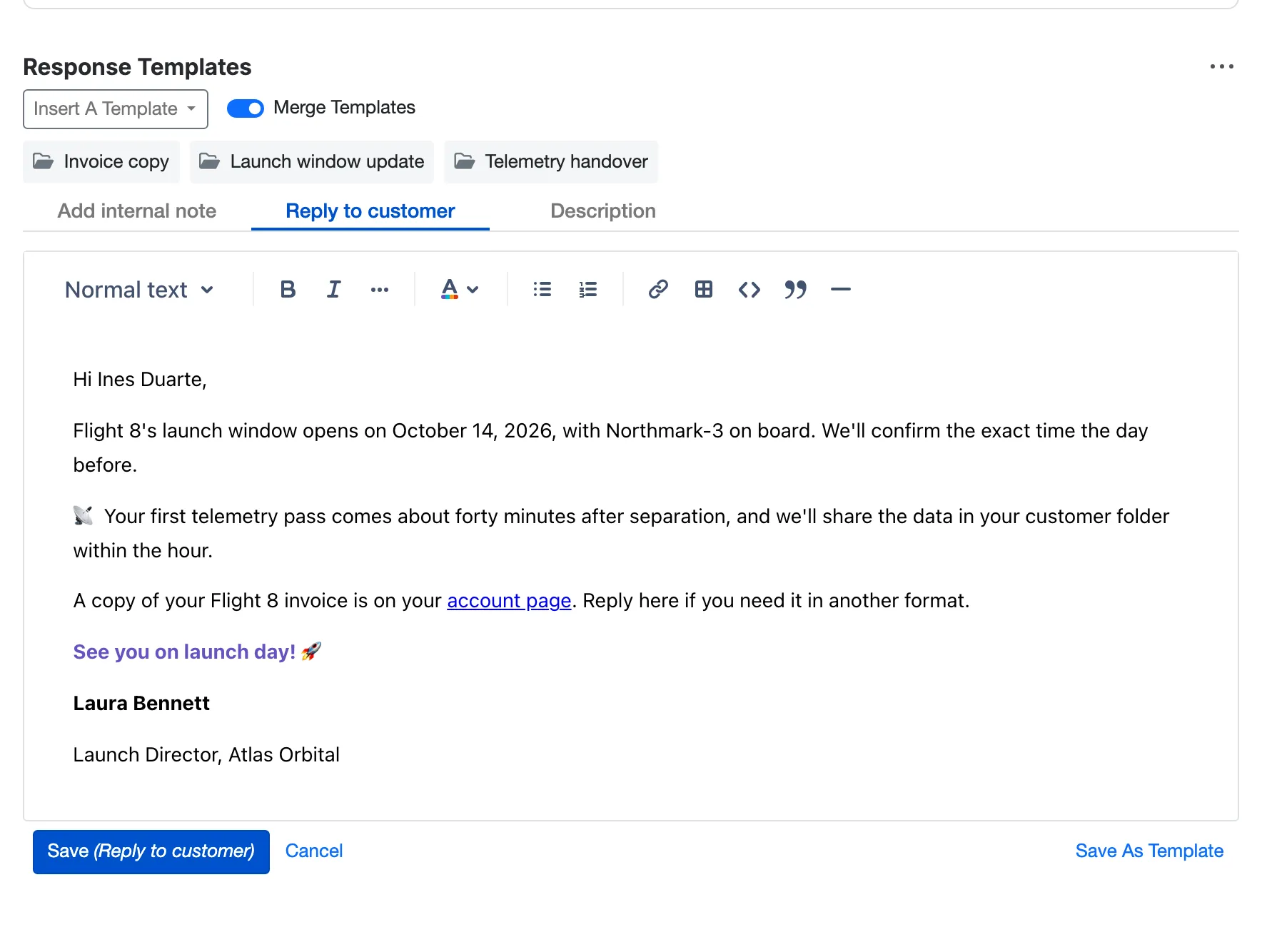
Merge Templates: three answers in one reply, each placed where the cursor is.
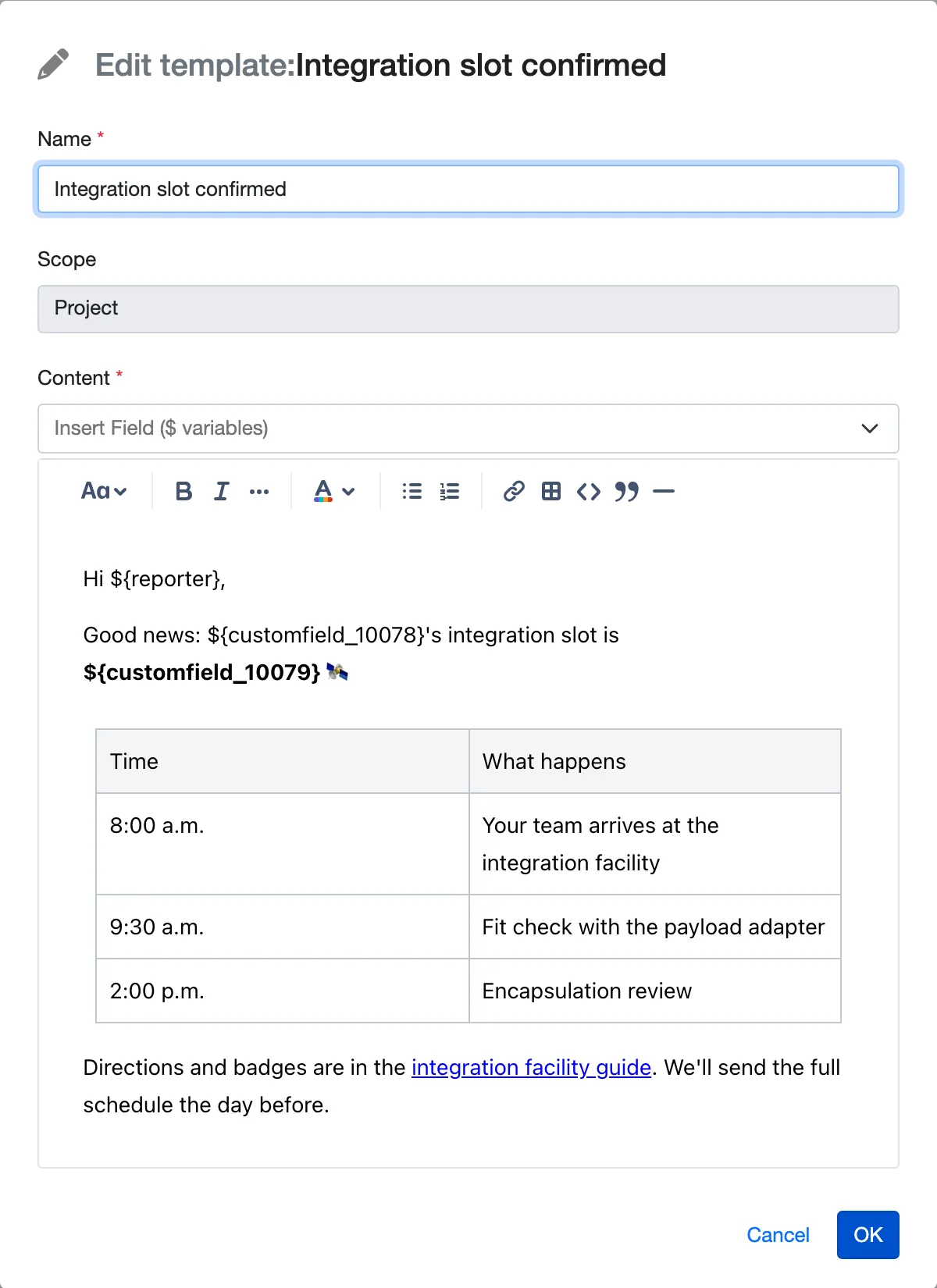
The editor your team knows from Jira: bold, colour, links, tables and emoji in any template.
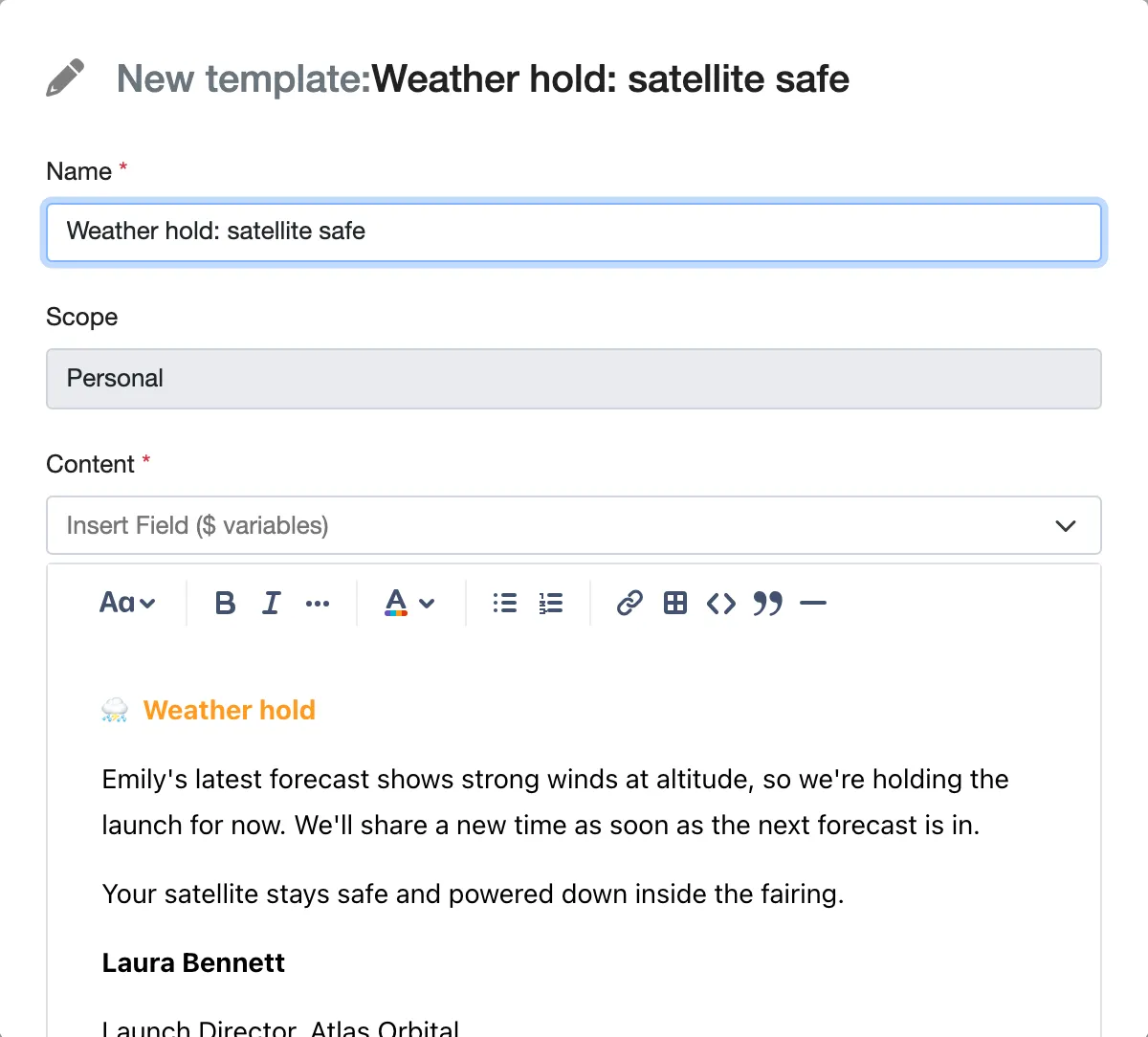
Like a reply? Save it as a template, right from the request.
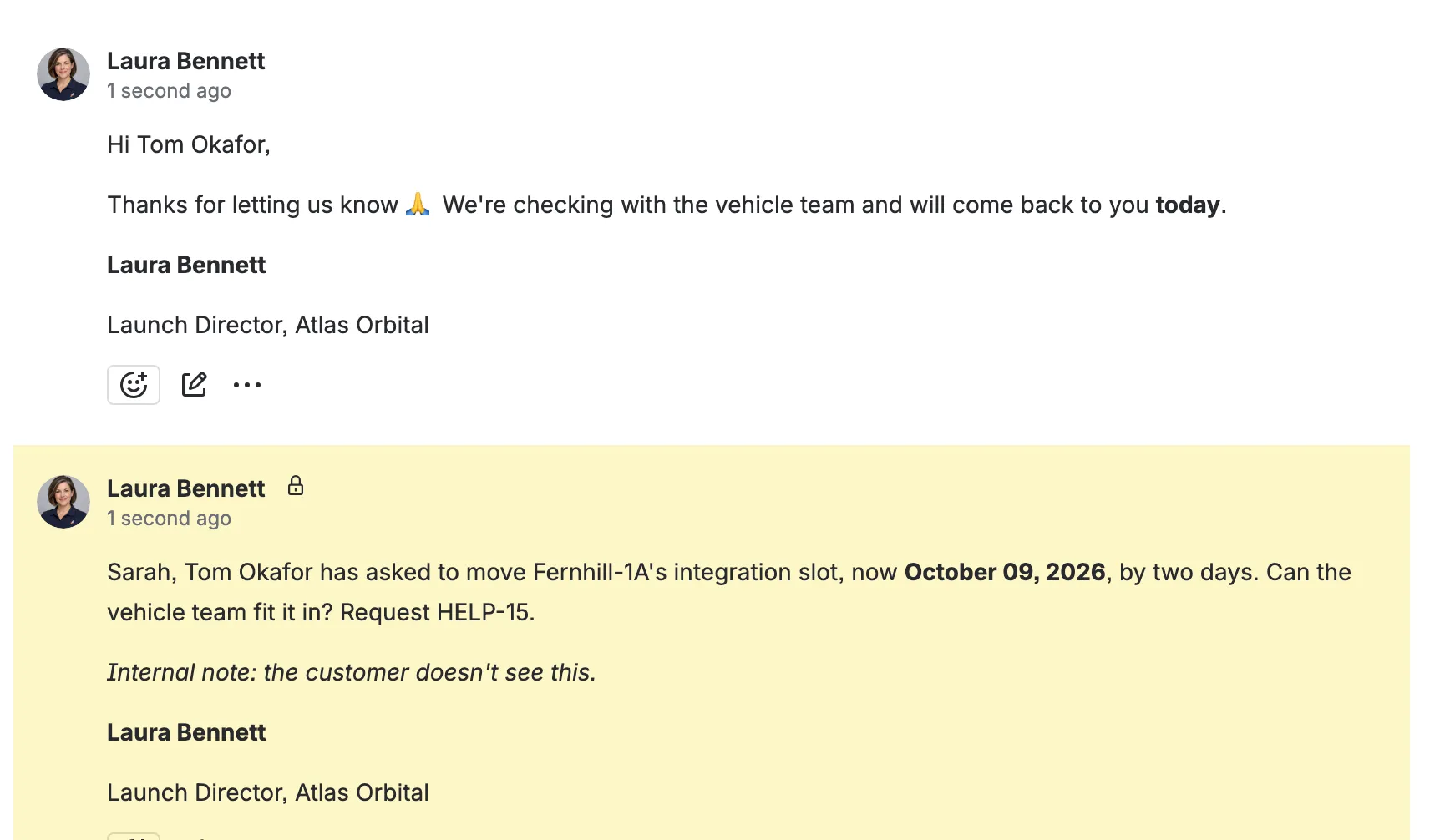
An internal note for the team and a reply for the customer, each from a template.
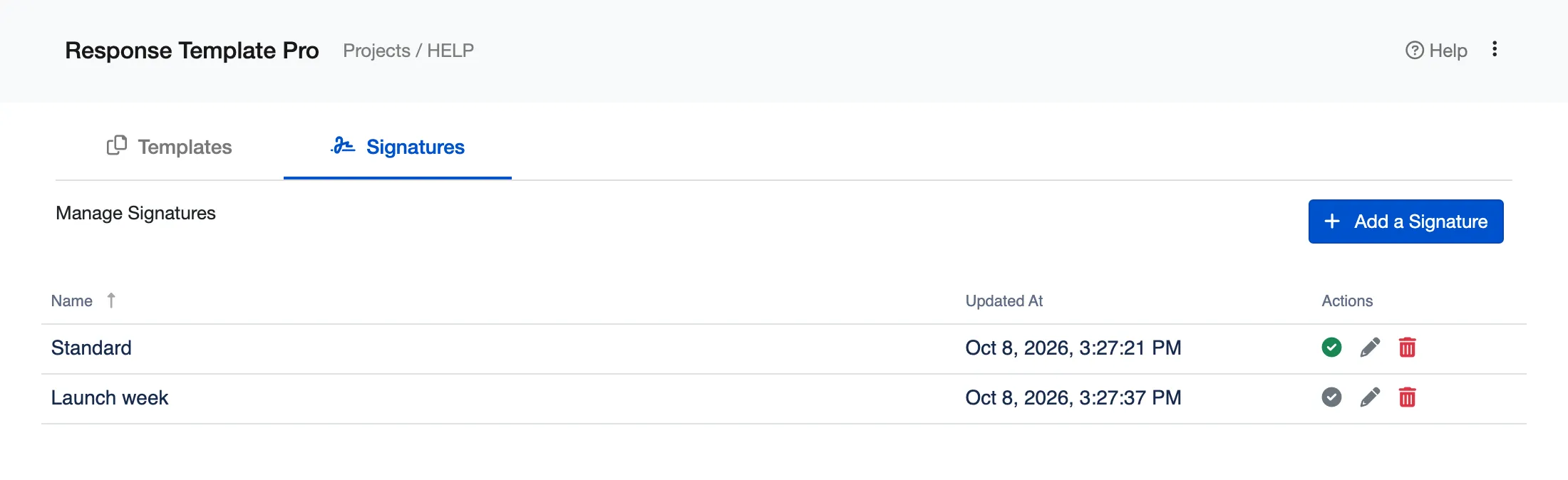
Up to ten signatures for each agent, one active at a time, added to every reply.
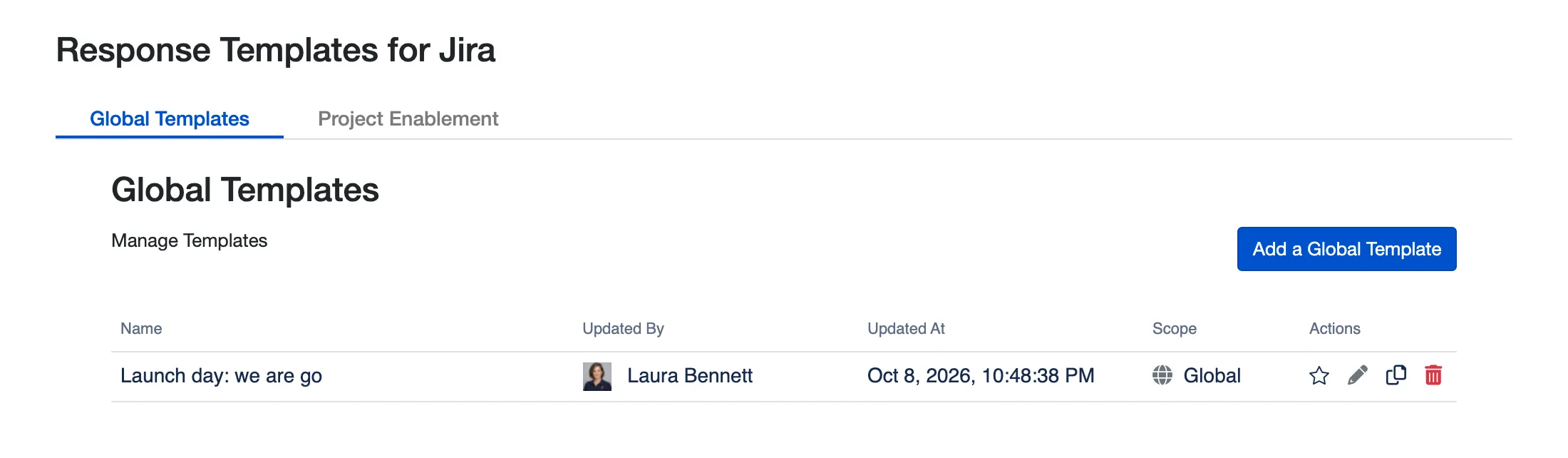
Global templates on the app’s admin page, ready in every space.
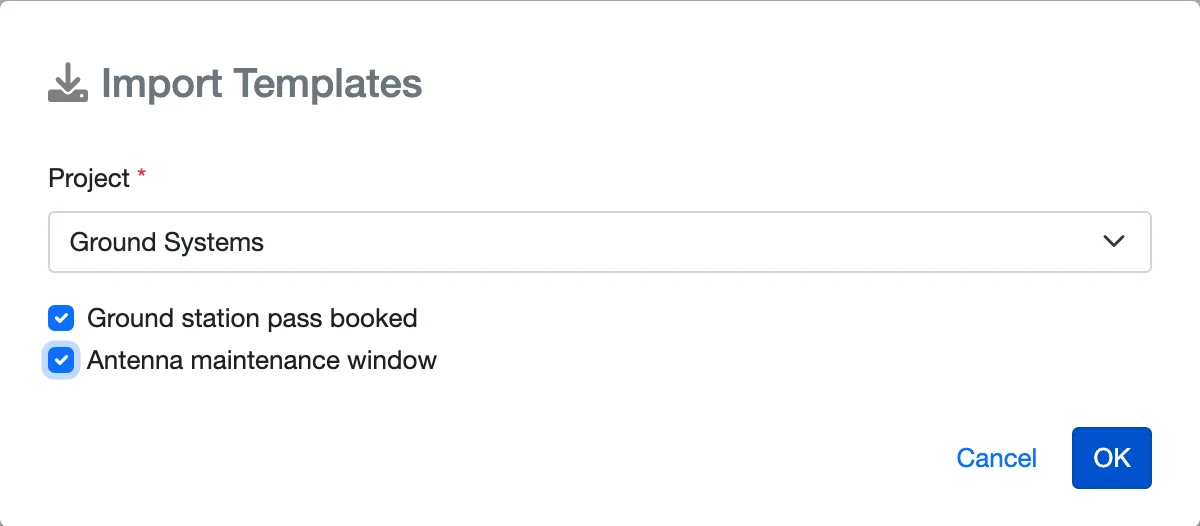
Import another space’s templates in a couple of clicks.
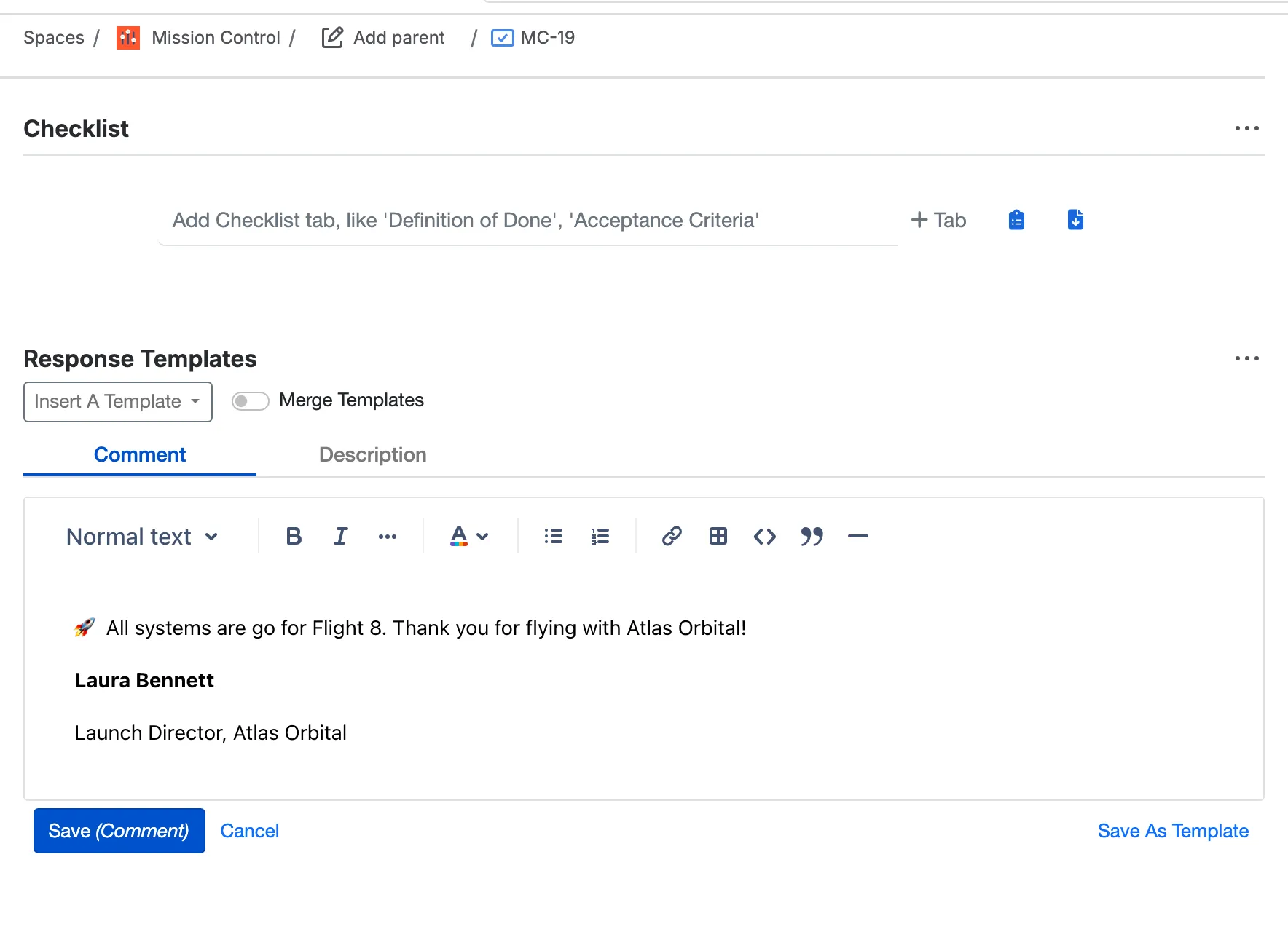
In software spaces, a template becomes a comment.
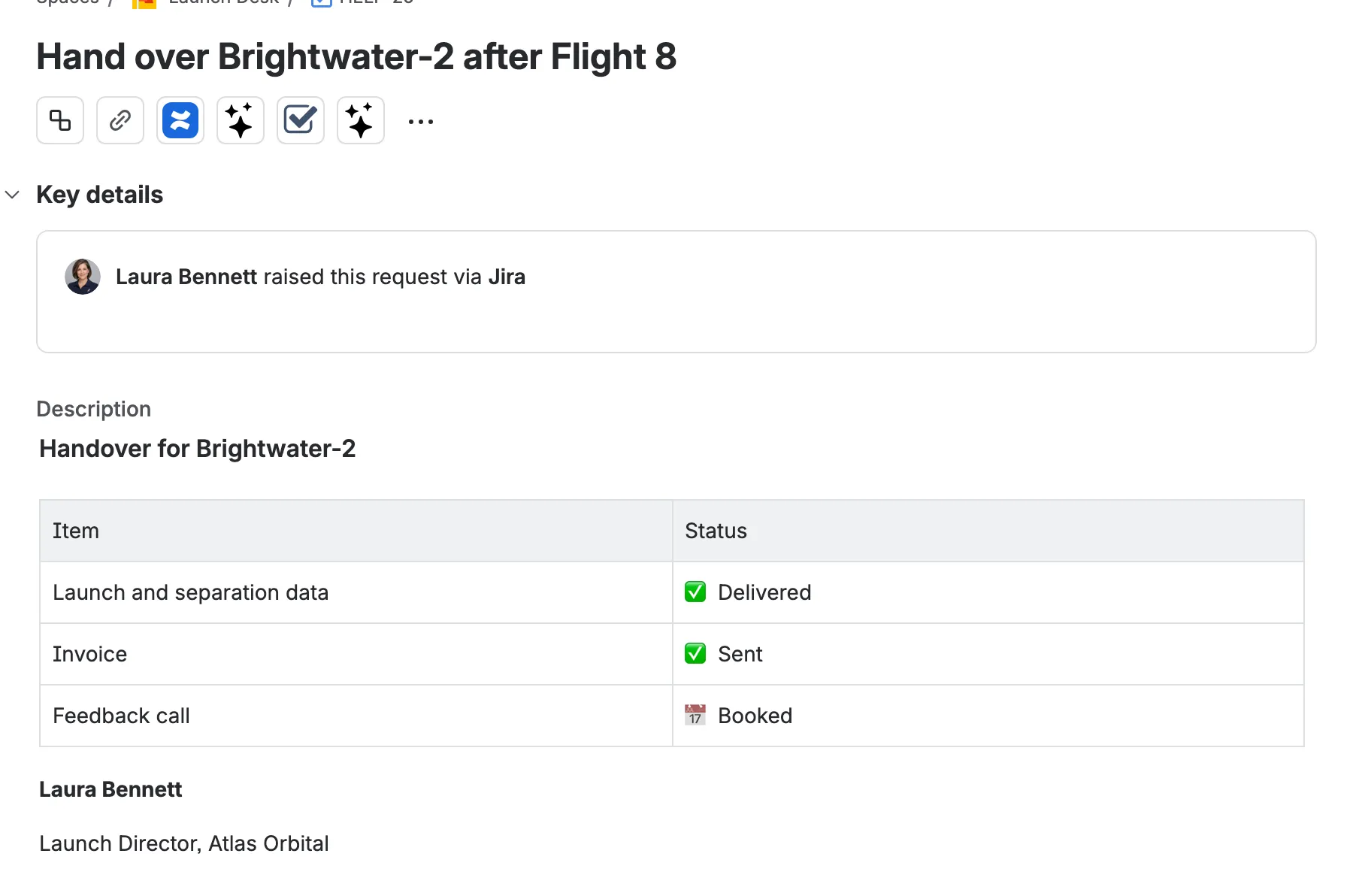
Templates write descriptions too.
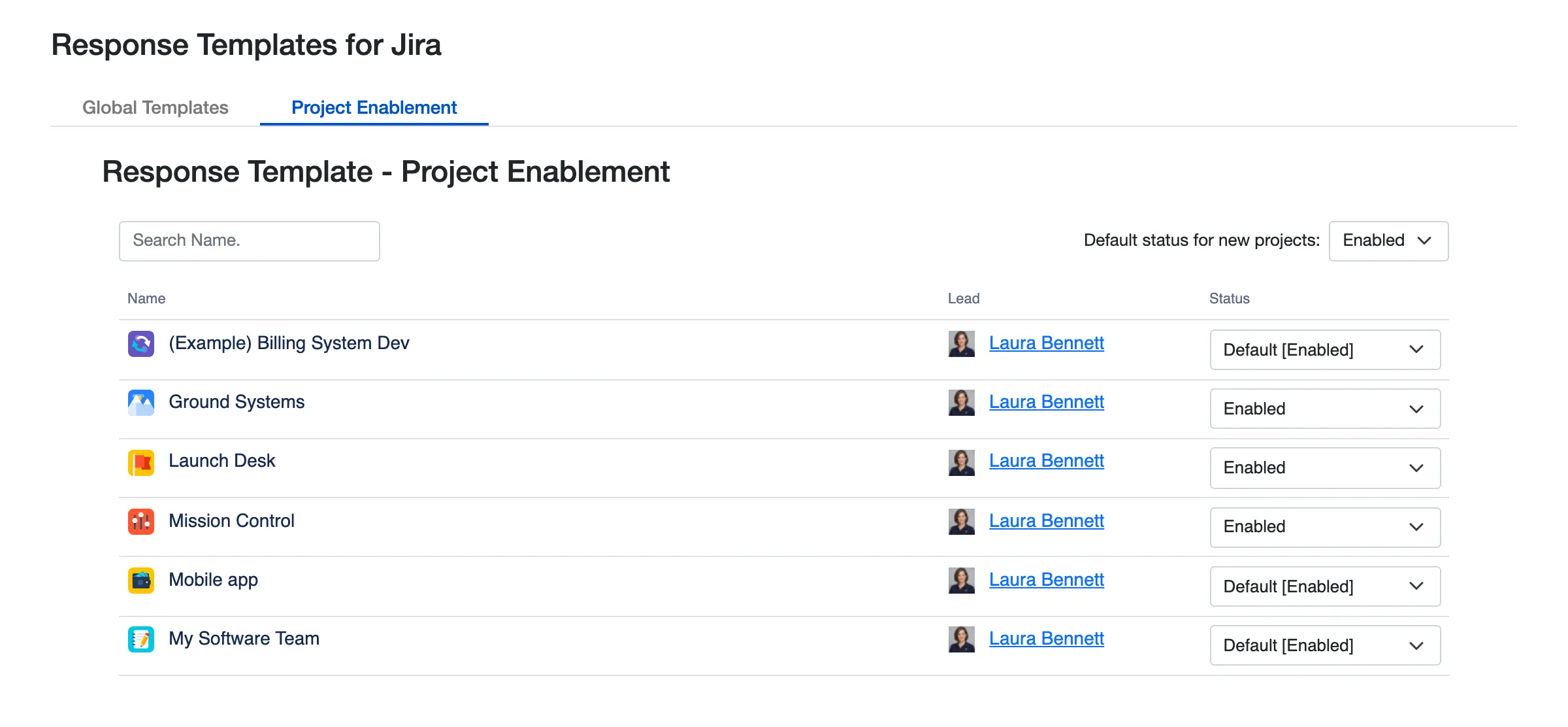
Turn Response Templates on for each space, and choose what new spaces start with.
 Brett Celliers
Can happily share that I have received fantastic support from Appbox.ai team to resolve an urgent issue. While I expected at least a day or two of wait time, I was pleasantly surprised that the team were able to screenshare and resolve my urgent issue within two hours. My client loves this app to help them serve their 5,000-customer internal helpdesk , and I can see a range of opportunities internally to leverage the capabilities of this app and the others in our environments. I'll definitely be recommending this vendor to my clients in the future. Thanks again for your fantastic support and it was great to hear about the feature roadmap at the same time!
 AJ Barks - Old Street
We originally just installed this because there was no option in JSM to have standard agent signatures, but this tool as now become vital to us ending Bad Service Management... we have a huge range of responses that we are now using, even with Jira Automation, and including documentation, to be able to service our customers and partners faster and better than ever before! Highly recommend this app, especially for JSM!
Built-in values such as the reporter, the person replying, today’s date and the work item’s key, plus any Jira text, number, date, user, status or priority field, labels and versions.
Jira admins create global templates on the app’s admin page, space admins create a space’s templates, and anyone can keep personal templates of their own. A reply you like can be saved as a template right from the request.
Yes. Templates are written in the editor Jira uses for comments: bold, italics, colour, links, headings, lists, tables, quotes, code and emoji.
Yes. On a request, a template becomes a reply to the customer or an internal note for the team. In other spaces it becomes a comment, and anywhere it can write the description.
Yes. Each agent keeps up to ten signatures and turns one on; it is added to the end of every template they insert.
Yes. Import Templates copies the templates you pick from any space into yours.
Response Templates runs on Atlassian Forge with no outside servers, so templates and settings stay in your Jira site.
Start a free trial from the Atlassian Marketplace, or read the docs to see how it works.