 Checklist for Jira
 Backlog Prioritization for Jira
 Risk Register for Jira
 Response Templates for Jira
 AI Agents for Jira
 GPT for Jira
 Advanced Queues for Jira
 Advanced Test Management for Jira
Keep the work inside the issue
Add a checklist to any issue instead of a pile of sub-tasks. Mark the items that must be done, and a workflow validator keeps the issue from moving on without them.
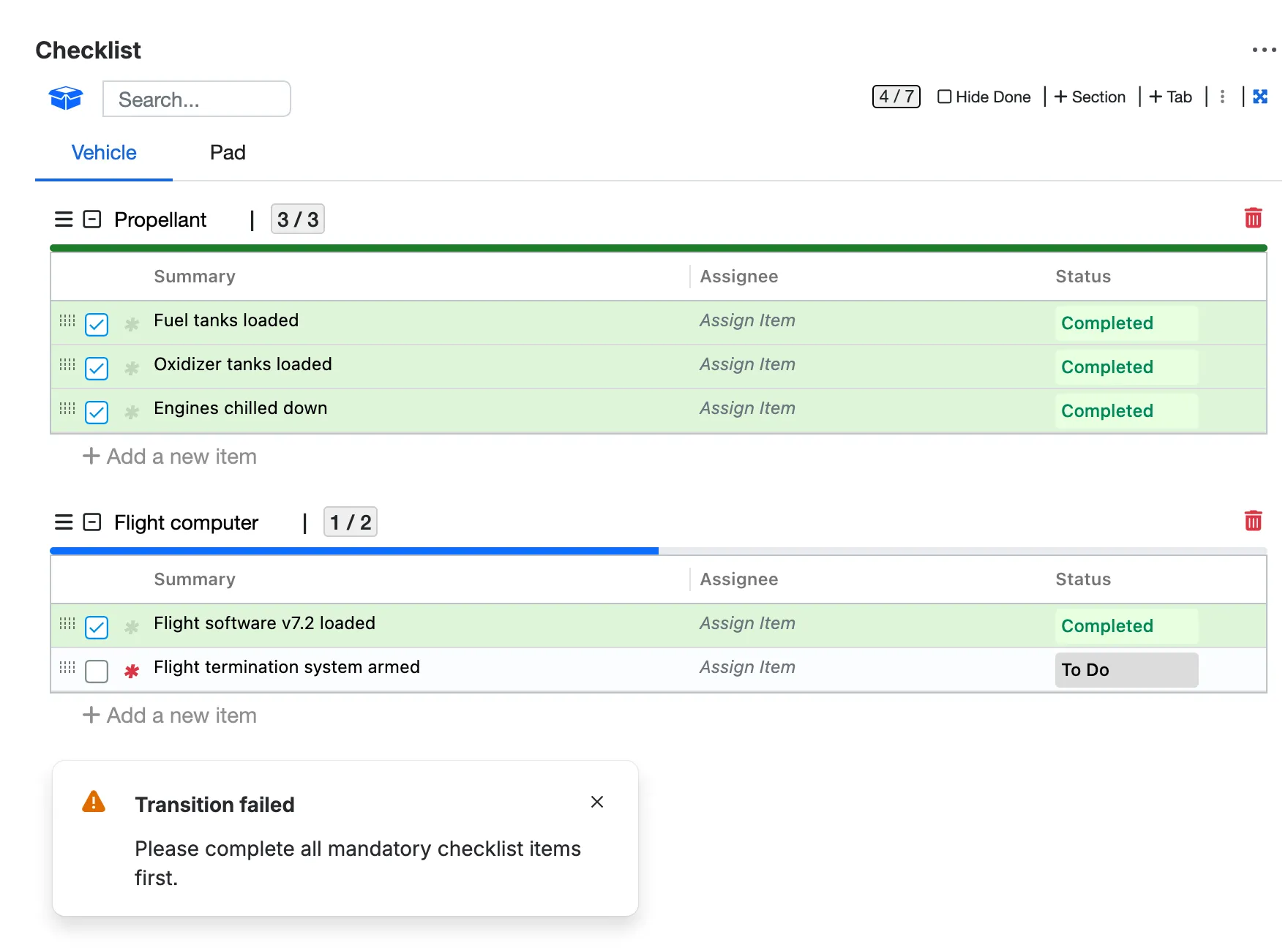

Turn any Jira issue into a checklist. Track to-dos, acceptance criteria and Definition of Done without sub-tasks, and hold a transition until the required items are done.
4.4/5 from 74 reviews · 2,600+ installsPartner supportedRuns on Atlassian
Launch day at Atlas Orbital, a fictional rocket company, in eight short chapters.
Chapters
Add a checklist to any issue instead of a pile of sub-tasks. Mark the items that must be done, and a workflow validator keeps the issue from moving on without them.
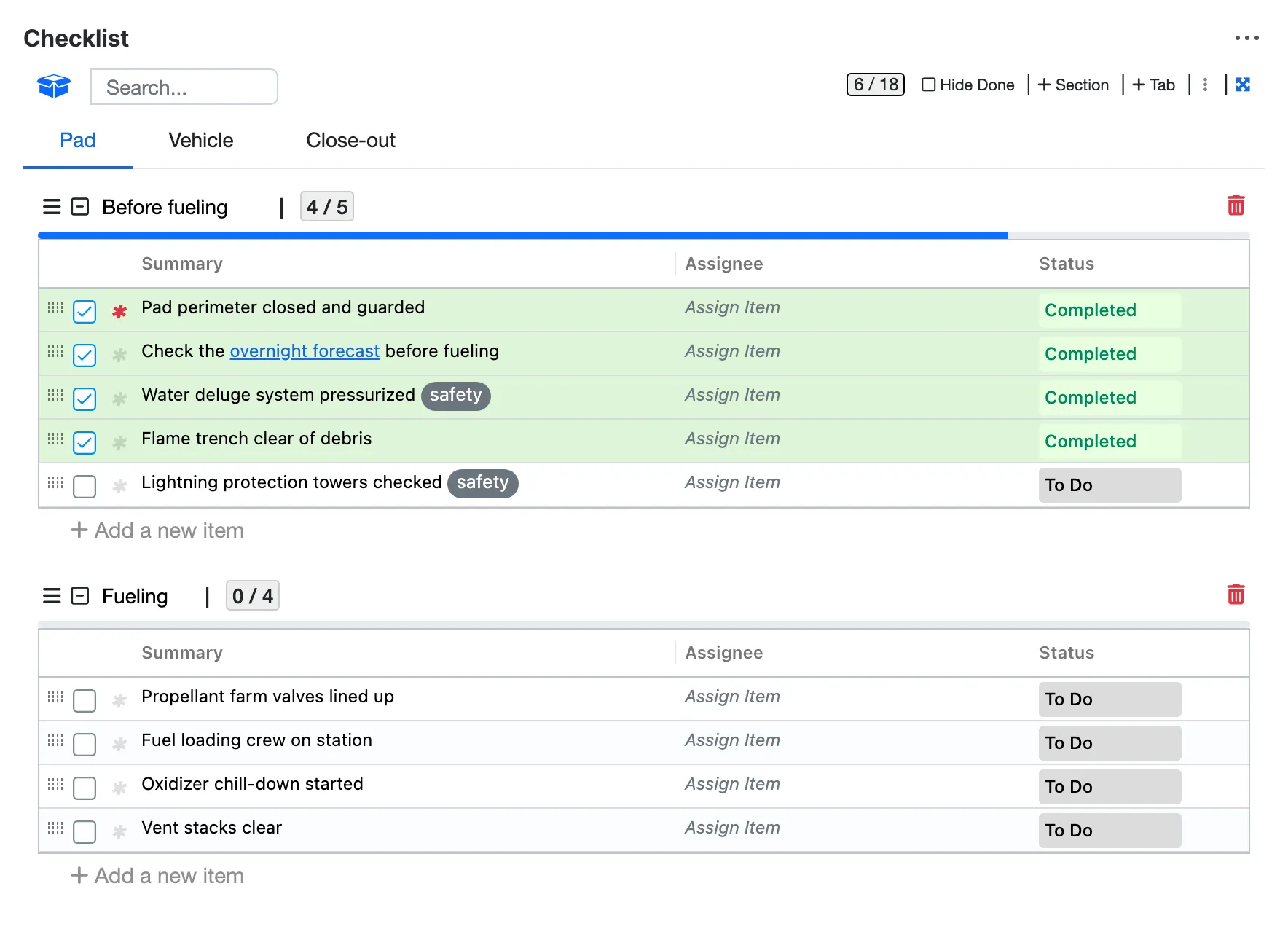
Split a long checklist by topic, team or phase, then drag the items into the order they should happen.
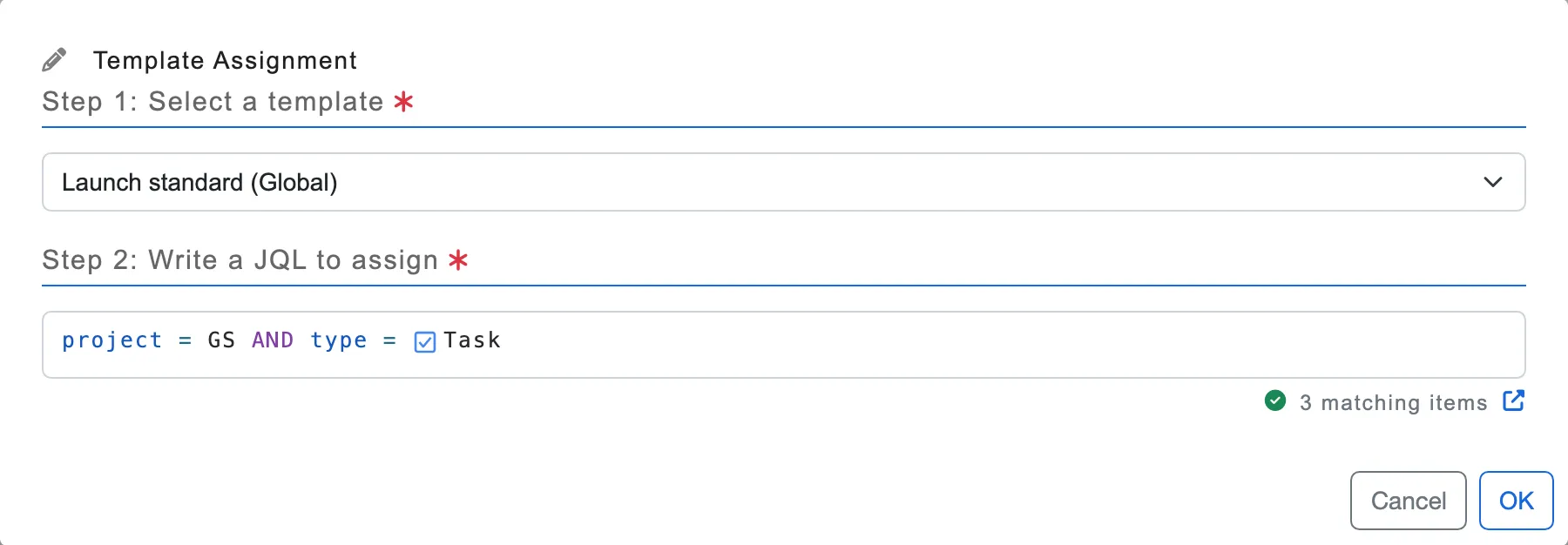
Save your Definition of Done or acceptance criteria as a template and assign it with JQL, to a whole project or just the issues you pick. Every new issue it matches starts with the list.
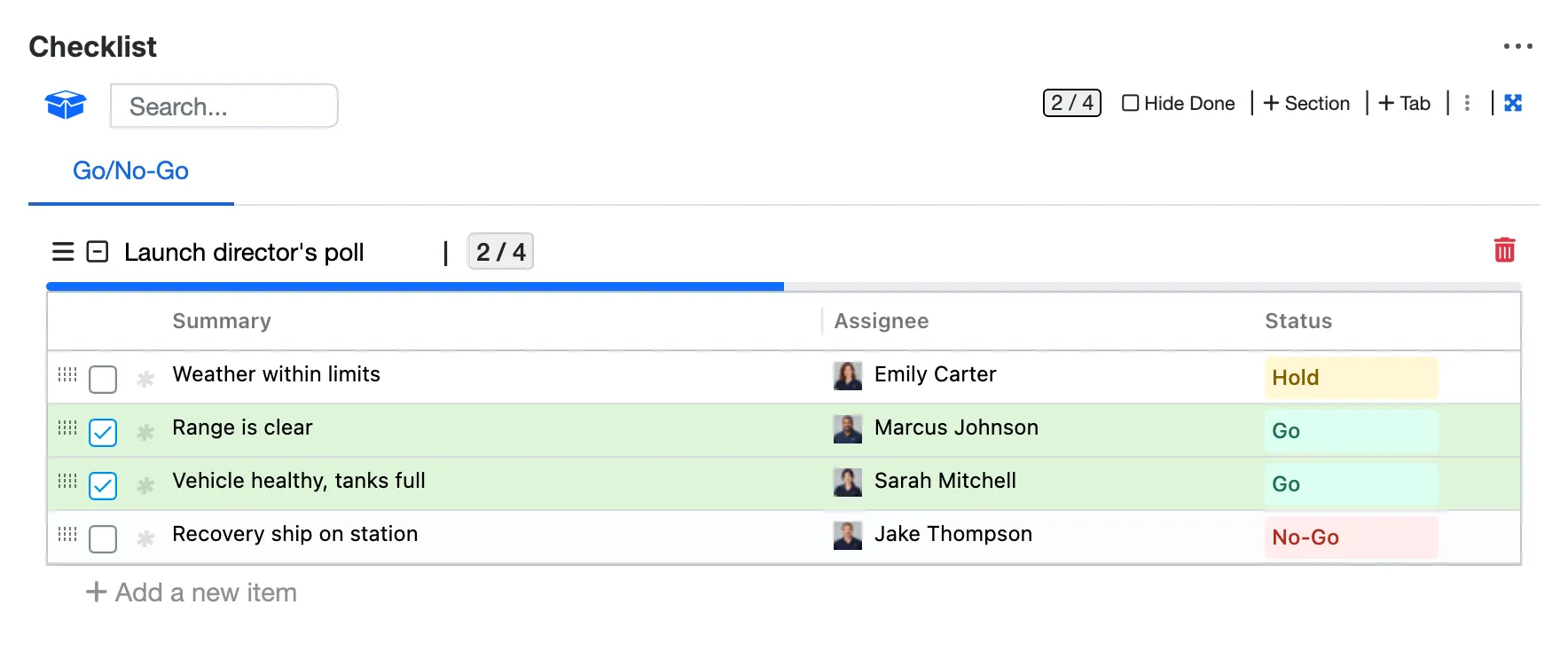
Statuses of your own, like Go, No-Go and Hold, and an owner for every check.
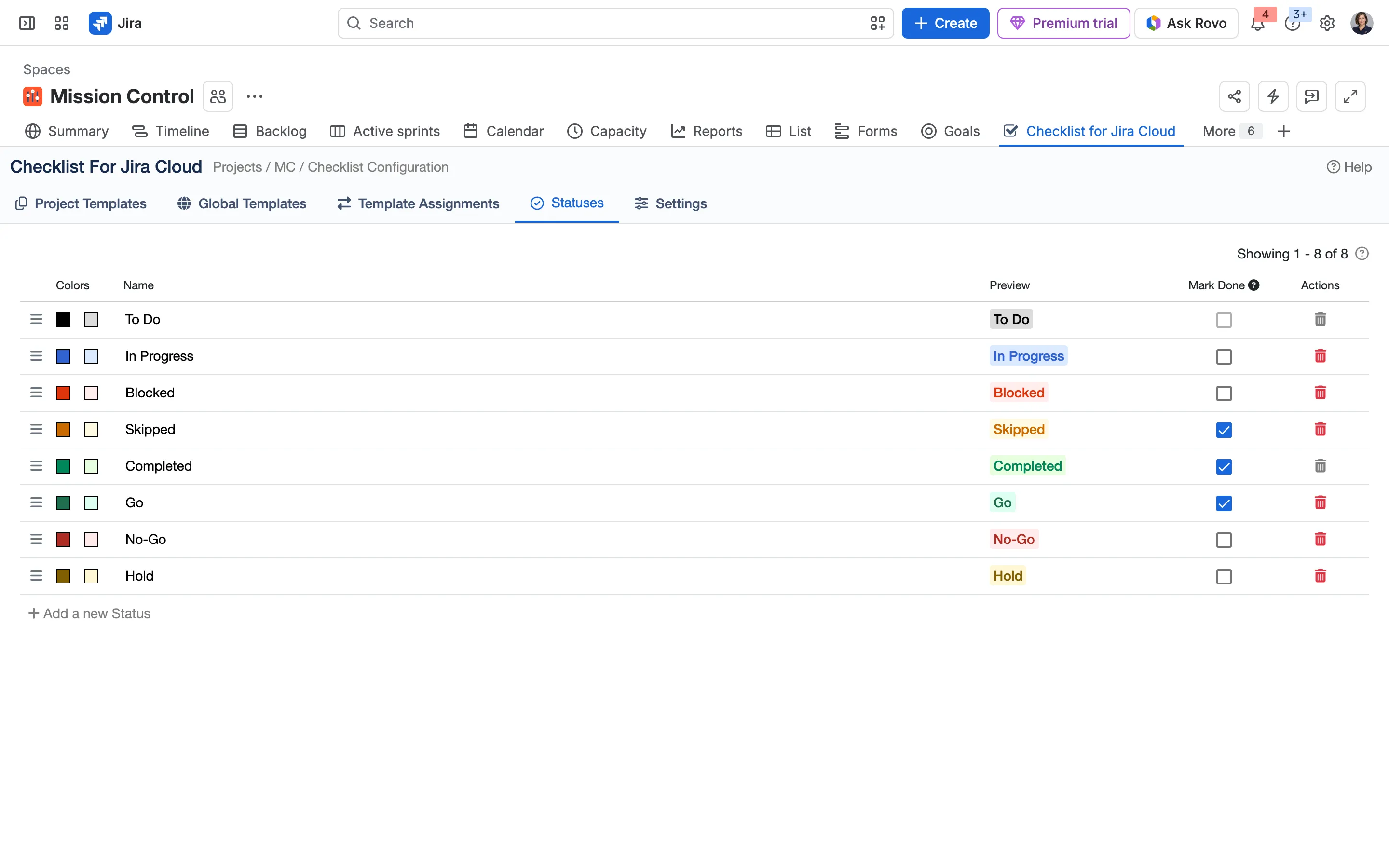
Each project sets up its statuses and their colours on its Checklist page.
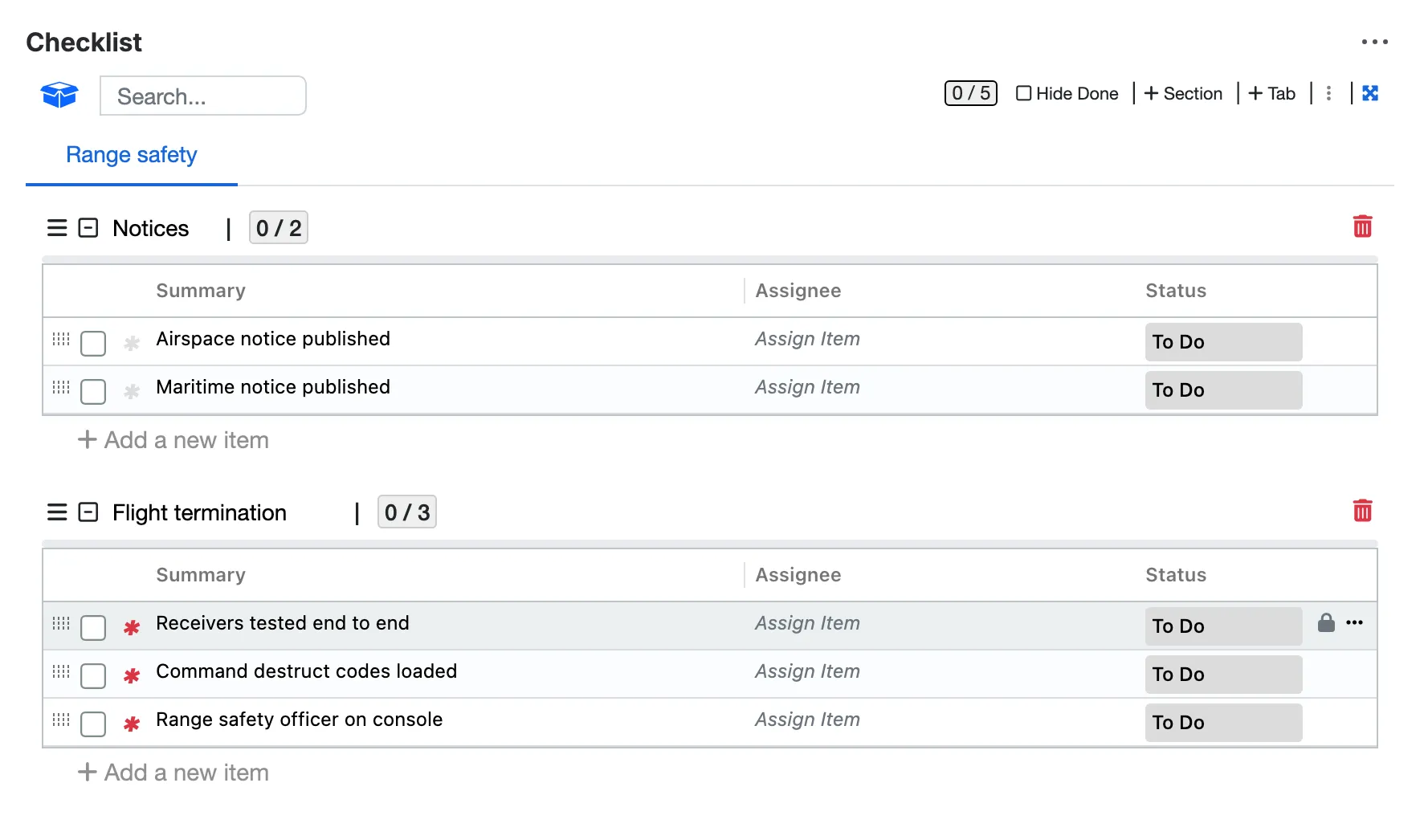
Locked checks nobody can delete or rename, and a red star on the mandatory ones.
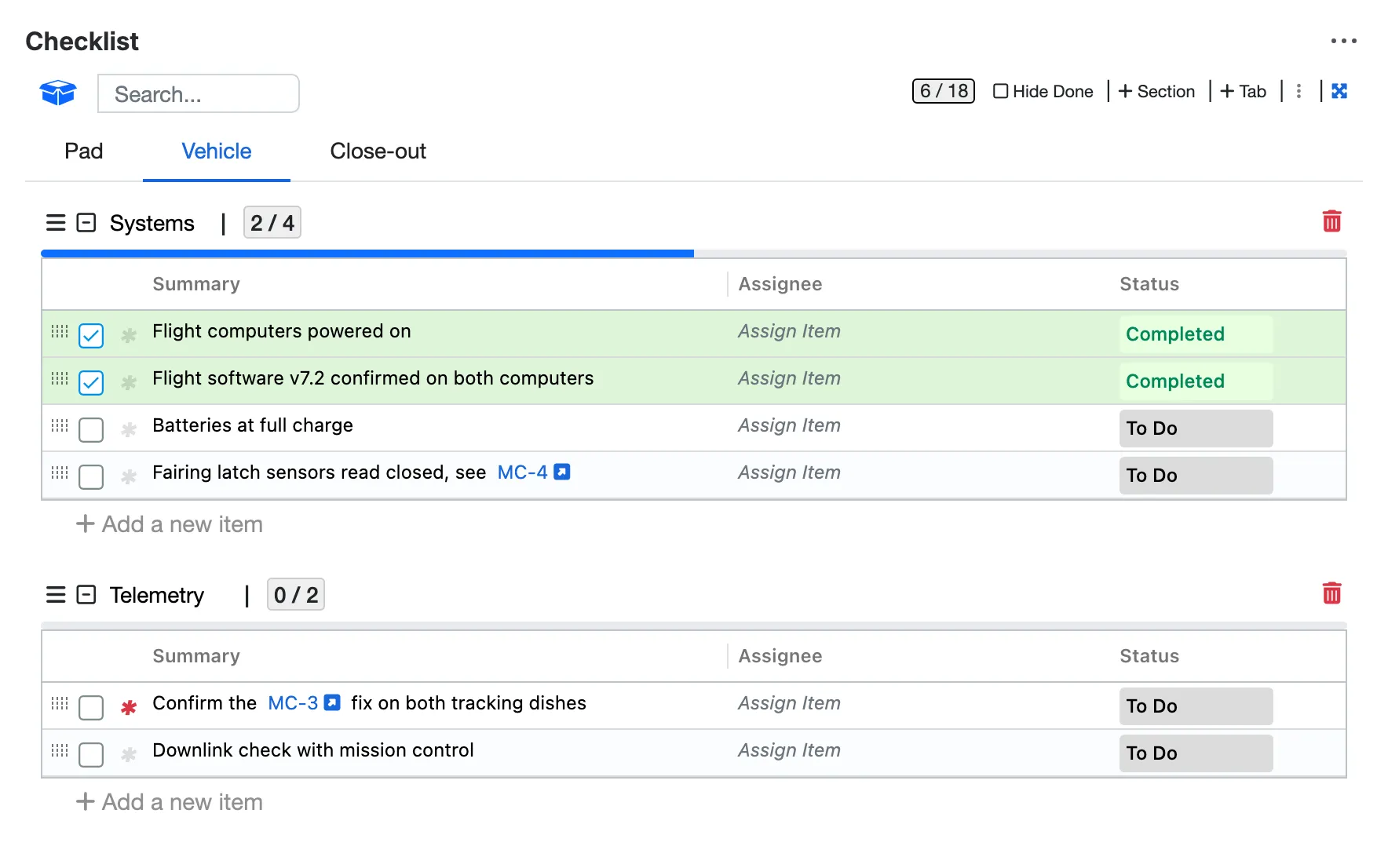
Issue keys turn into links, and Markdown and #tags work in every check.
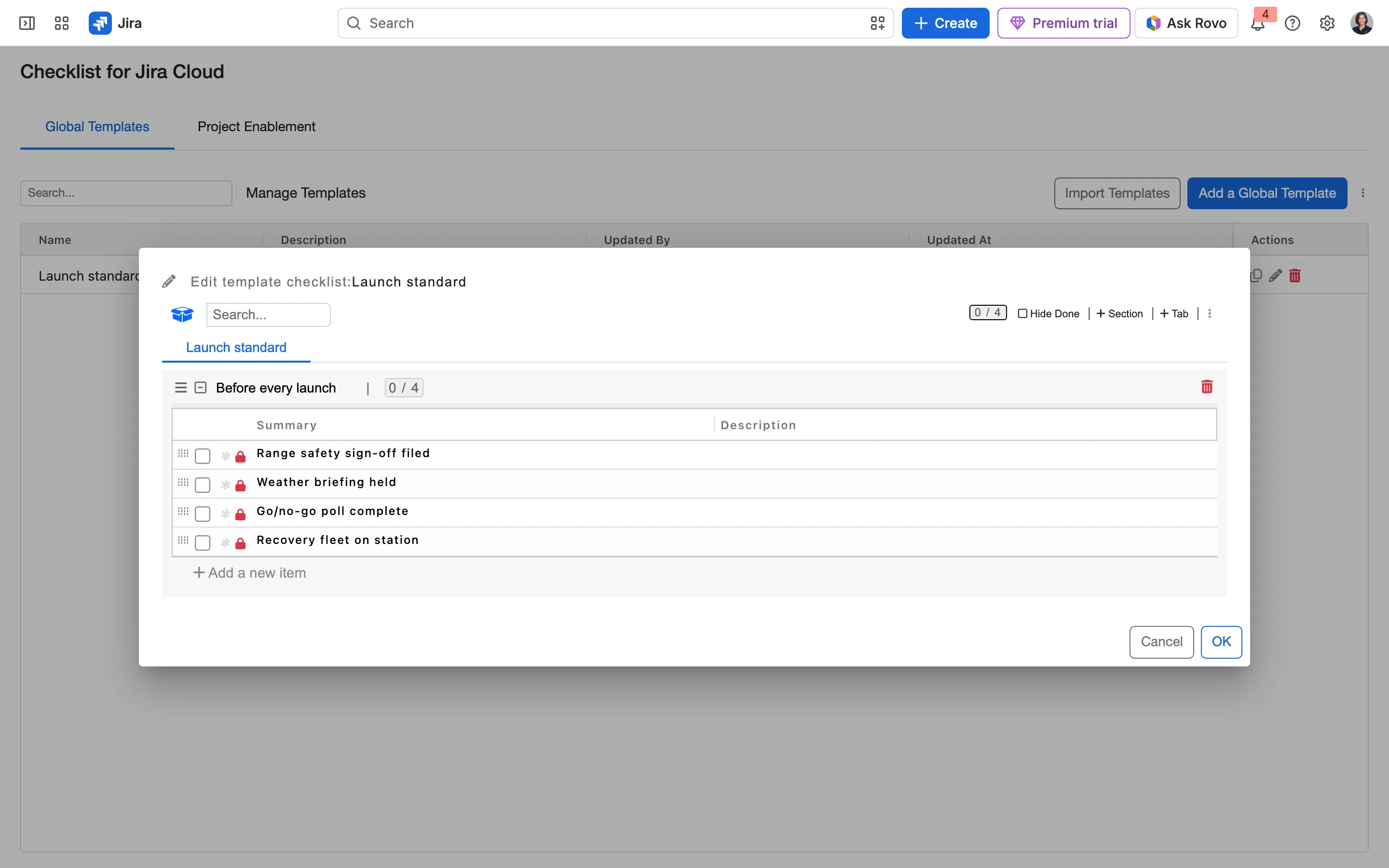
Global templates in Jira’s app settings, for every project to use.
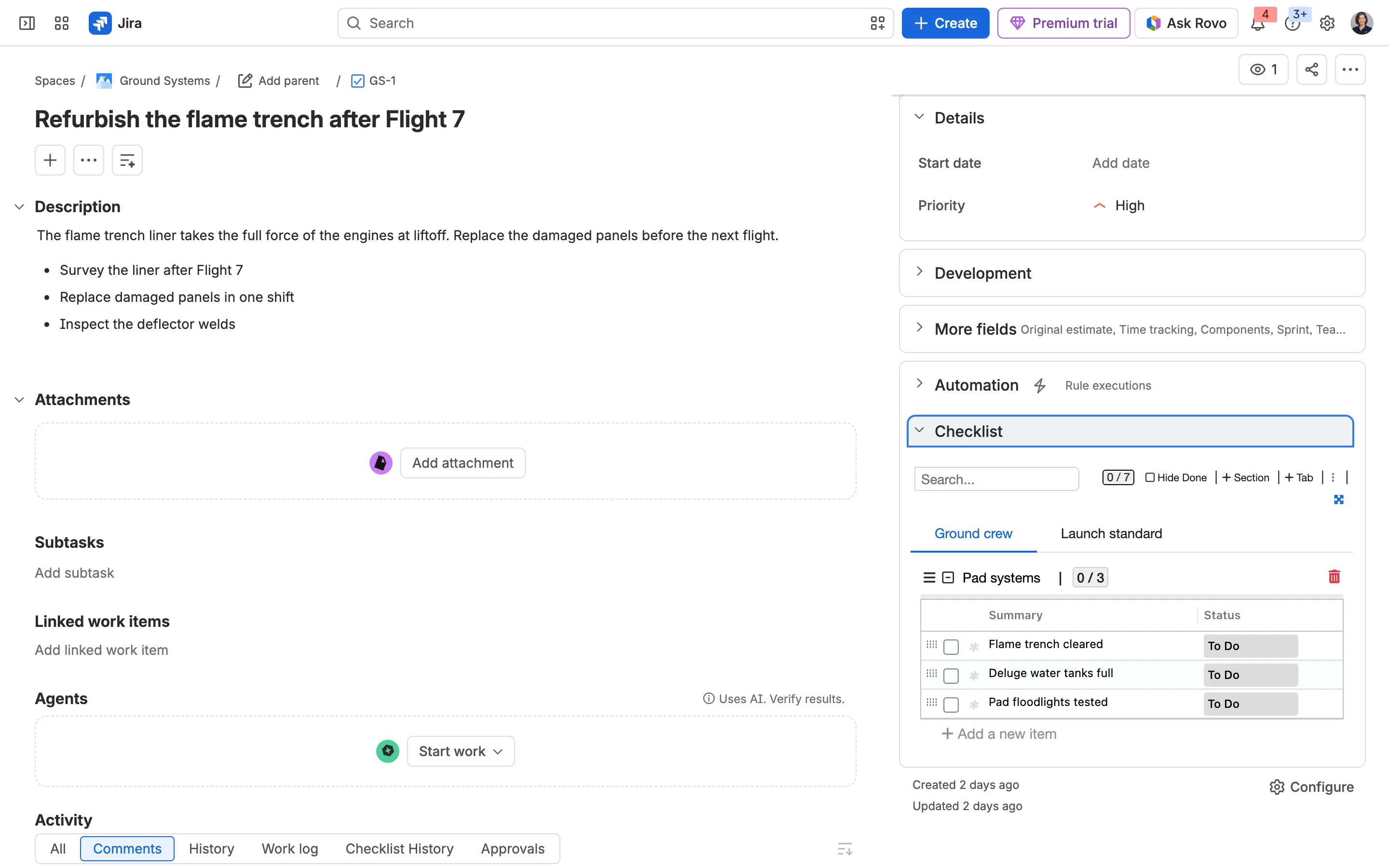
A global template and a team’s own, merged into one checklist in the right-hand column.
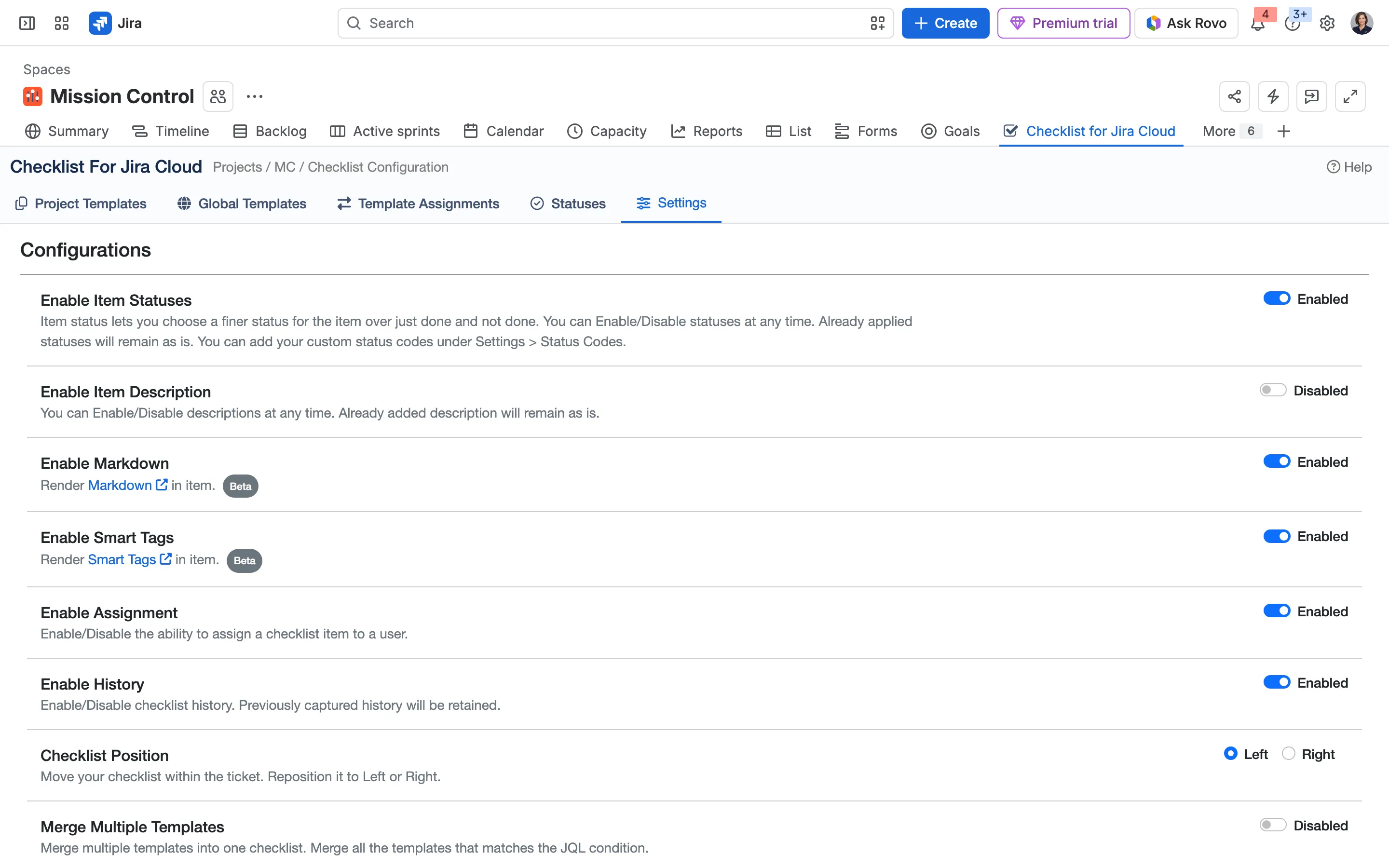
Each project switches on what it needs: statuses, Markdown, Smart Tags, owners, history and more.
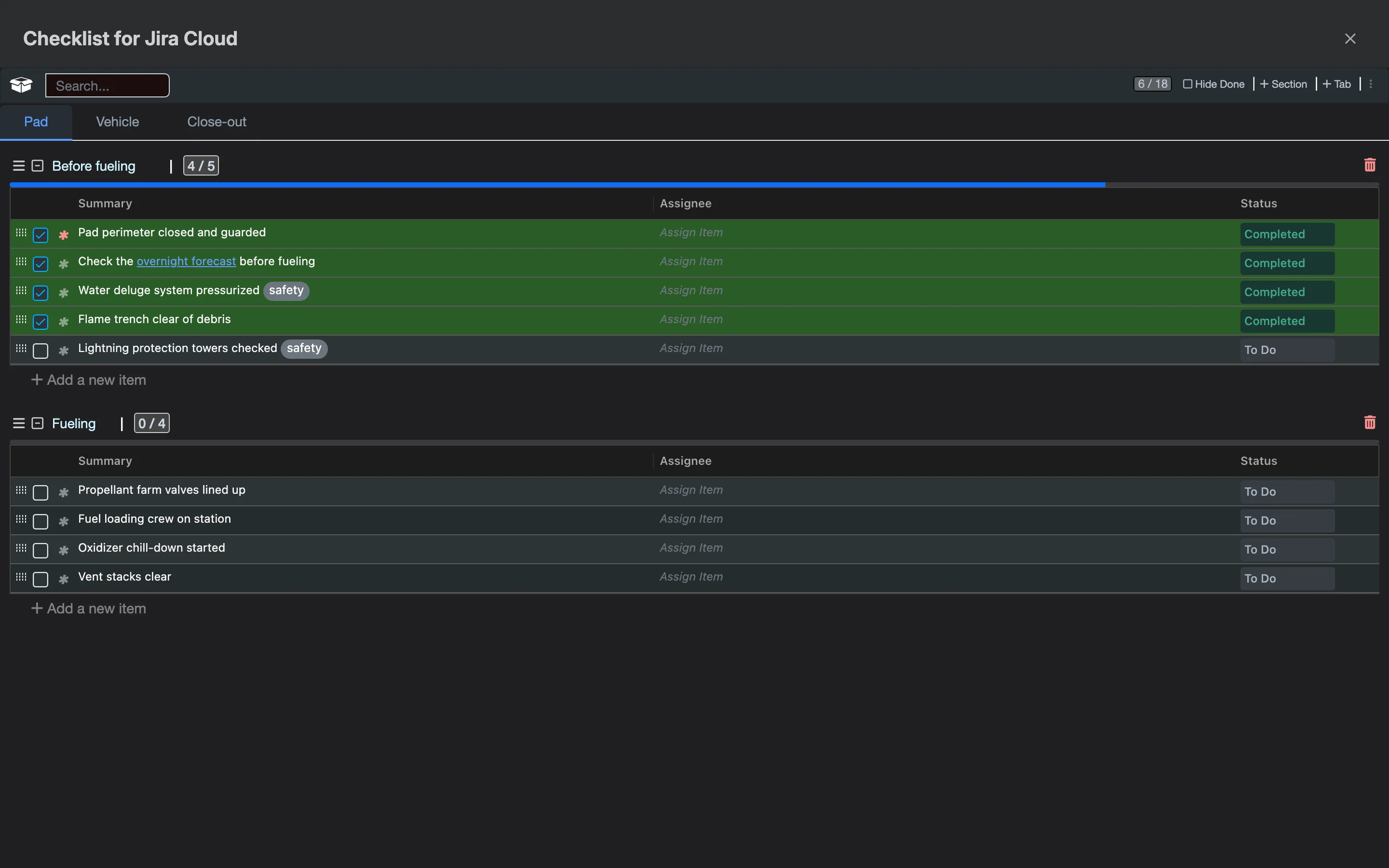
Full screen, in Jira’s dark mode.
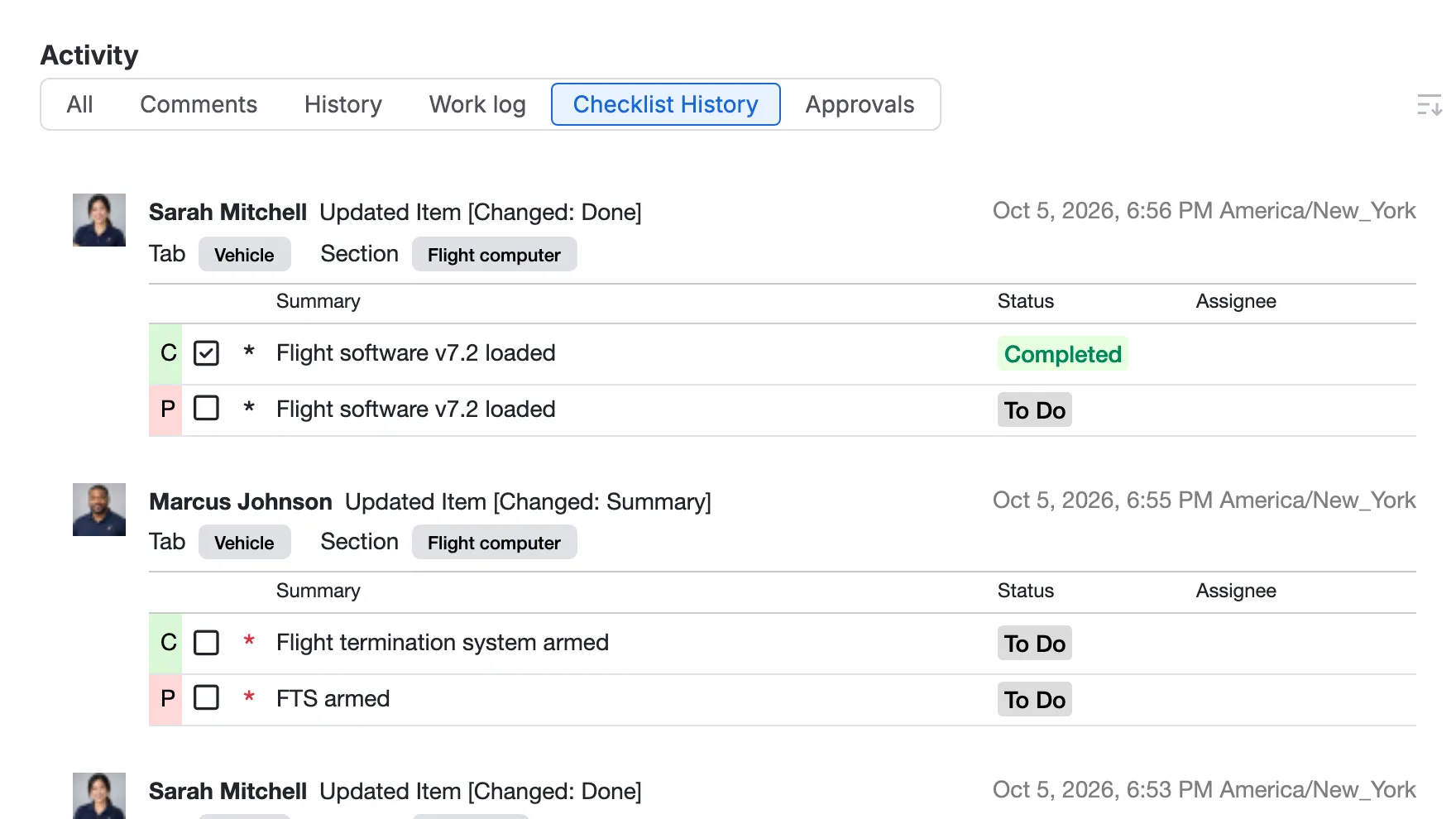
Checklist History: every change, who made it and when.
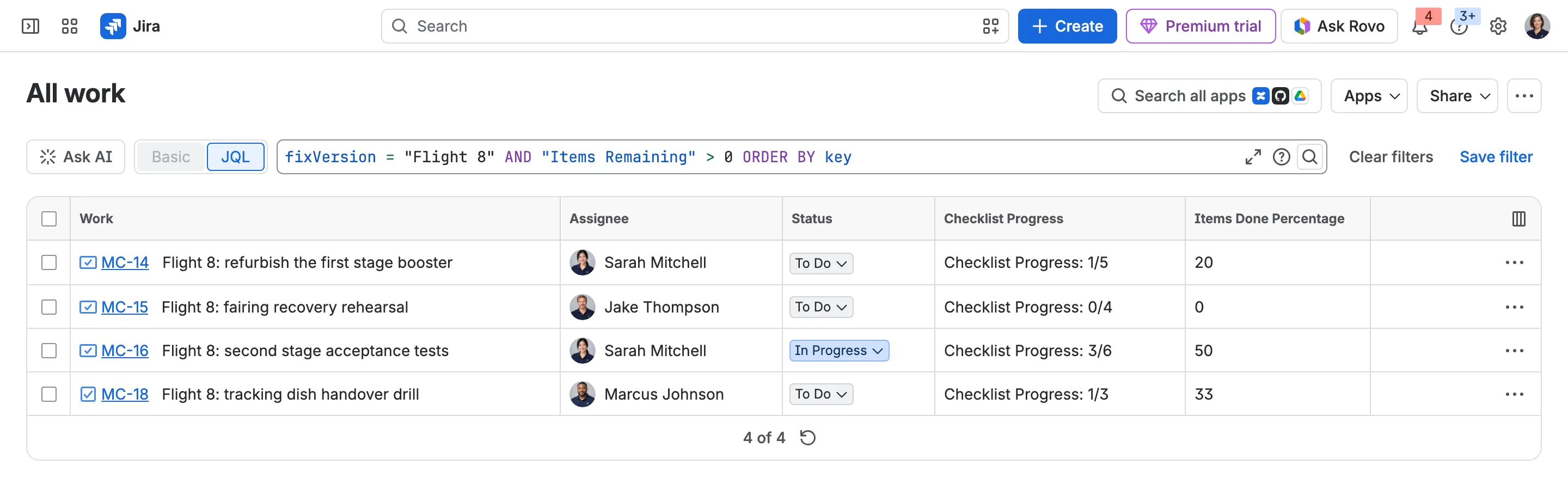
Find issues by checklist progress, with Checklist’s fields as columns.
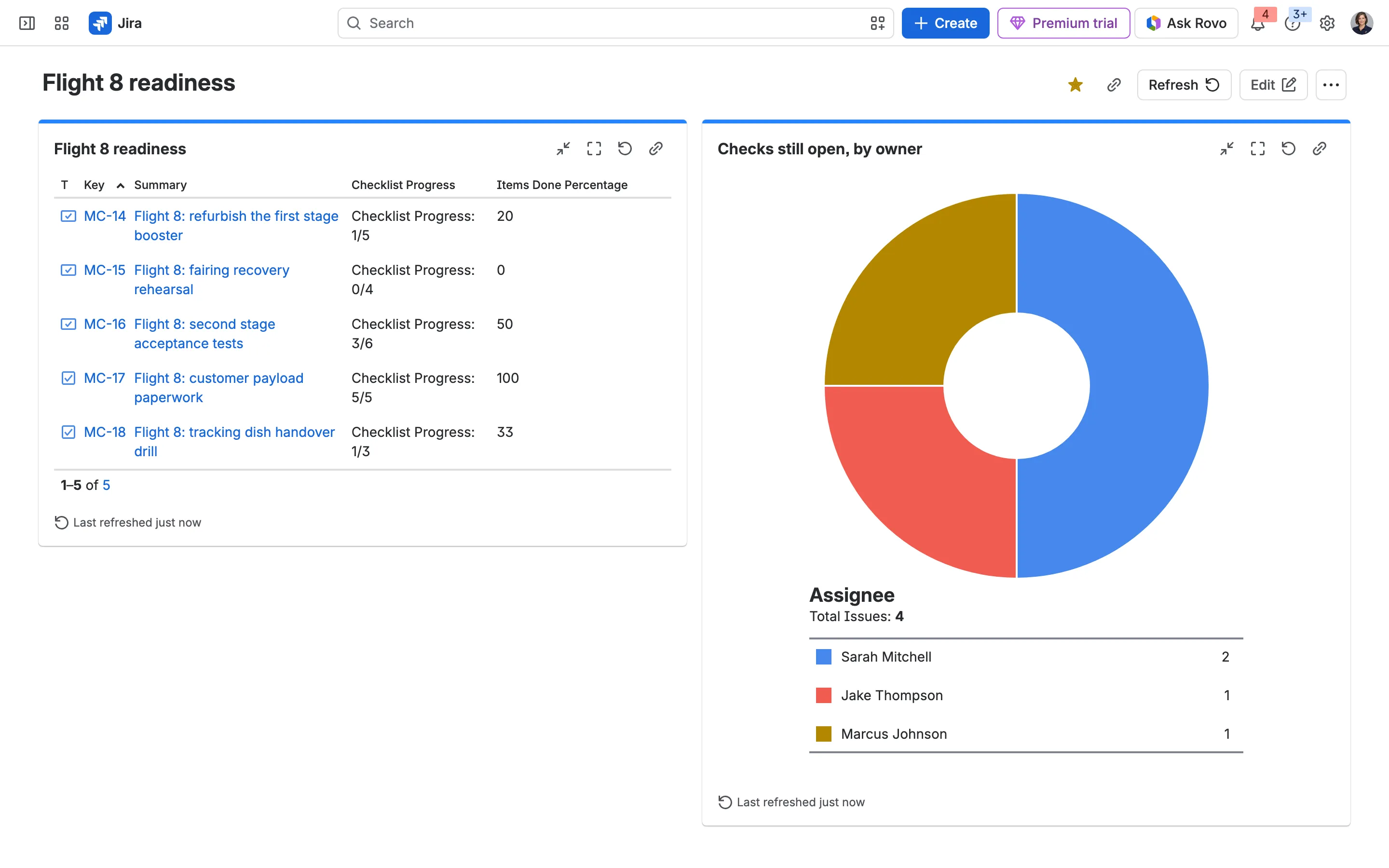
Checklist progress on a Jira dashboard, from Jira’s own gadgets.
4.4/5
From 74 reviews on the Atlassian Marketplace, counting the free and paid versions.
Read them all Alfonso García
The Appbox.ai support team did a great job helping us resolve a product issue; despite the language barrier, they made a concerted effort to communicate effectively and identify the problem with great professionalism. Thank you, team, for your commitment to your users.
 Jürgen Härtl
We have been using the checklists for many years and are more than satisfied with the product. Appbox is a reliable and exemplary service partner that provides support in all areas—not only regarding the application itself should an error occur, but also concerning issues arising from changes to the Jira integration. Thank you for the excellent support.
 Allie Serious
This tool had made a huge difference in our workflow. We were seeing some weird display issues that seemed to be only in our Jira project and the support team helped us figure them out and get them fixed. They are very responsive and want to help. They also release new features quickly and really want to know what features could help so they can see if those features can be added.
 Dias Assembayev
Installed the Checklist for Jira (free) app recently and had a problem not seeing the Global template page. Wrote a customer support ticket and got a reply within less than an hour. Very helpful support that helped me to quickly find the root cause of my issue.
 Milen Bonev
Great tool for team organization. This app has been very helpful for us. It makes organizing different tasks across separate teams much clearer and easier to manage. The support team is also excellent, very kind and quick to help whenever we've had questions. Highly recommended.
 Brian Kutner
We’ve been using the Checklist for Jira (Enterprise) for a few weeks now and couldn’t be more pleased with the results. It integrates seamlessly into our Jira processes and is incredibly intuitive to use, making it a breeze to implement across our teams. The tool has been instrumental in improving the quality and consistency of our workflows, especially in auditing with checklist history. One of the standout aspects of this add-on is how much it has boosted our team’s efficiency and helped maintain clear standards across various projects. Setting it up was simple, and its functionality is both powerful and reliable. On top of that, the customer support from the Appbox.ai team has been exceptional. They were quick to respond to our needs, and demonstrated a high level of professionalism throughout. If you’re looking to streamline your Jira workflows and enhance process reliability, this add-on is an excellent choice. Highly recommended!
 AcerPro
Hi, We have been using the Checklist for Jira (Enterprise) add-on and are extremely satisfied with its functionality and overall performance. It has significantly improved the consistency and quality of our internal workflows, especially in areas where structured task management is essential. The product is easy to configure, intuitive to use, and integrates seamlessly into our Jira processes. It has helped our teams operate more efficiently and maintain clearer standards across different workstreams. Customer support has also been exceptional. The Appbox.ai team responded quickly, provided a generous discount, and handled everything with professionalism and care. Their level of support clearly demonstrates a strong commitment to customer satisfaction. Highly recommended for any team looking to enhance process reliability and streamline Jira task management. Nejla T
 Bertalan Róbert
We've been using it since Q4 of 2024, and needed support when Jira changed its UI. The communication was very effective — I received answers to all my questions, and the support has been excellent. Keep up the great work!
 Mike Goodspeed
Really great application that is simple and effective. Application support went above and beyond for us. I recommend this app if you can make us of it!
 Janji
JanjiThis app is pretty solid. It gets the job done, and I've found it quite useful for my needs. No major complaints. I got quick assistance from the support team with the minor issues I had.
 Kerry Hunt
Installed Free version and encountered some limitations within a Team Managed project - Support team helped me workaround using automations and were very helpful.
 Uros Janackovic
We are using this app for over a year, starting with one project in Jira, now several of our teams are also using it. Perfect for our needs!
Yes. Add one of the two checklist validators to a workflow transition: all items complete, or all mandatory items complete. The issue can’t make that transition until the checklist passes.
Yes. Save a checklist as a template and assign it to all issue types or just some. It loads on new issues of those types automatically.
Yes. Service teams use it for requests such as employee onboarding and offboarding.
Yes. Checklist fields such as total items, mandatory items left and percentage done work in JQL, filters and dashboards, and boards can show each card’s progress.
All checklist data stays inside your Jira site.
Yes. Checklist for Jira (Free) is on the Atlassian Marketplace, and the docs compare it with Enterprise.
Start a free trial from the Atlassian Marketplace, or read the docs to see how it works.