 Checklist for Jira
 Backlog Prioritization for Jira
 Risk Register for Jira
 Response Templates for Jira
 AI Agents for Jira
 GPT for Jira
 Advanced Queues for Jira
 Advanced Test Management for Jira
Every issue on one grid
Load issues with a quick search, JQL or a saved filter, then score them right in the grid with stars, labels, numbers or checkboxes. Each score works itself out as you go, shaded darker the higher it climbs.
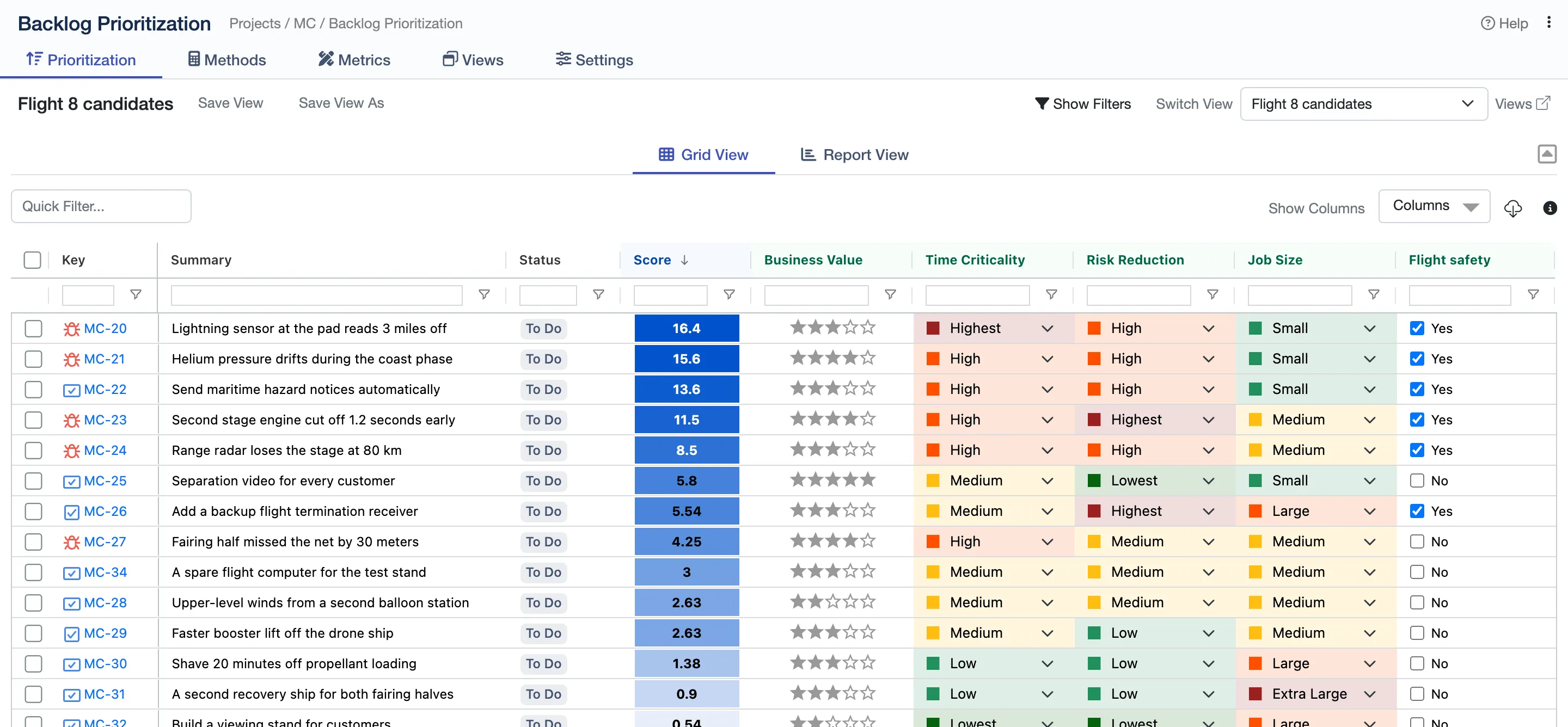

Score every issue the same way, with RICE, ICE, WSJF or a formula of your own, and rank the whole backlog on one grid. The score is a Jira field, so boards, filters and JQL can sort by it.
4.4/5 from 28 reviews · 2,000+ installsPartner supportedRuns on AtlassianCloud Fortified
Atlas Orbital, a fictional rocket company, has fifteen fixes and room for six. Eight short chapters, each a question the team asks.
Chapters
Load issues with a quick search, JQL or a saved filter, then score them right in the grid with stars, labels, numbers or checkboxes. Each score works itself out as you go, shaded darker the higher it climbs.
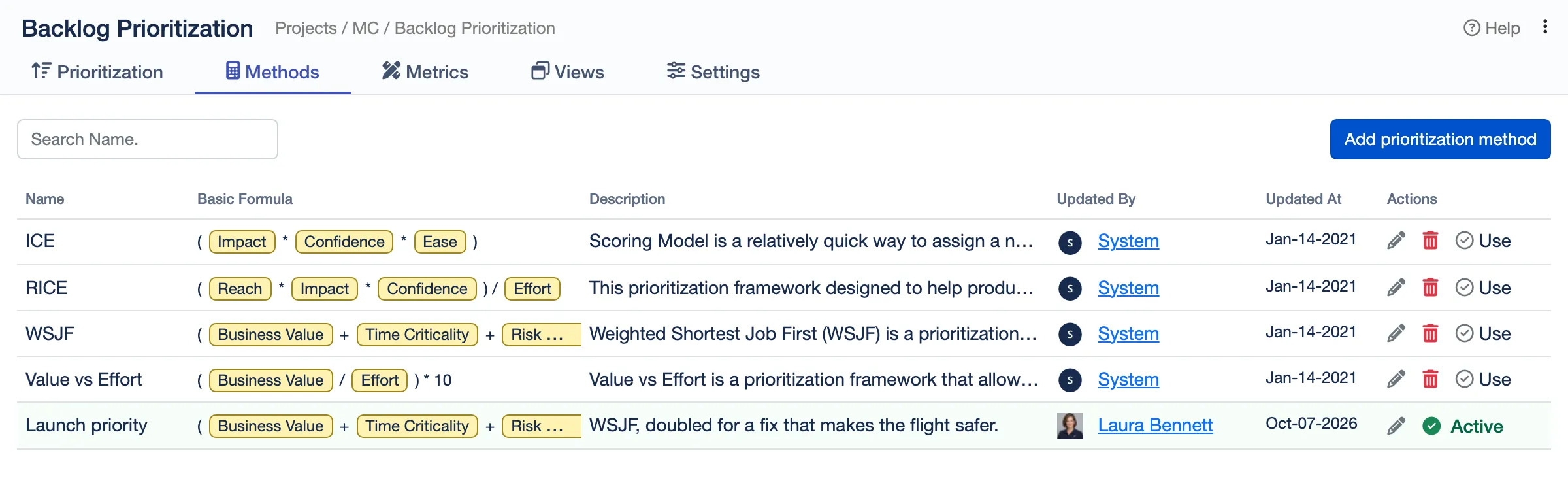
RICE, ICE, WSJF and Value vs Effort come ready to use. Add metrics of your own and combine them in a formula, so the score matches how your team decides.
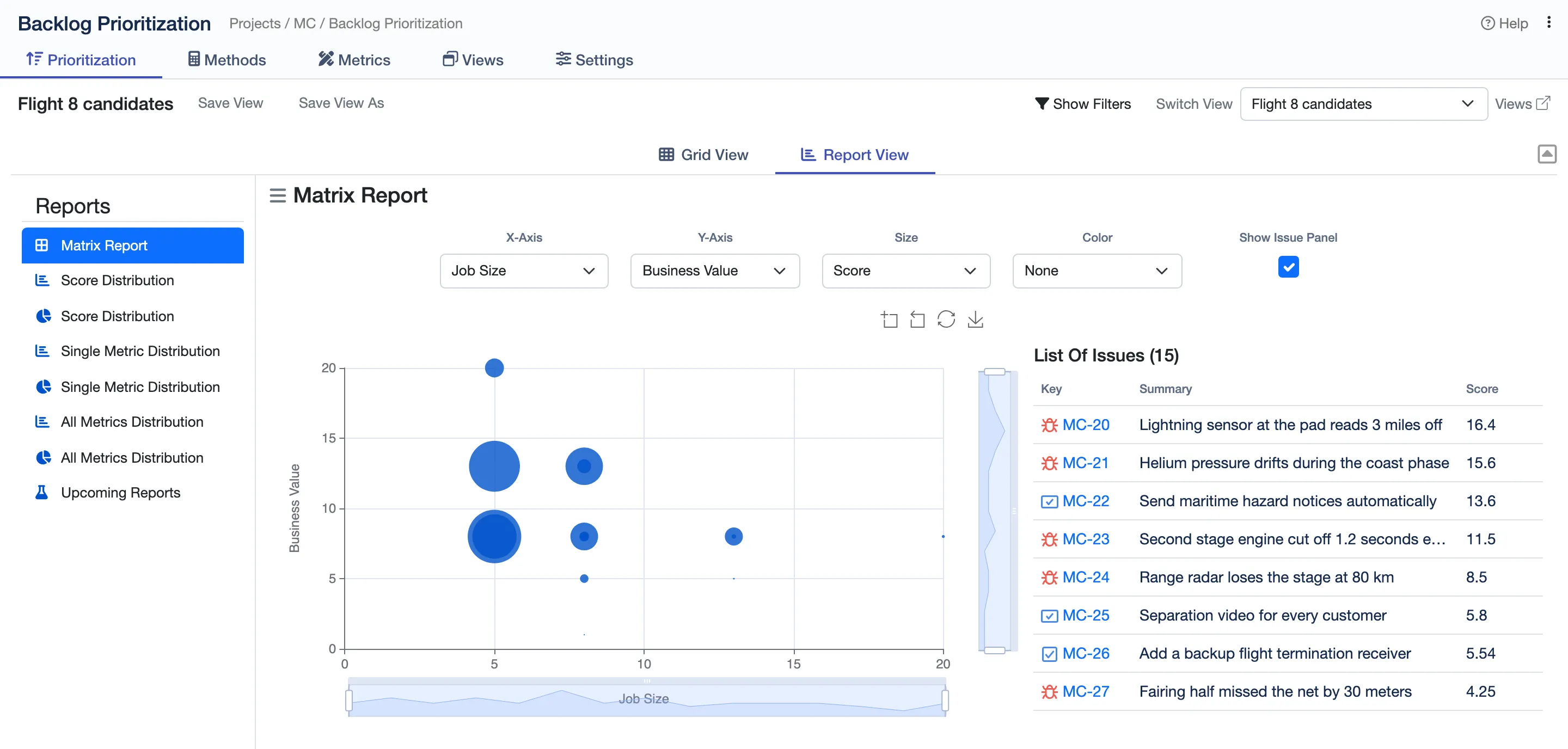
The matrix report plots any two metrics against each other, so the quick wins stand out. Distribution reports show how the scores and each metric spread.
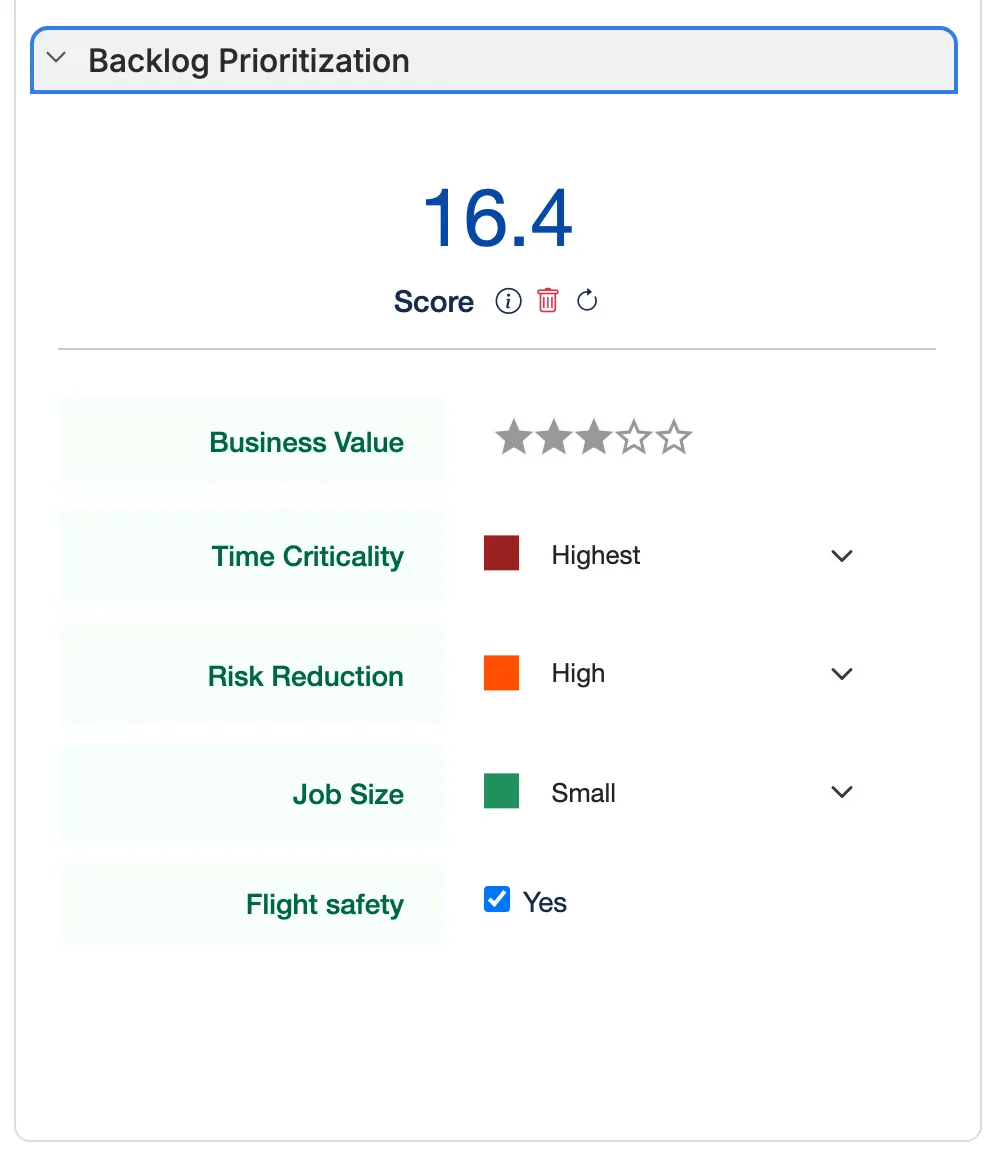
Each issue shows its score and the metrics behind it, and can be scored right there.
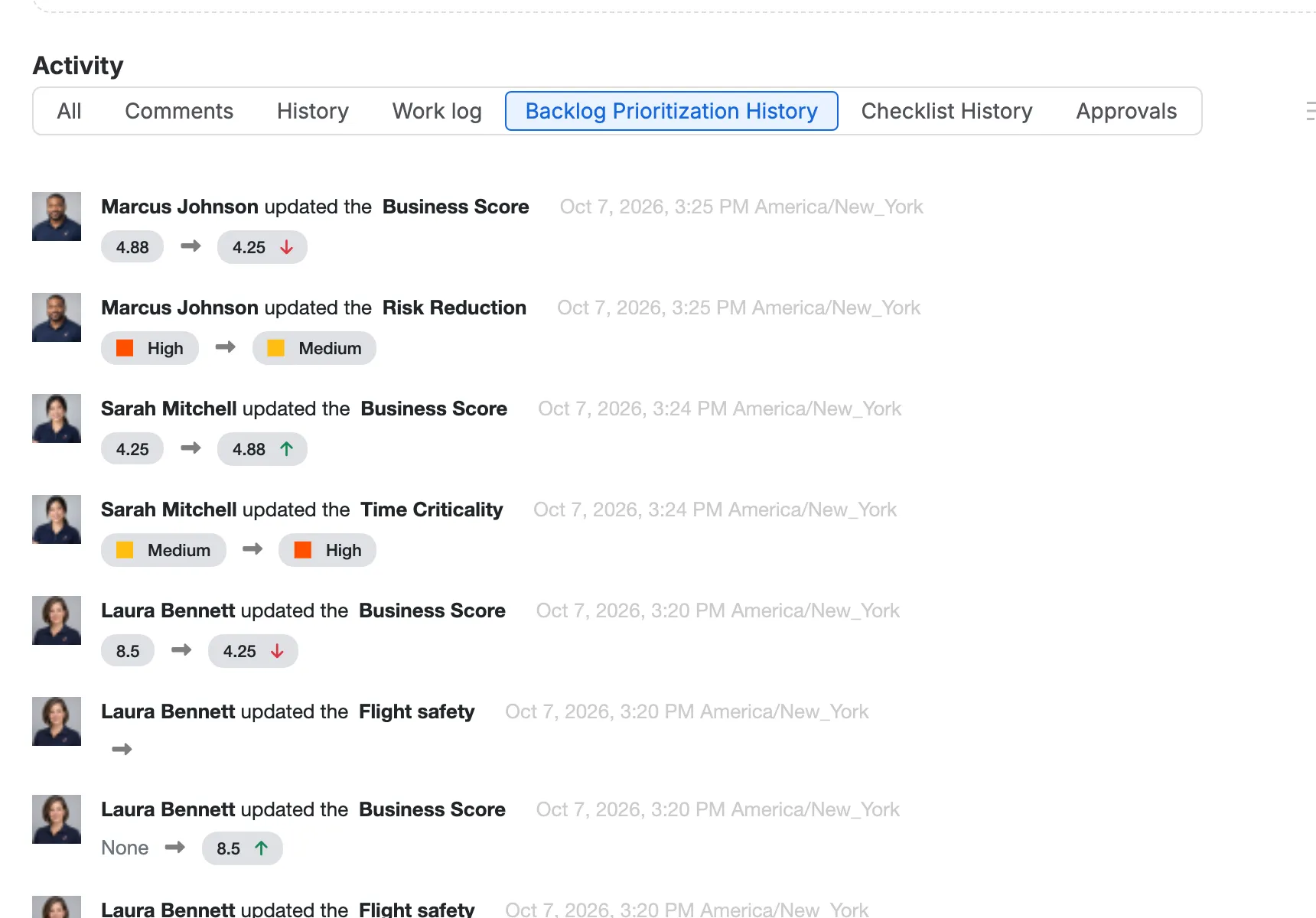
Backlog Prioritization History: every change, who made it, and the score before and after.
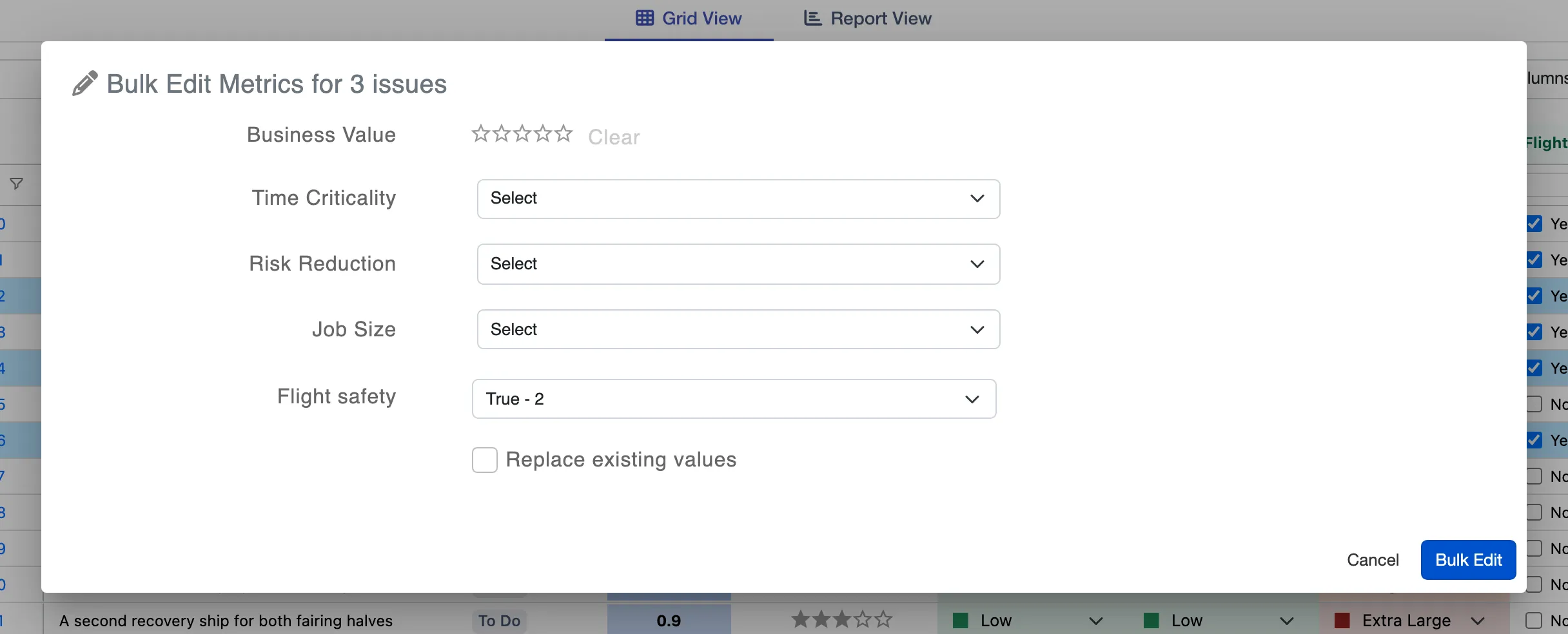
Bulk Edit Metrics sets a value on many issues at once.
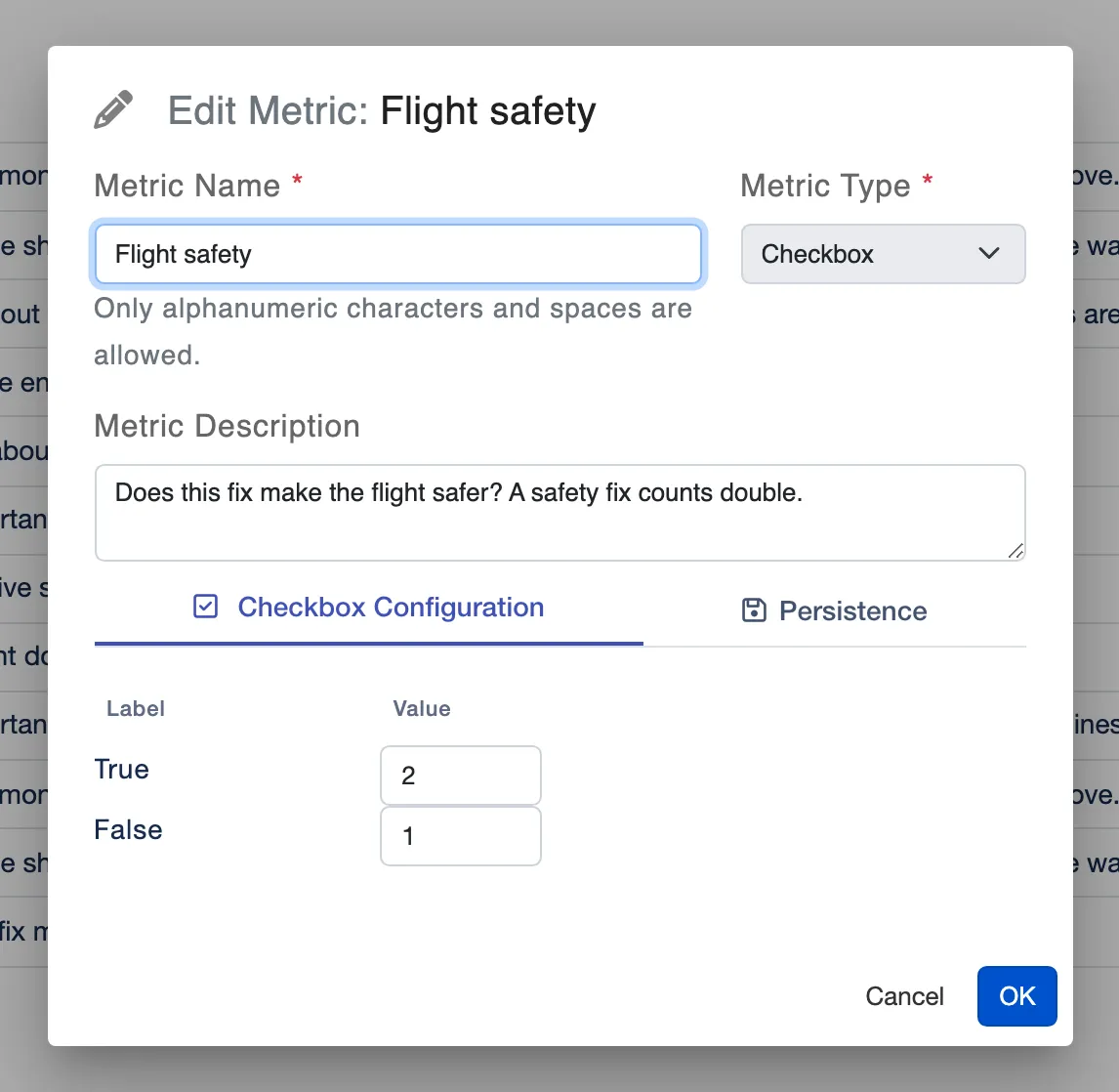
Metrics of your own: a number, a label, stars or a yes-or-no checkbox, each with its own values.
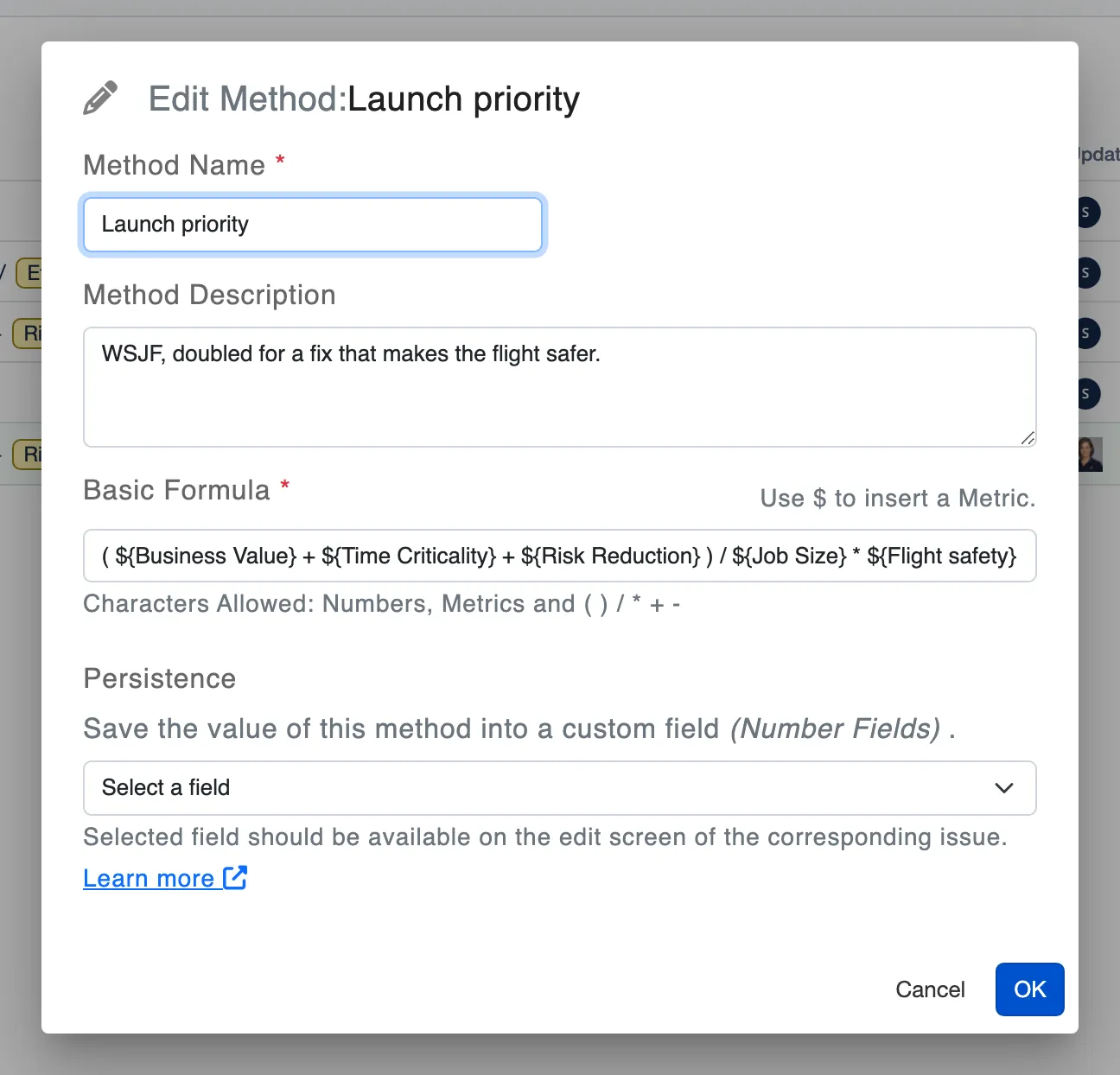
A method of your own: type $ to pick a metric, and combine them in a formula.
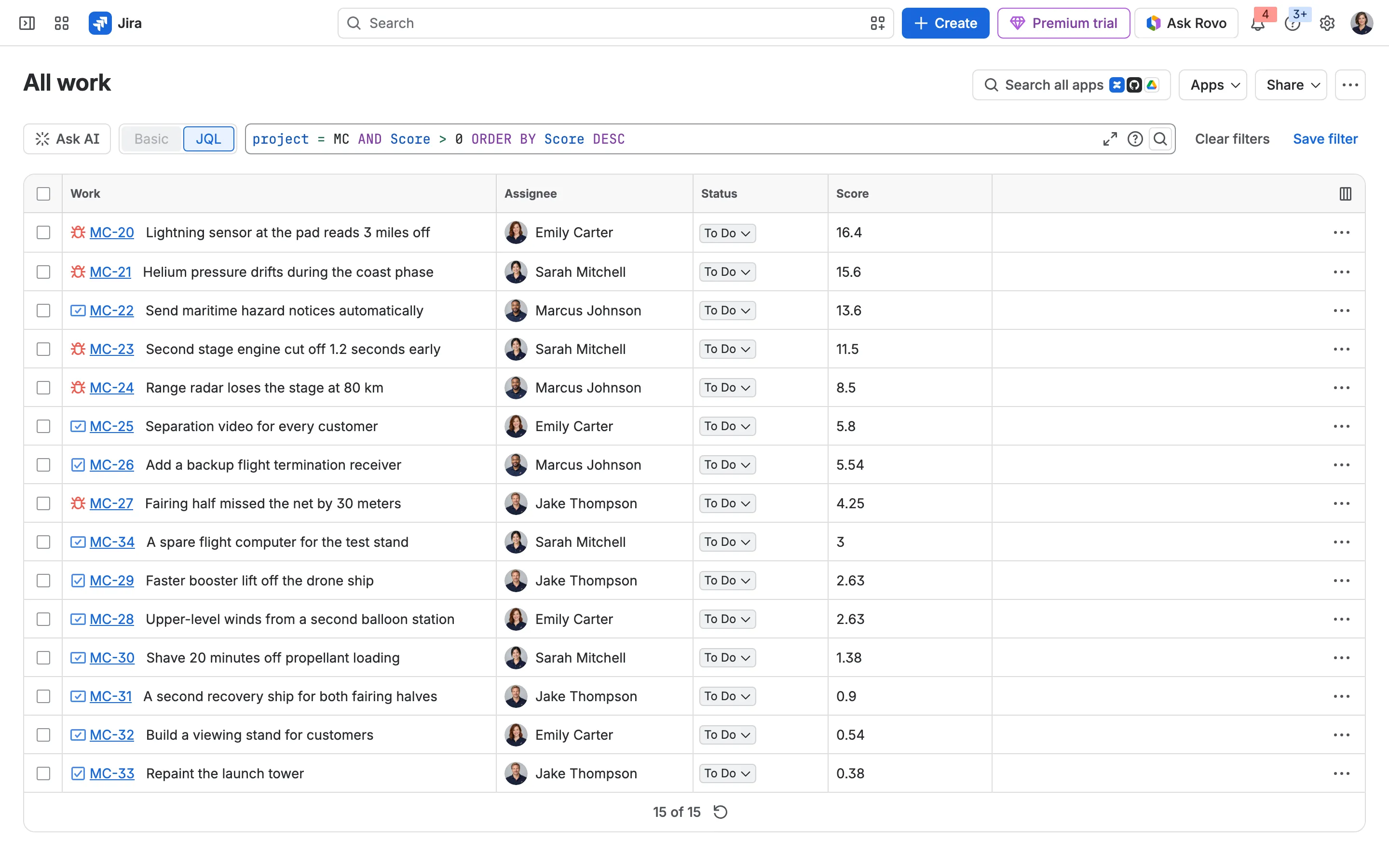
Score is a Jira field: search and sort by it with JQL.
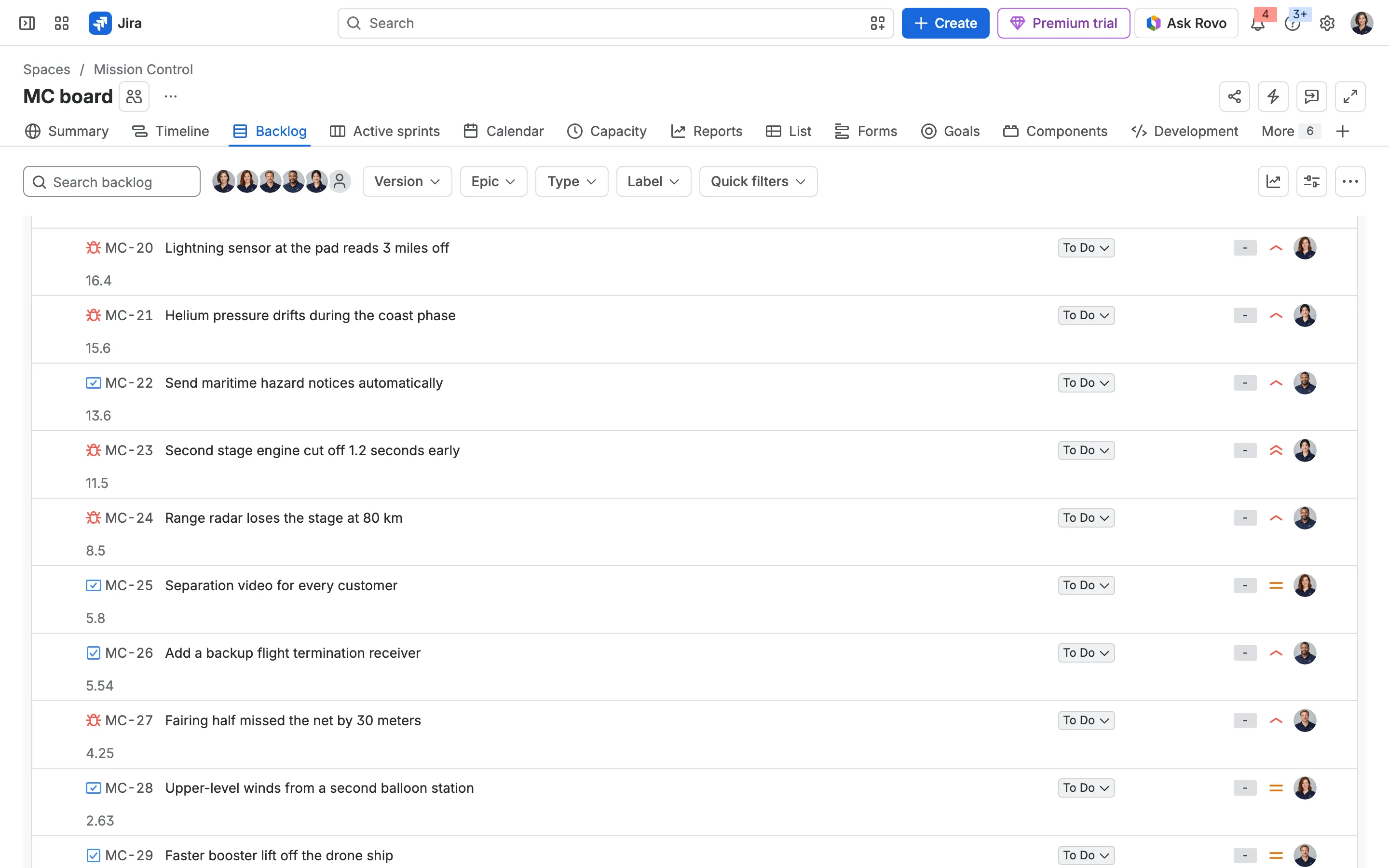
The score on every card in the board’s backlog.
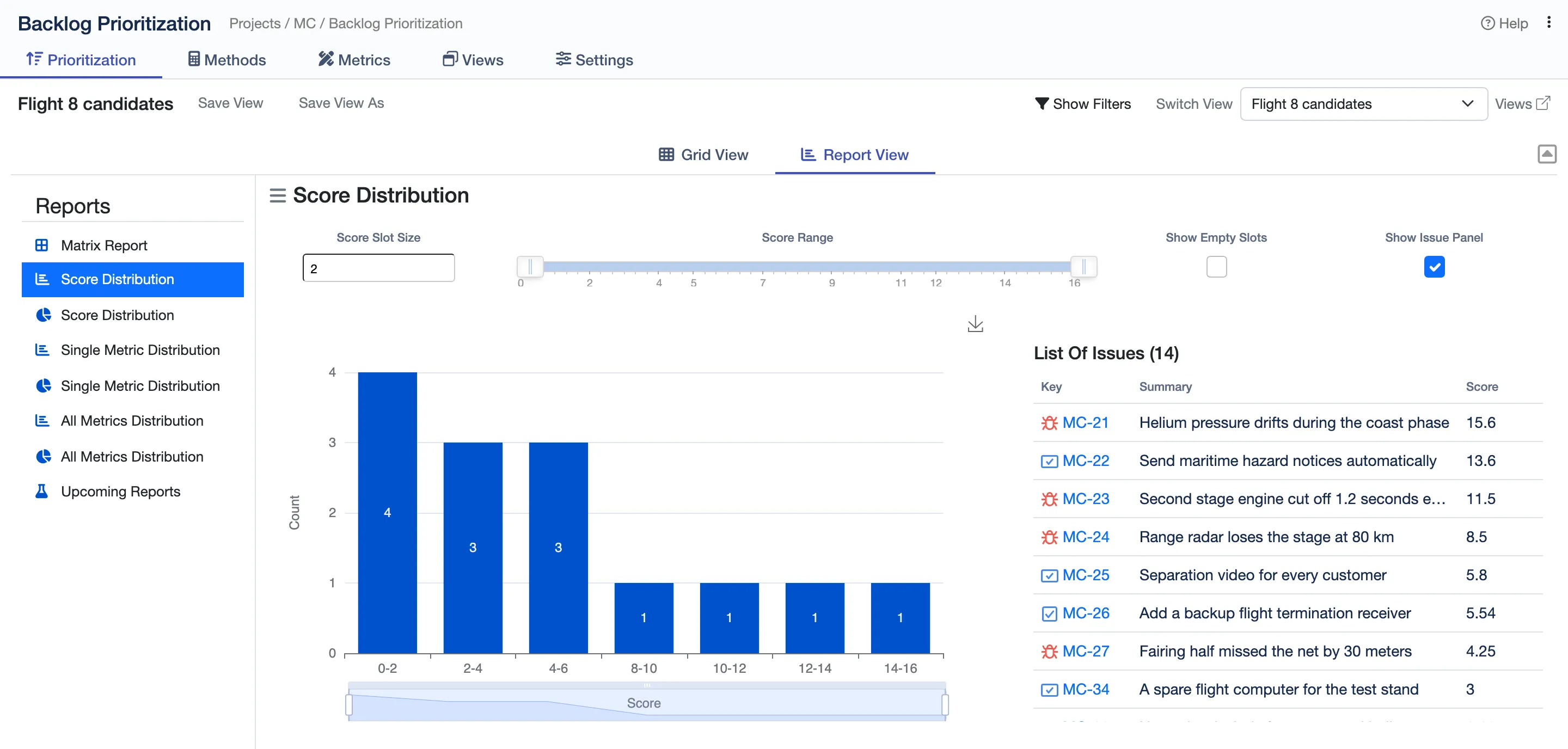
How the scores spread across the backlog.
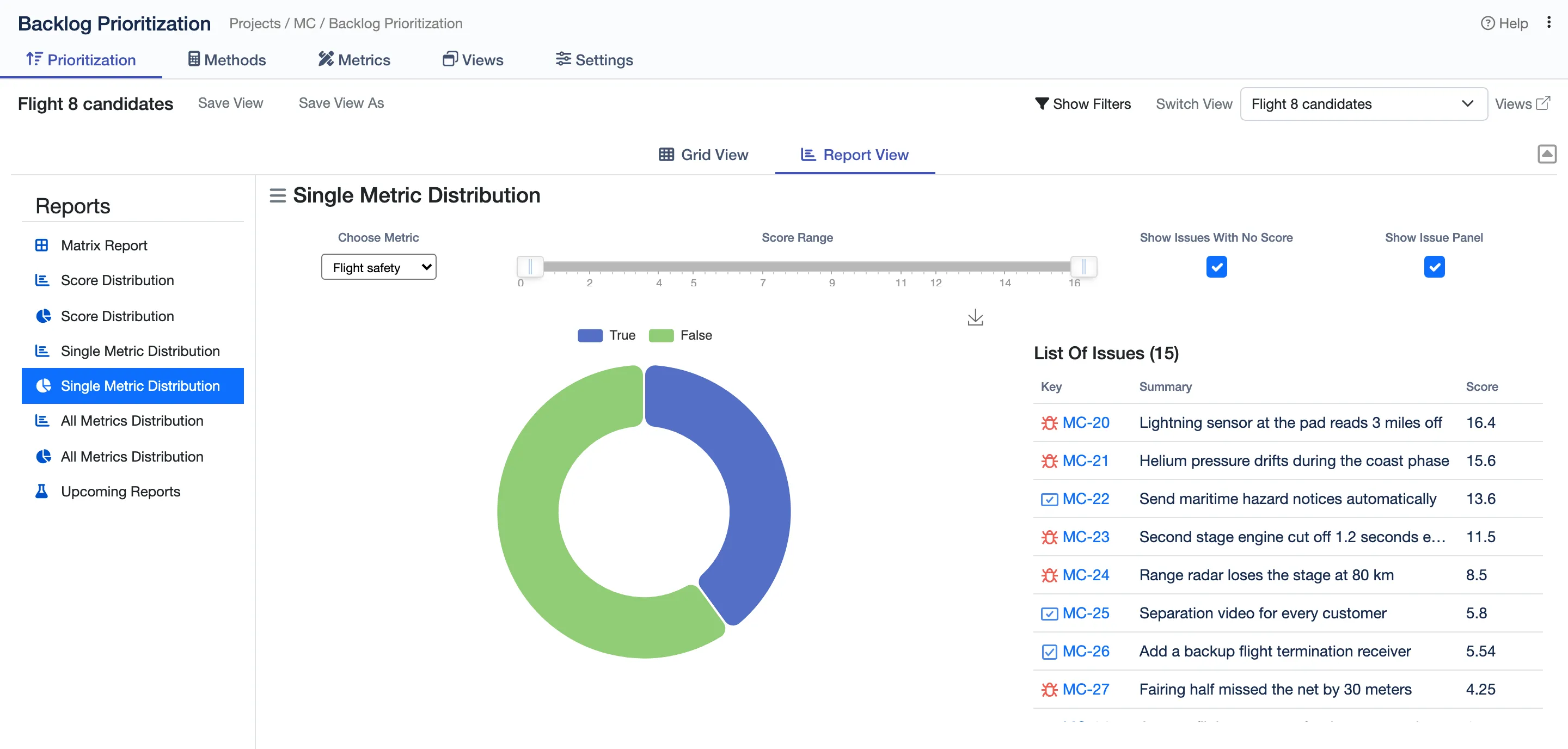
How one metric splits the backlog, here the fixes that make a flight safer.
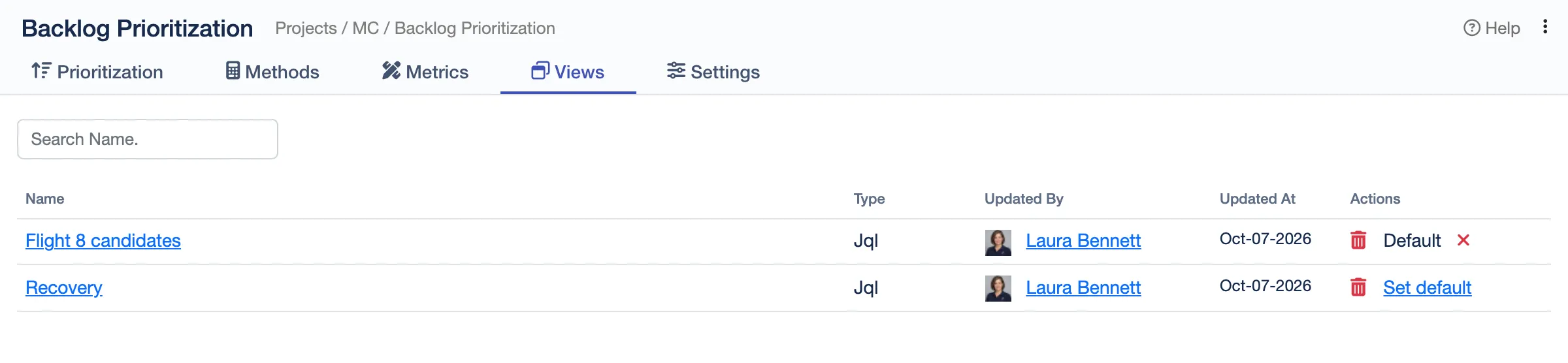
Saved views for each team, one of them the project’s default.
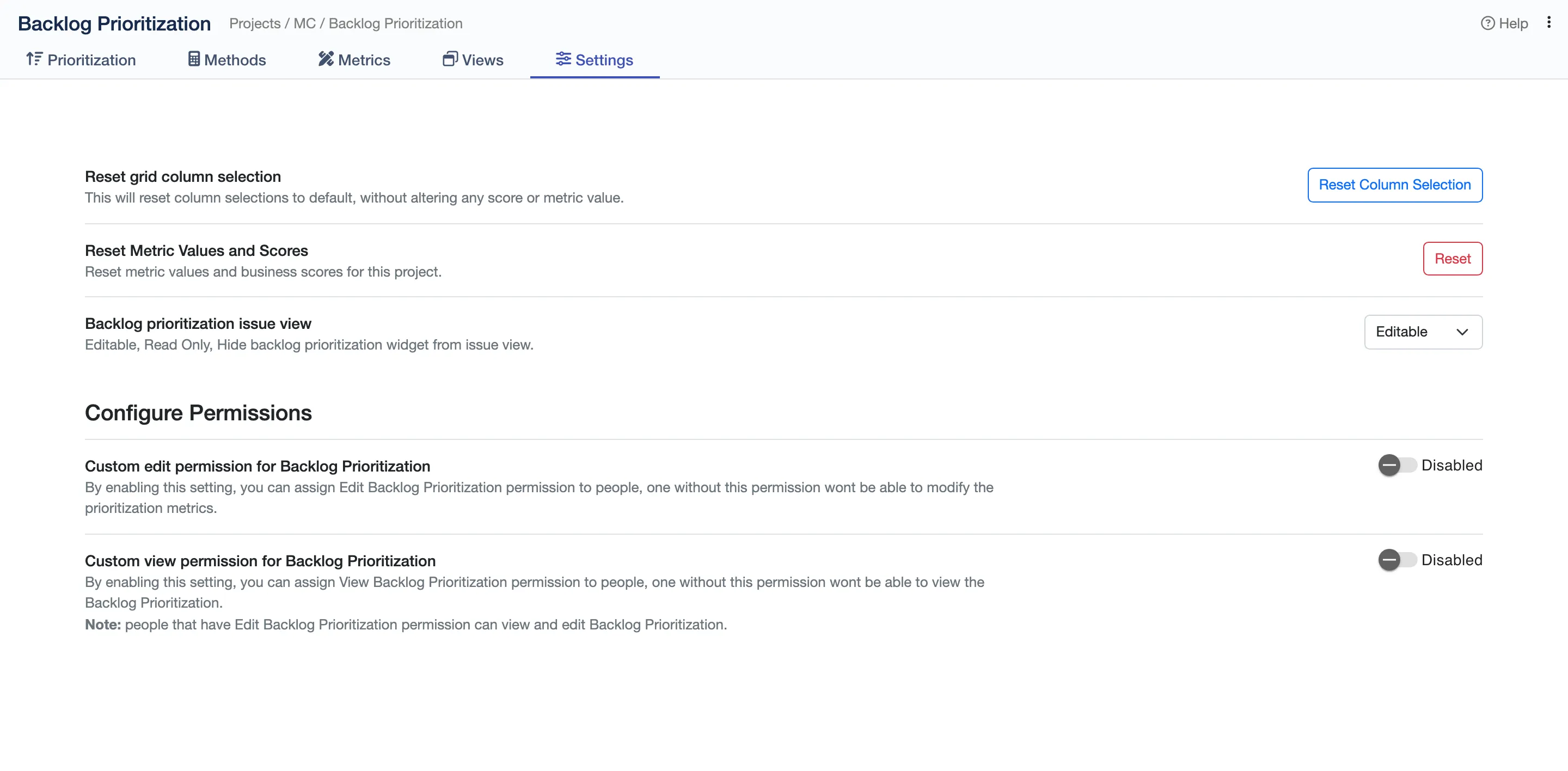
Choose who can view or edit scores, and whether the issue view is editable, read-only or hidden.
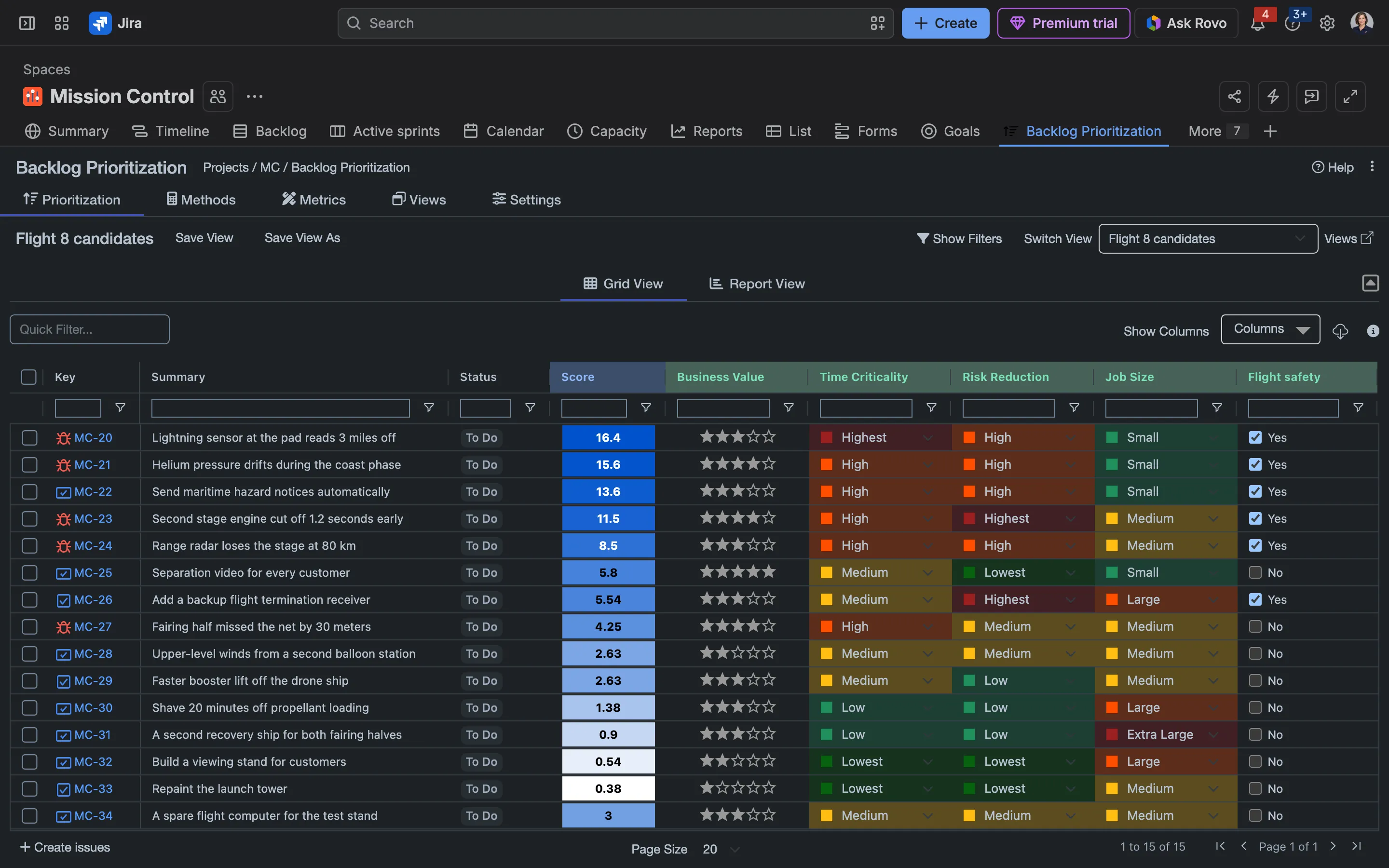
The grid in Jira’s dark mode.
 Allie Emrich
Just started using this and it's a great way to quickly prioritize issues. Definitely a fan, and the customer service is absolutely fantastic! Super prompt. Thanks!
 Jeff Tomberg
If you need a scoring system to help prioritize your Jira issues, THIS IS YOUR SOLUTION. I looked for a long time for a way to score our issues that made sense for our business needs. Backlog Prioritization was the answer we needed. It has an extremely flexible scoring system so we could add our own custom metrics and weigh them appropriately for our needs. On top of this, their support is top notch (which is not normal these days). When I had questions, I got responses quickly. And when I was confused, they jumped on a Zoom call with me - twice in one day. Ultimately they helped me sort out the confusion (which had to do with how Jira handles custom fields). I honestly cannot recommend them highly enough. I will say that there is a bit of a learning curve (it took me a couple of days to understand the concepts). But once I got it, it turned out to be exactly the solution we needed.
 Jimmy Kay
We’re highly satisfied with the backlog prioritization app, it fills all our needs. Awesome support team, very helpful even during weekends. The documentation could be improved though. Waiting for the upcoming reports feature. To sum it up, this Plugin offers a really useful solution to our project management needs, must have! 5 stars!
 Former user
Best of the best! Please, fix issues with "Saved Filters" search field - it doesn't display all the filters in our instance, just a few of them, which are on top.
 Rui Fraga
Loving the app, great work. Feature suggestion: would it be possible to have a default value for each field? I would like to have, upon ticket creation, the possibility to have a default value for each field so that a default score was calculated for each ticket. The adjustment of this score would be then done during Backlog grooming.
 Sebi C
Amazing app. Can only suggest this to everybody who wants to have transparent priorization within Jira itselfs. But who are you? I will run into problems when we do not know who (company / person) is behind Appbox.ai . For legal and risk reasons its possible to run into problems.
 Kumar Shridhar
An excellent project management tool, super intuitive and works out of the box. it makes prioritizing work for teams extremely easy. The support team was quick to respond to my queries. I was expecting an export feature from the grid but seems it’s missing, would love to see that in the future.
RICE, ICE, WSJF and Value vs Effort. You can edit them, or add your own: create the metrics you need and combine them in a formula.
Yes. Score is a Jira field, so you can add it to board cards, search with it in JQL and sort by it, for example with ORDER BY Score DESC in your board’s filter.
Yes. Save a method’s score, or any metric, into a number field of your own, and use that field on dashboards and in Plans.
Anyone who can edit the issue, unless you turn on custom permissions and choose which roles, groups or people can view or edit prioritization. The issue view can also be editable, read-only or hidden.
Yes. Each issue’s Backlog Prioritization History lists every change to its metrics and score, who made it and when, with the old and new values.
Backlog Prioritization runs on Atlassian Forge with no outside servers, so scores and metric values stay in your Jira site.
Start a free trial from the Atlassian Marketplace, or read the docs to see how it works.